Thunderbolt 5
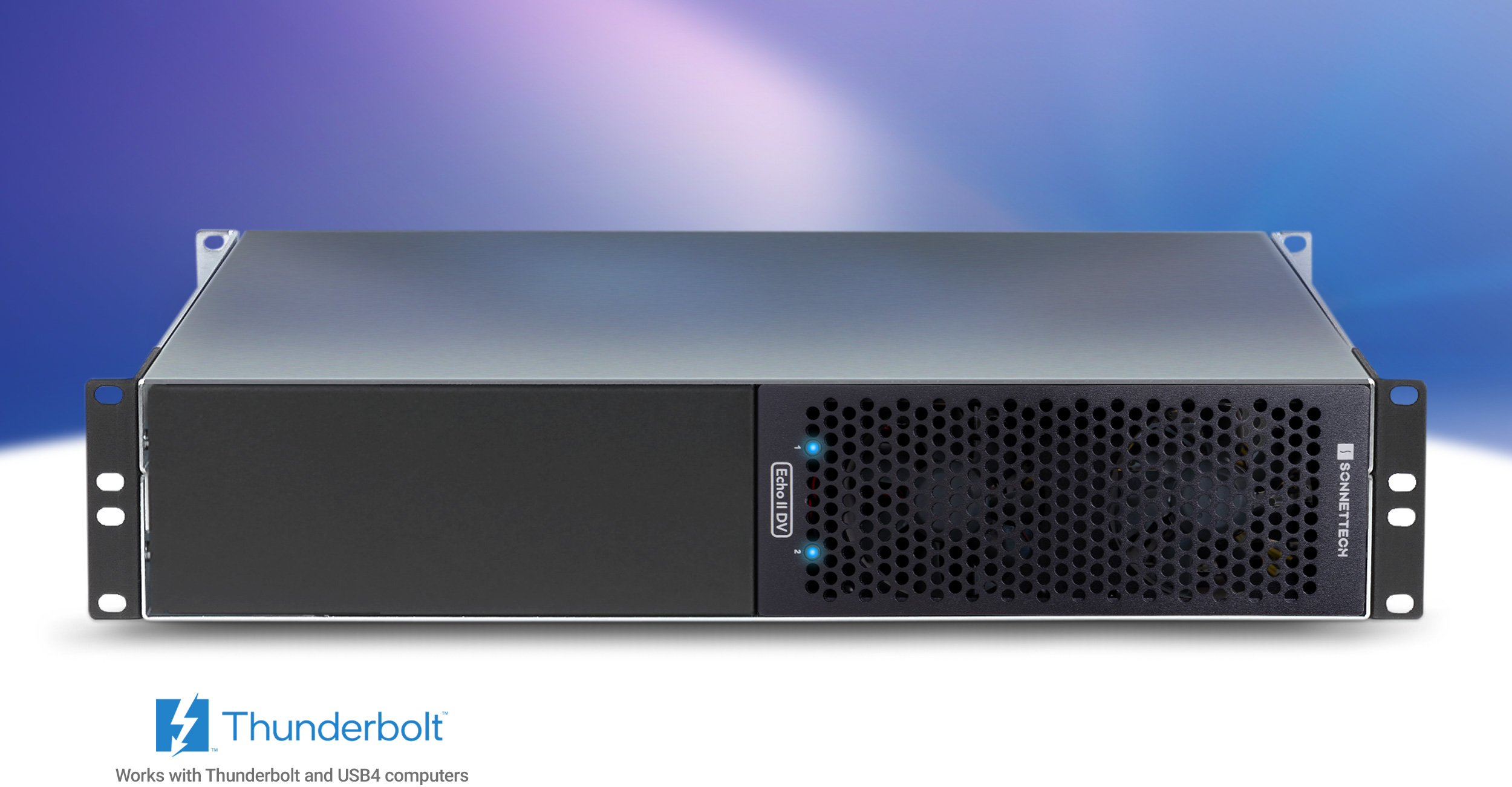
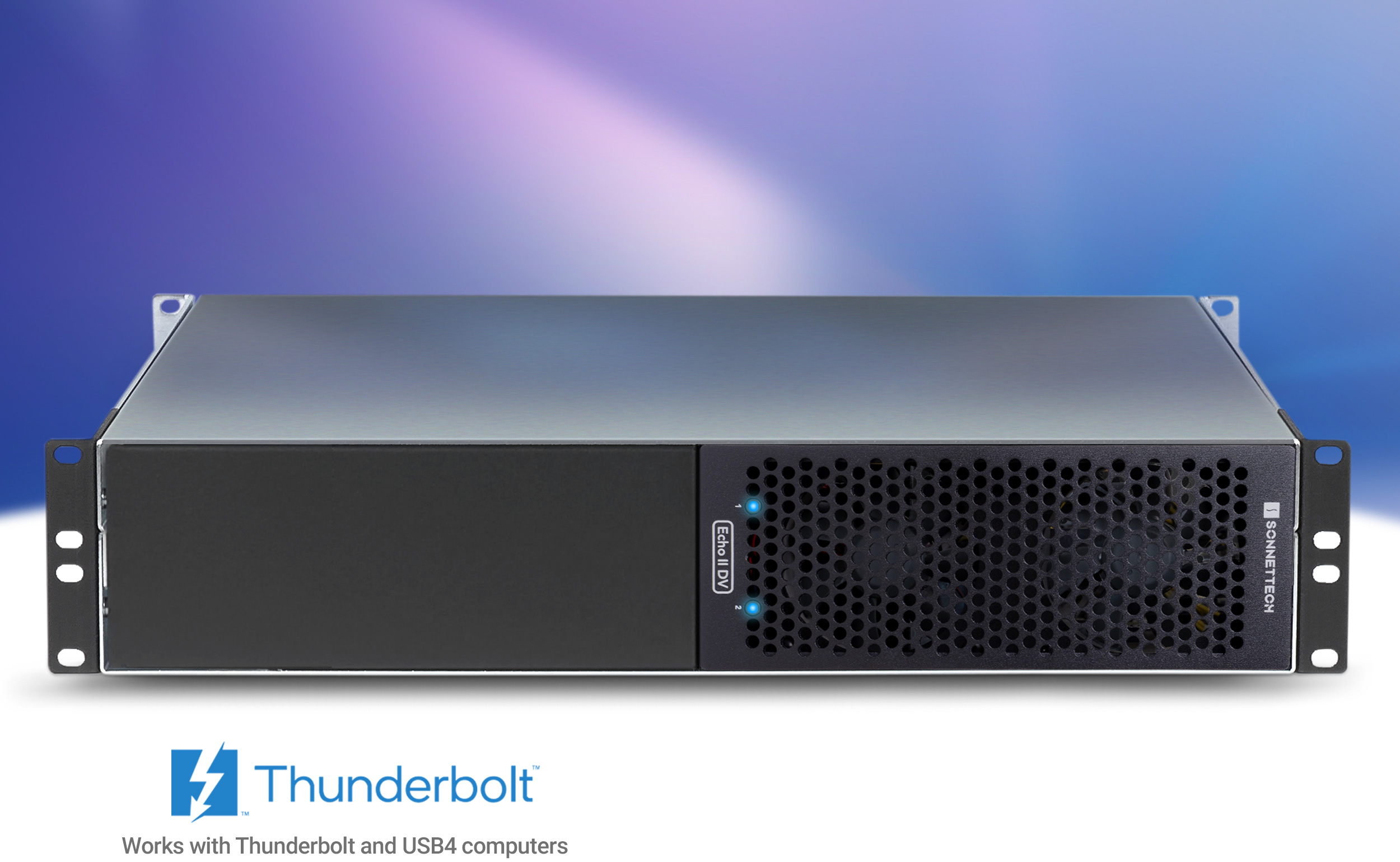
Front view of Echo II DV T5 Rackmount Thunderbolt 5 Expansion System.Front view of Echo II DV T5 Rackmount Thunderbolt 5 Expansion System.
MAX
DV Performance
MAX
DV Performance
via Thunderbolt 5
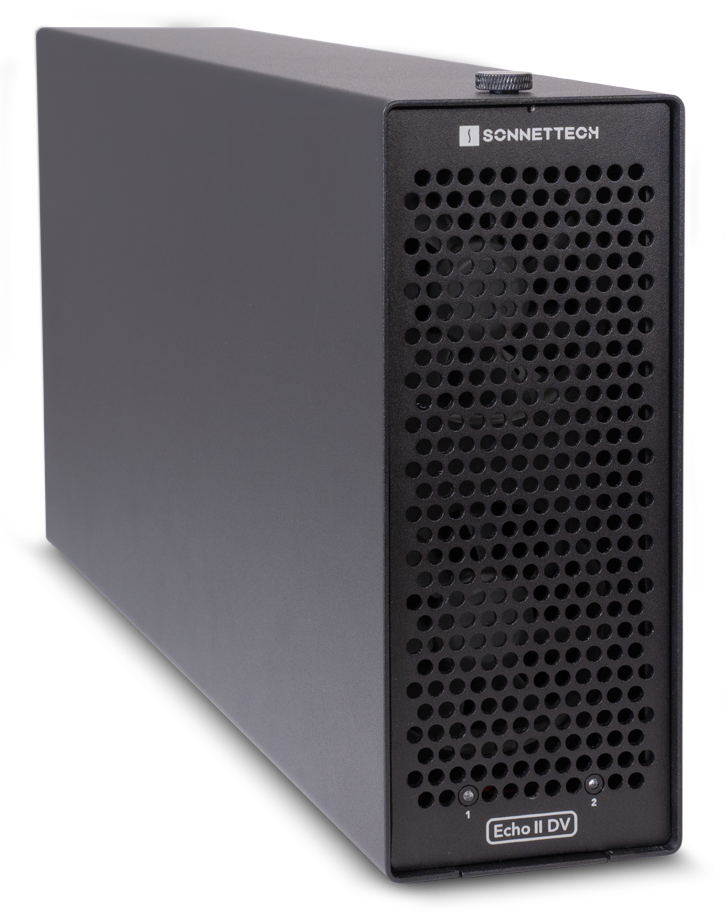
Echo II DV T5 Rackmount
Rackmount 2-slot Dual Thunderbolt 5 Interface to PCIe Card Expansion System for Computers with Thunderbolt or USB4 Ports
Two high-bandwidth PCIe cards.

Create a Broadcast Studio in a 2U Rack Space

Run Two High-bandwidth Cards at Full 6000 MB/s – Simultaneously

Do you use one of the hot new laptops or mini desktops with ultra-high-performance Thunderbolt™ 5 ports in your creative pro workflow? Without PCIe expansion slots, those computers’ onboard processing power alone is probably not enough to get your job done. You still need the specialty cards that add needed video and audio I/O, transcode data, and connect to high-speed networks and shared storage.

Sonnet Echo™ II DV T5 Rackmount eliminates the limitation. This professional Thunderbolt 5 to PCIe card expansion system connects two full-length, single-width PCIe cards to your computer, each to a separate Thunderbolt port for maximum bandwidth to each card — it’s the ultimate solution for connecting cards with high bandwidth requirements.
Headline: Dual Thunderbolt 5 Interfaces. Double the Dedicated Bandwidth. Background image shows video editor in studio.Dual Thunderbolt Interfaces - Double the Dedicated Bandwidth
Dual Thunderbolt Interfaces
Double the Dedicated Bandwidth
PCIe card icon.
Connect DV I/O or Other Bandwidth-hungry PCIe Cards
Dual Thunderbolt interface icons.
Dual Thunderbolt 5 Interfaces for Maximum Bandwidth
x2 6000 MB/s icon.
Full 6000 MB/s PCIe Bandwidth to Each Slot
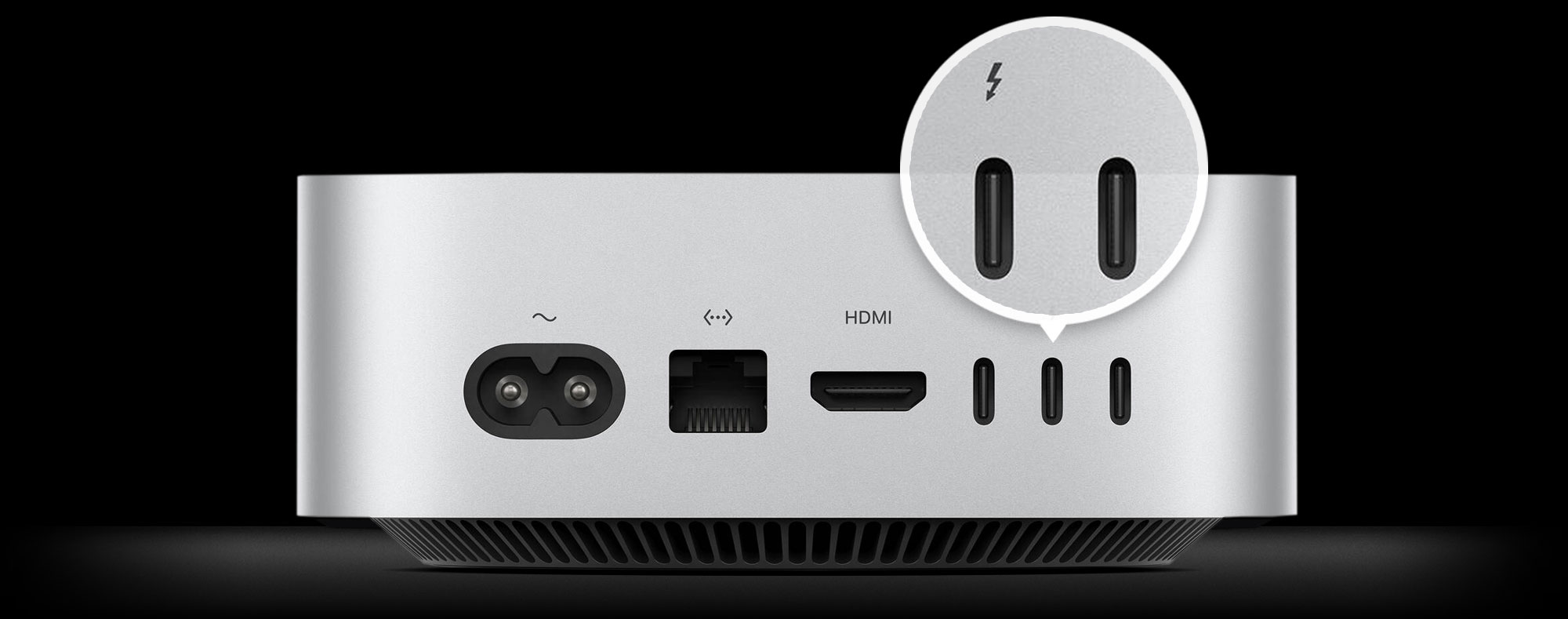
Thunderbolt 5 ports on rear of Mac mini.
Connect Echo II DV T5 to Two Thunderbolt 5 Ports on Your Computer for Maximum DV Performance
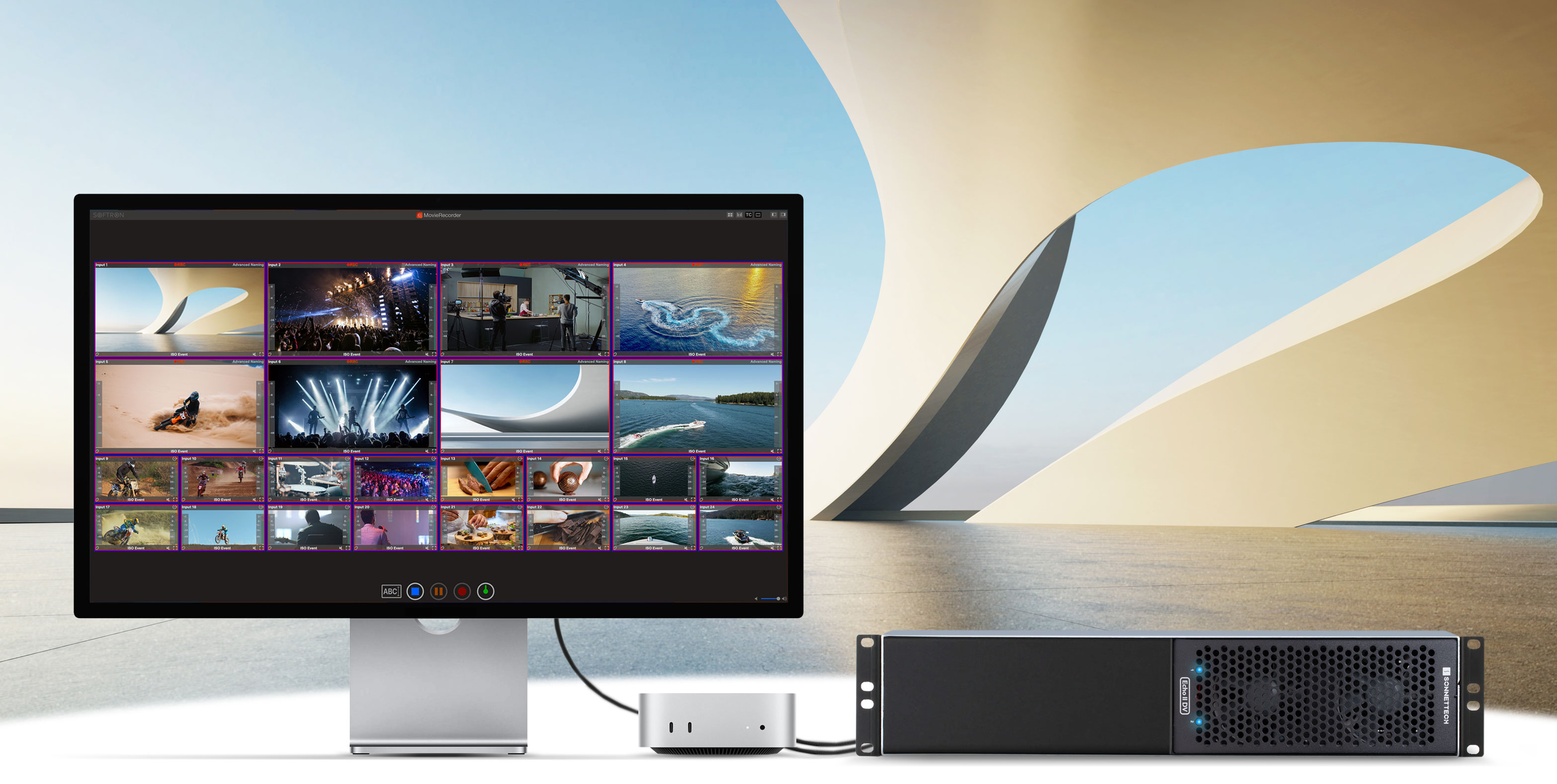
Mac mini connected to Apple Pro Display XDR and Echo II DV T5 Rackmount.
Softron MovieRecorder
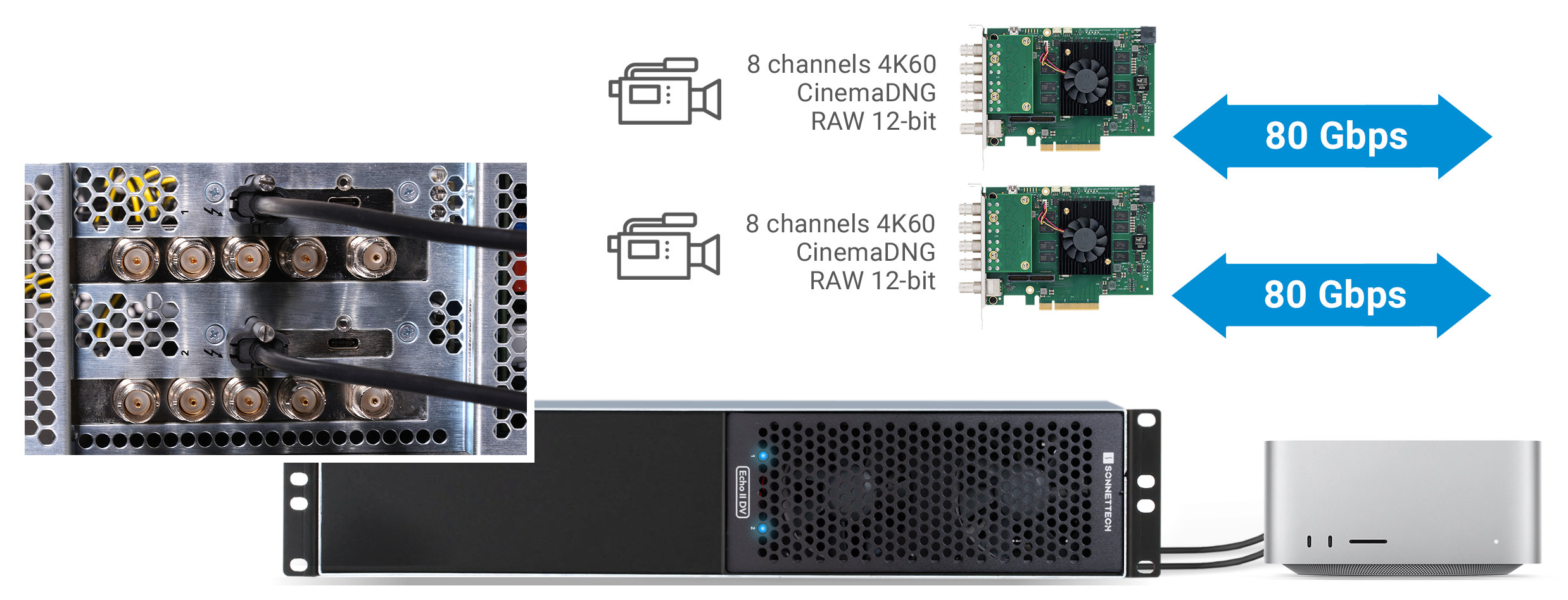
2x 6000 MB/s

Specially Designed to Support Maximum Performance from Two Cards

Two PCIe 4.0 Card Slots. Dual Thunderbolt 5 Interfaces for Double the Bandwidth.

Some of the latest computers — including MacBook Pro (M4 Pro/M4 Max) , Mac mini (M4 Pro), Mac Studio (M3 Ultra/M4 Max), and select Windows PCs — offer multiple Thunderbolt 5 ports, each with its own independent bus delivering 6000 MB/s of PCIe bandwidth. Echo II DV T5 Rackmount is designed to fully exploit that speed. Instead of sharing bandwidth across slots, it uses a dedicated Thunderbolt 5 interface for each slot, delivering full PCIe bandwidth to both cards at the same time. This means you can run two high-demand PCIe cards at full performance simultaneously — perfect for DV I/O, ultra-fast NVMe storage, and multi-port 10 and 25Gb Ethernet workflows.
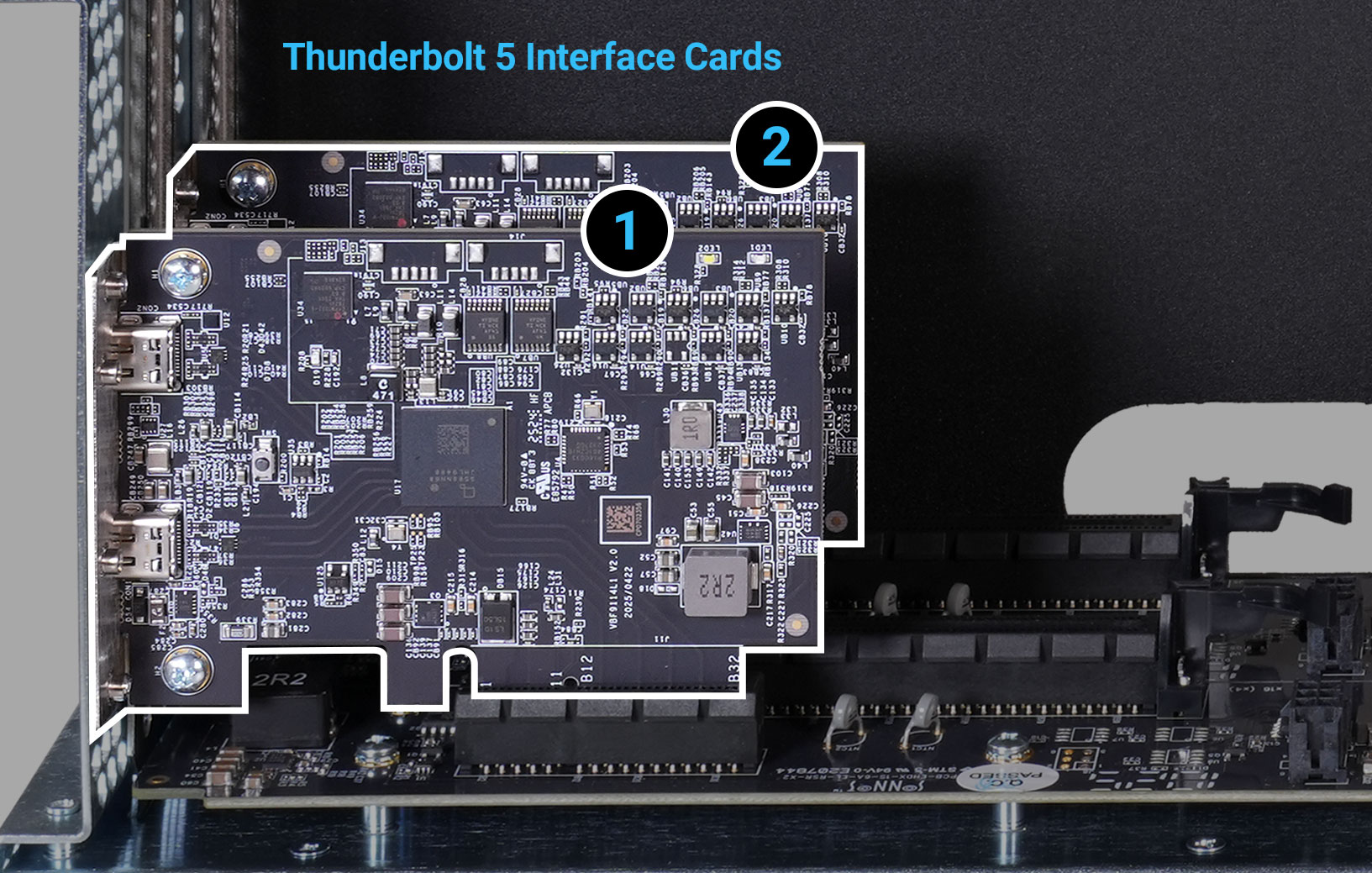
Thunderbolt 5 interface cards installed inside Echo II DV T5 module.

2x the Bandwidth!

Separate Thunderbolt 5 Interface for Each Card Slot

Echo II DV T5 provides full Thunderbolt PCIe bandwidth to each slot when connected to two computer Thunderbolt ports that also provide independent PCIe bandwidth — 6000 MB/s with Thunderbolt 5 computers, and 2880 MB/s with Thunderbolt 4 and 3 computers.
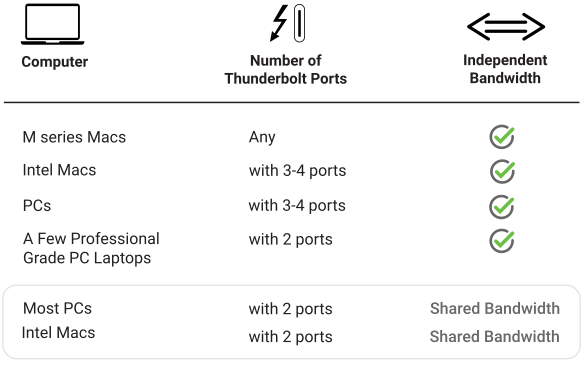
Computer Thunderbolt bandwidth chart.
Dual Thunderbolt ports icon.

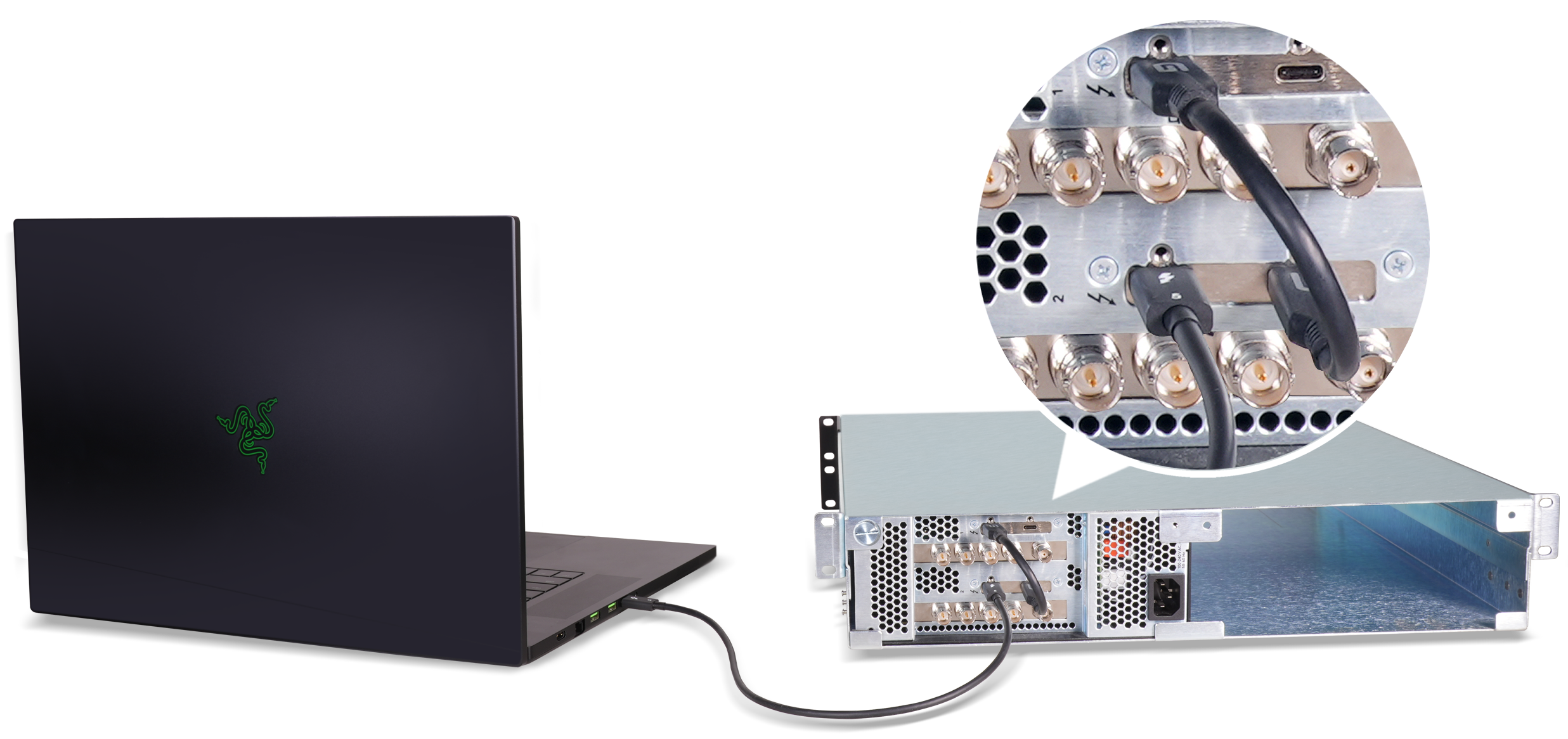
Dual Thunderbolt 5 Ports Connection Option for Maximum Performance

Connect Two DV I/O or Other High-bandwidth Cards Directly to Two Thunderbolt 5 Ports On Your Computer for Full 6000 MB/s PCIe Bandwidth to Each Card

Dual Thunderbolt 5 ports connection setup.

See Bandwidth Connection Between Computer and Module

See Bandwidth Connection Between Computer and Module

Expand section icon.

Full 6000 MB/s Bandwidth

with M4 Pro, M4 Max, and M3 Ultra Macs and a few pro Thunderbolt 5 PCs
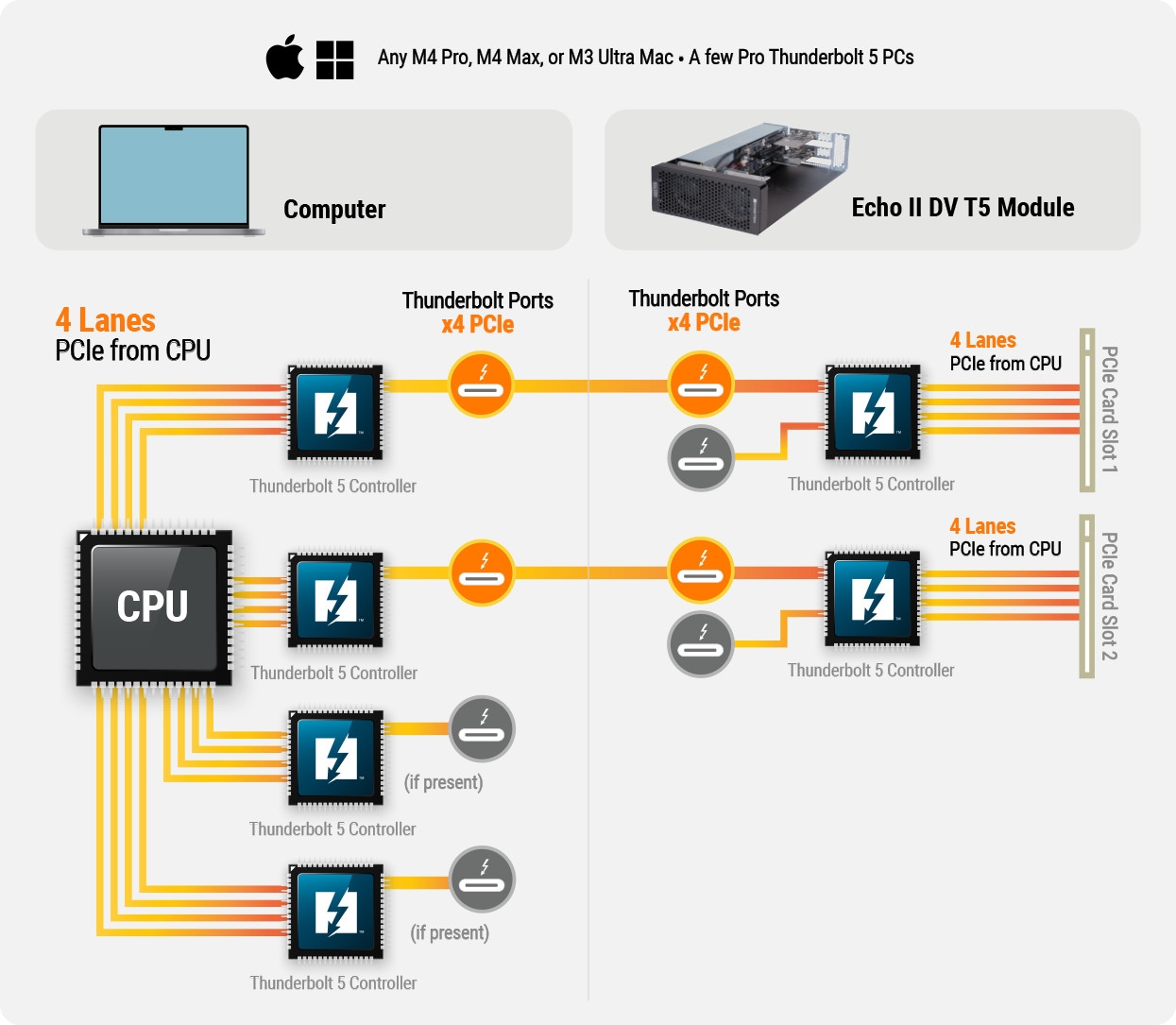
Full 6000 MB/s bandwidth diagram.

2880 MB/s Bandwidth

with Intel Macs, and PCs with Thunderbolt 4 (40 Gbps) Ports
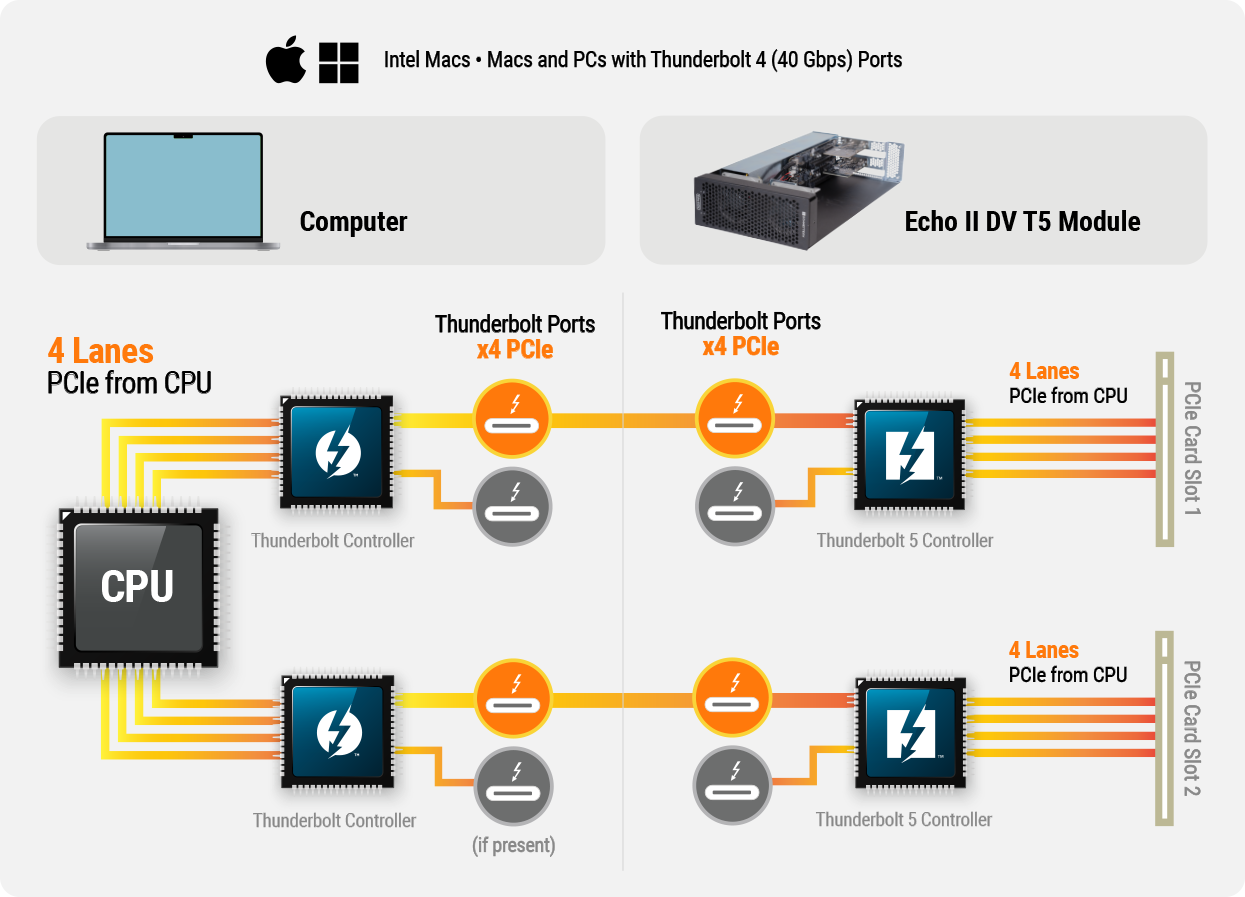
Full 2880 MB/s bandwidth diagram.
Single Thunderbolt port icon.

Single Thunderbolt Port Connection Option

Also Works with Computers with Only One Available Thunderbolt Port to Support Two Cards

Single Thunderbolt port connection setup.

Only One Available Thunderbolt Port?

Or, Does Your Computer Only Have USB4 Ports?

Daisy Chain the Thunderbolt Interfaces to Connect Two PCIe Cards Via One Cable

Because each PCIe card slot’s Thunderbolt 5 interface includes two Thunderbolt ports, you can connect the interfaces to each other to enable Echo II DV T5 Rackmount to plug in to your computer with a single Thunderbolt cable.

See Bandwidth Connection Between Computer and Module

See Bandwith Connection Between Computer and Module

Expand section icon.

Shared Bandwidth

with Intel Macs or PCs with only Two Thunderbolt Ports
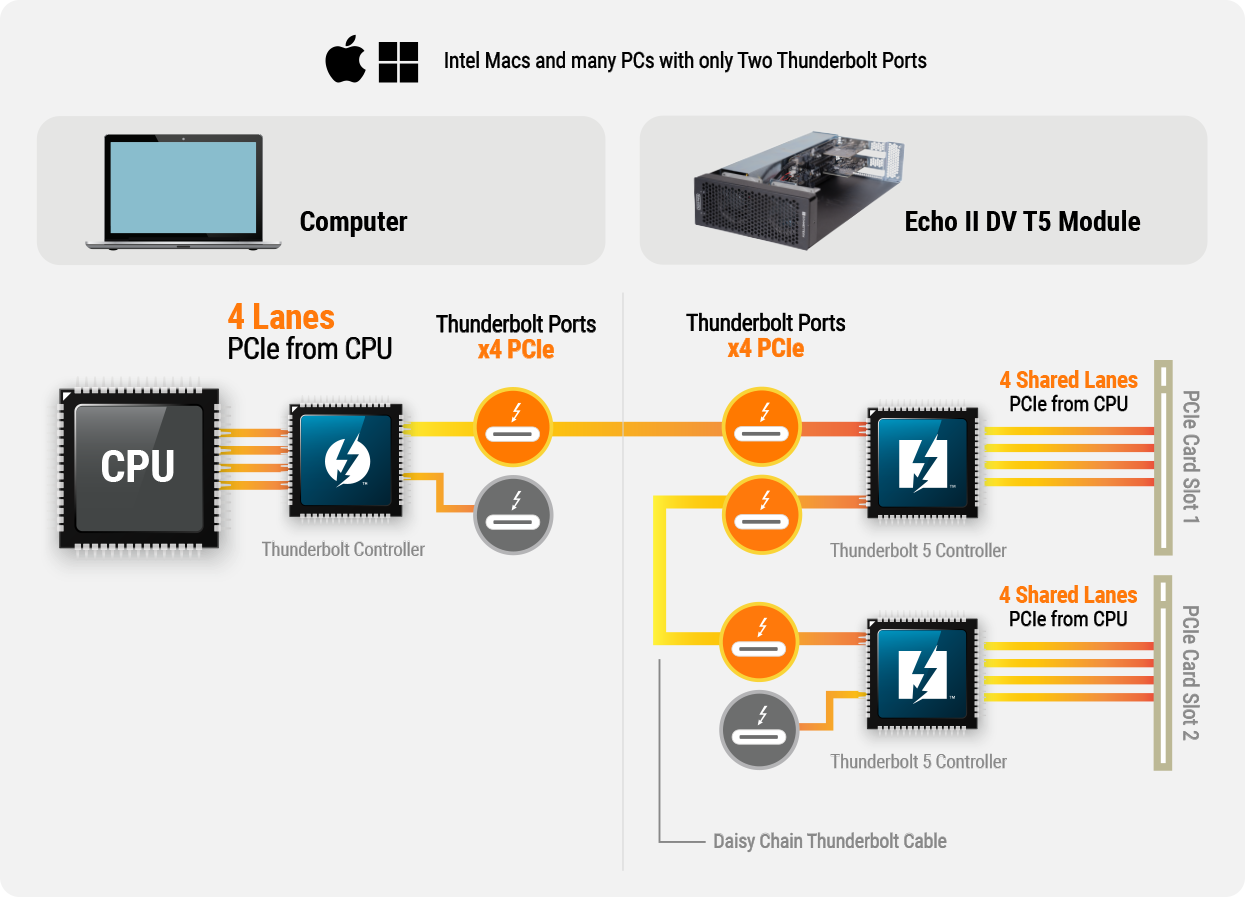
Shared bandwidth diagram.

Key Features

Computer connectivity icon.

Adds Connectivity and Capabilities

Connects two high-performance non-GPU PCIe cards via one or two Thunderbolt cables to your computer without expansion slots.

Thunderbolt 5 logo icon.

Thunderbolt 5 to PCIe Device

Supports full Thunderbolt 5 PCIe bandwidth (6000 MB/s) to each installed card.

Dual Thunderbolt Interfaces Icon

Dual Thunderbolt 5 Interfaces, Two PCIe 4.0 Slots

One interface per PCIe 4.0 slot enables maximum performance from two cards at the same time.
Four Thunderbolt ports icon.

Four Thunderbolt 5 Ports

Two ports connect to the computer for maximum performance; secondary ports support daisy-chaining of Thunderbolt interfaces to enable single-cable connection to the computer.
PCIe card icon.

Broad PCIe Card Compatibility

Every Thunderbolt compatible, single-width, non-GPU card supported regardless of length or height.

Two icon.

Connect to Two Computers

Each Echo II DV T5 PCIe slot operates independently of the other, enabling you to connect them to separate computers.

Power icon.

Pro Power

Two 75W auxiliary PCIe power connectors for power-hungry cards; secondary Thunderbolt ports provide 15W of power each to connected peripherals.

Fan icon.

Remarkably Quiet

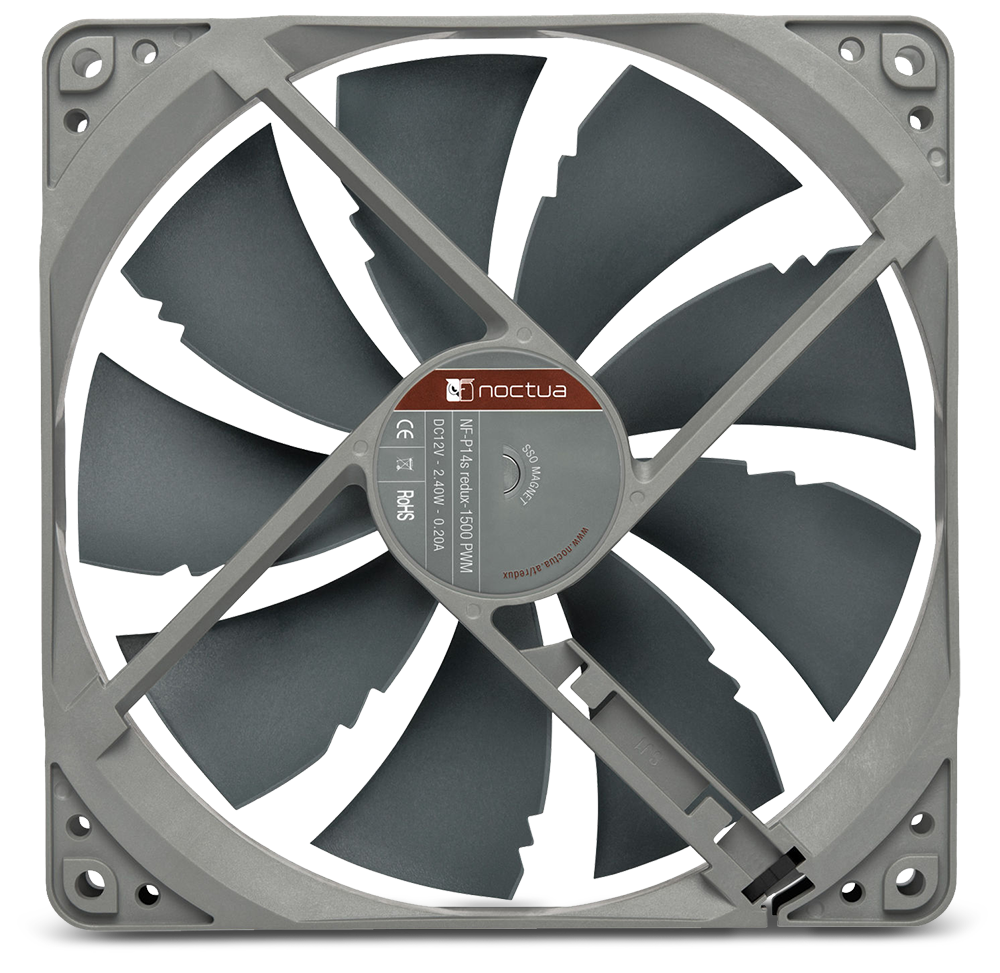
Dual temperature-controlled, variable-speed Noctua fans rated at 17dBA automatically and quietly cool the cards.

Rugged icon.

Rugged 2U Steel Rackmount Housing + Optional Expansion Space

Provides robust and secure protection in server and DIT racks; space for an additional Sonnet expansion module (sold separately).

Apple logo icon.

Mac Compatible

Supports all M series Macs, and Intel Macs with Thunderbolt 3 ports.

Windows logo icon.

Windows Compatible

Supports Windows computers with Thunderbolt 5 or 4, or USB4 ports.

Linux logo icon.

Linux Compatible

Supports Linux computers with Thunderbolt 5 or 4, or USB4 ports.

Free lifetime tech support icon.

Sonnet Support

Founded in 1986 in Orange County, Southern California — long recognized as a vibrant hub of technology and engineering — Sonnet has been at the forefront of innovation for nearly four decades. We’ve introduced award-winning products that expand performance and connectivity for Mac, Windows, and other industry-standard computers. Many of our team members have been with us for more than 20 years, bringing unmatched expertise across both current and legacy products. Should you ever need technical support, you can count on our knowledgeable staff to provide the help you need.
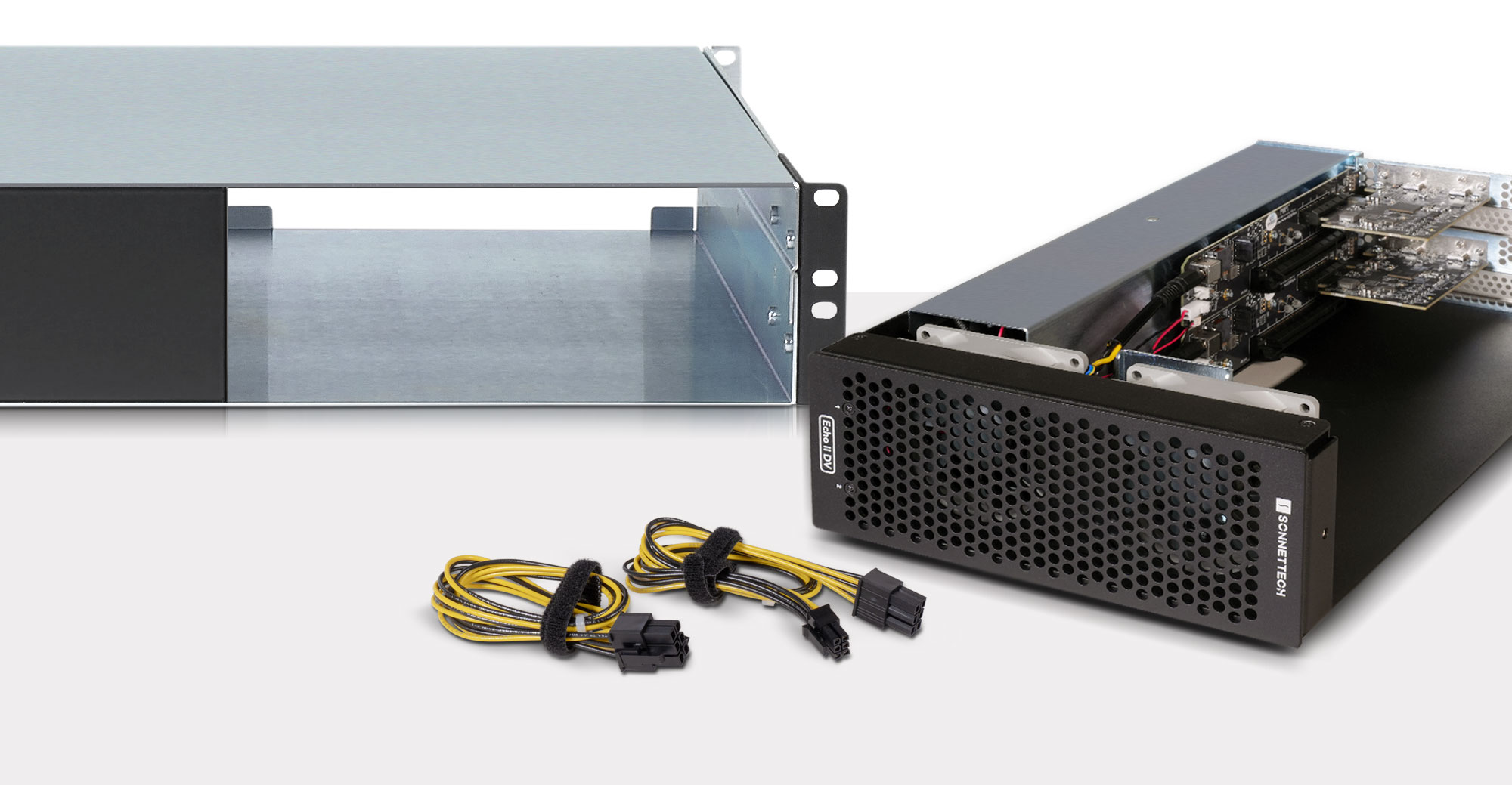
Echo II DV T5 Rackmount enclosure shown with module and two auxiliary power cables next to it.

Performance Meets Possibility

Two PCIe 4.0 Slots and Power to Spare

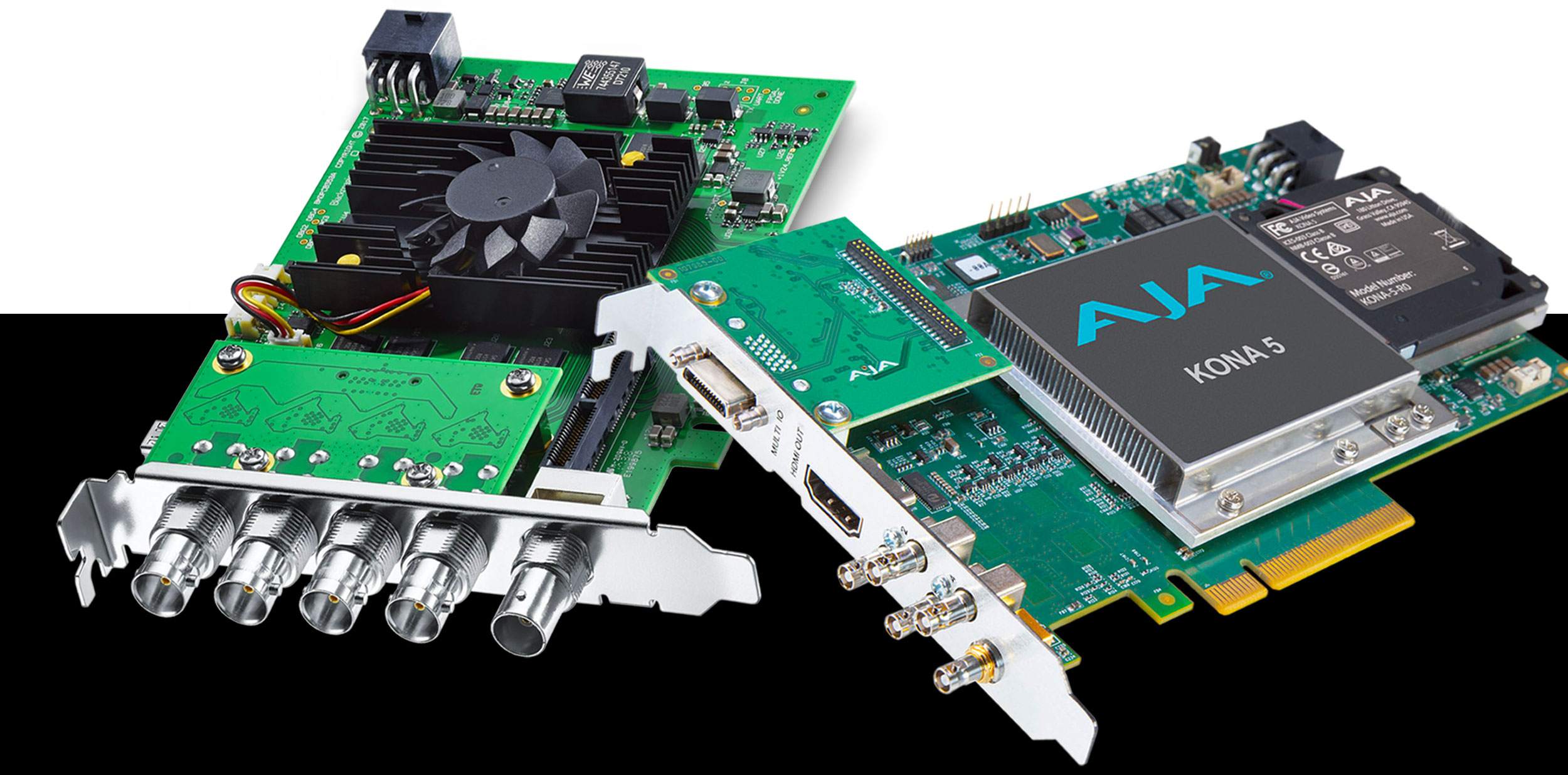
Echo II DV T5 Rackmount features two x16 PCIe slots with support for a wide variety of cards. For power-hungry cards, Echo II DV T5 integrates a universal 400W power supply and includes dual 75W auxiliary power connectors (one for each card slot) for cards that require extra power, including AJA Kona 5, Blackmagic DeckLink 8K Pro G2 (with main board [SDI ports] only), and Avid Pro Tools | HDX. Designed without a power switch, Echo II DV T5 powers on and off automatically with the connected computer, saving energy in the long run. With no power switch, you can’t forget to turn off the system!
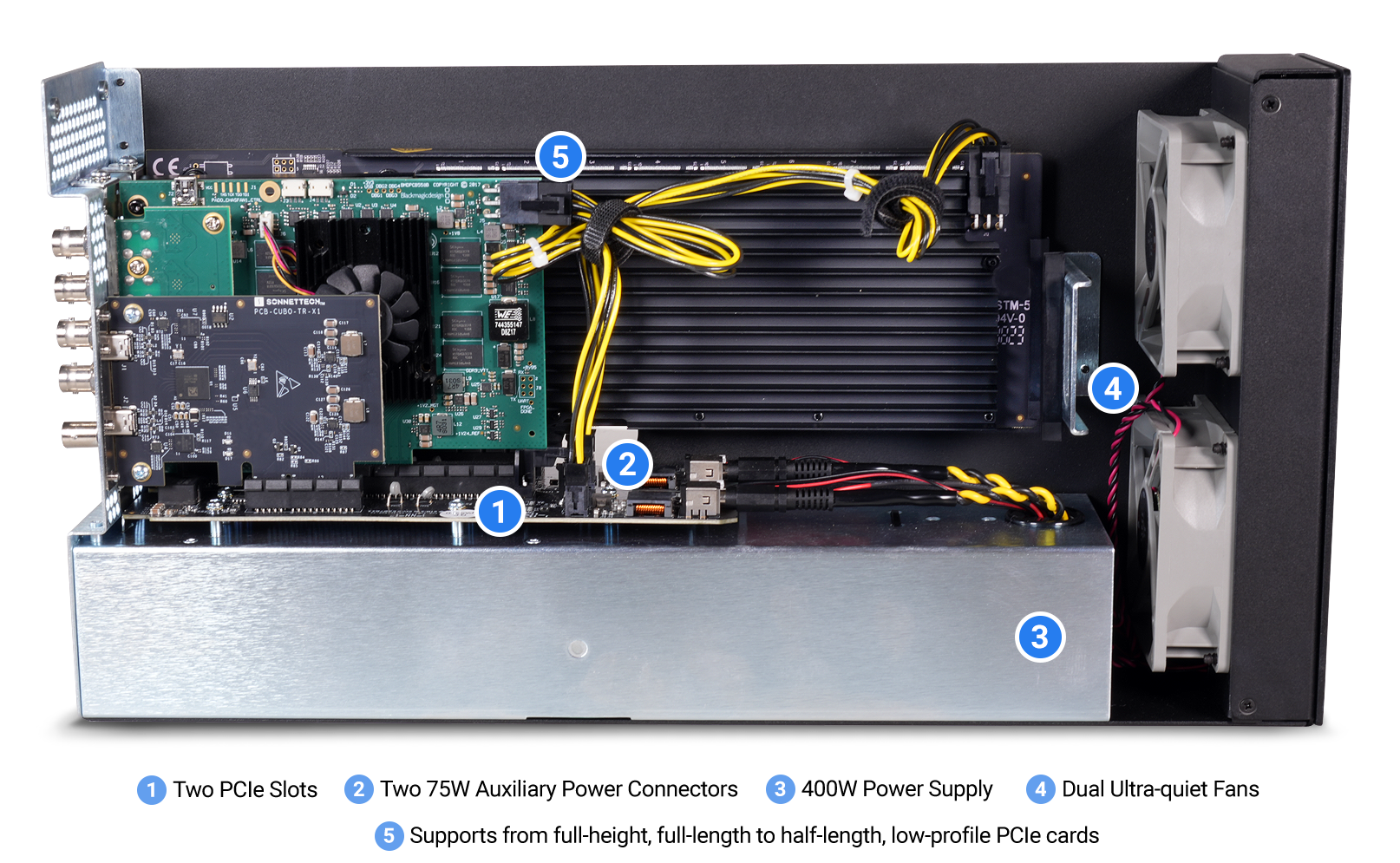
Overview of interior of Echo II DV T5 Module.
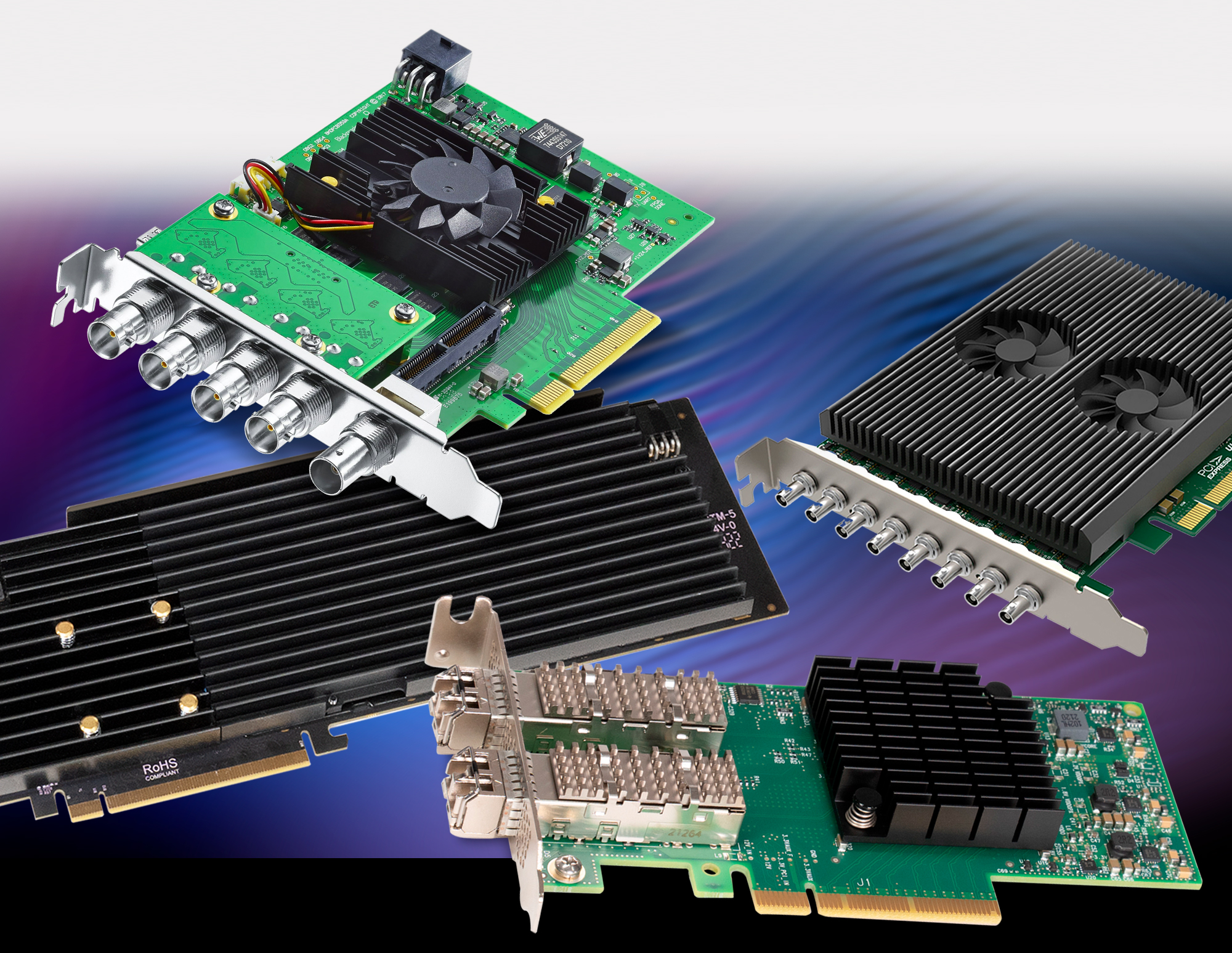
Group of video and audio PCIe cards.

Flexible PCIe Card Support

Supports Thunderbolt Compatible, Single-width, Non-GPU Cards

Echo II DV T5 Rackmount supports Thunderbolt compatible, single-width, non-GPU PCIe 4.0, 3.1, 2.0, and 1.1 cards including video capture, streaming and transcoding; SSD storage; audio DSP; multi-port 10Gb and 25Gb Ethernet; SAS or SATA host bus adapter; and other specialty types.

Not sure if a card you own or are considering is compatible? We’ve put together a compatibility list that identifies many cards conforming to Thunderbolt technology requirements and organized by fit and power compatibility with specific expansion systems.

Video PCIe Card IconAudio PCIe Card IconSAS/SATA PCIe Card IconNetworking PCIe Card IconSSD PCIe Card Icon
Video PCIe card icon.
Audio PCIe card icon.
SAS/SATA PCIe card icon.
Networking PCIe card icon.
SSD PCIe card icon.
PCIe Cards Compatibility PDF
Echo II DV T5 Rackmount supports the types of PCIe cards you need for your workflow, ranging from the largest video I/O and audio transcoding cards, to the smallest Ethernet NIC and USB interface cards
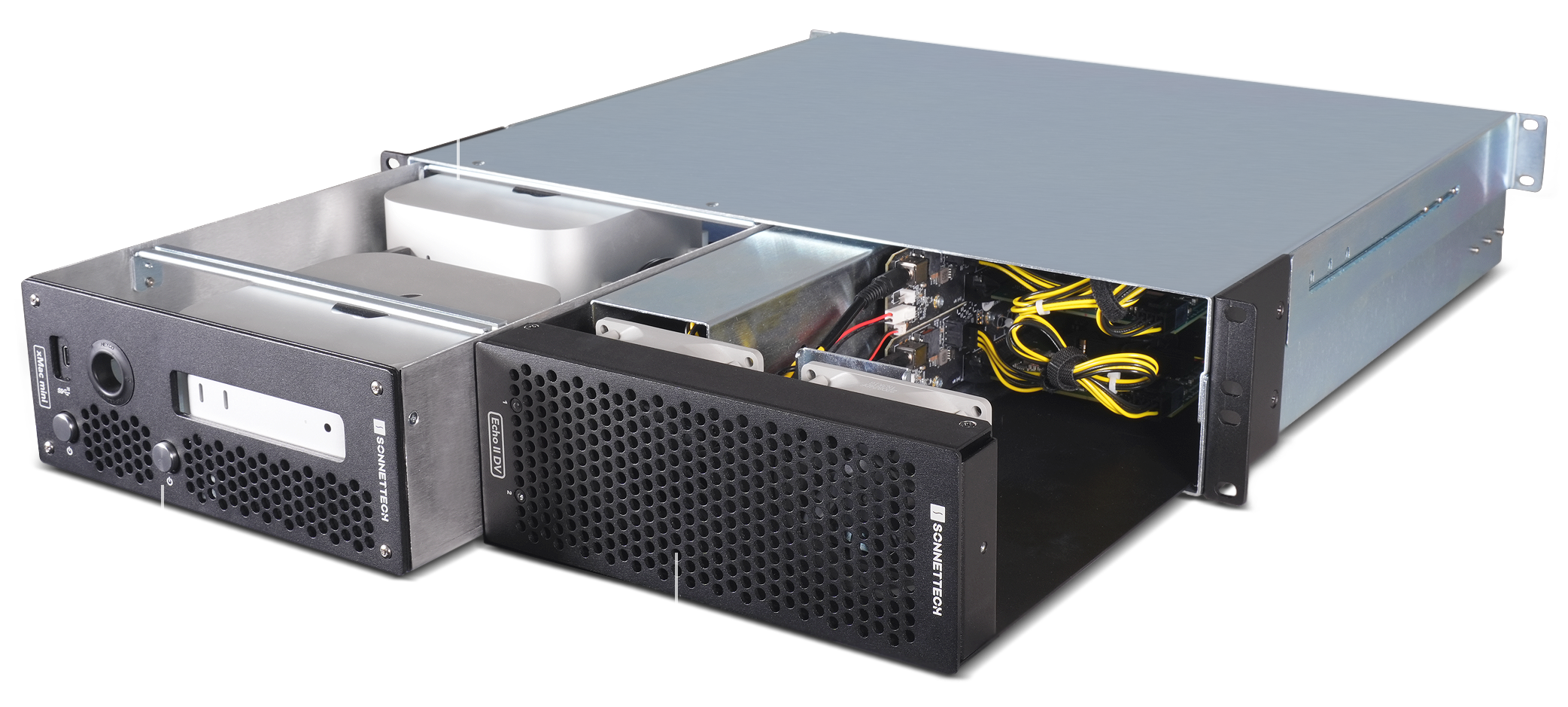
Front view of Echo II DV T5 Rackmount with xMac mini (2024+) and Echo II DV T5 Modules pulled out of enclosure half way.

Expand Without Limits

More Space, More Expansion Potential

Echo II DV T5 Module — the core component of Echo II DV T5 Rackmount — occupies half of the rackmount enclosure, leaving space for an additional Sonnet expansion module to customize the system for your specific needs. If your computer (such as the M4 Max or M3 Ultra Mac Studio) has four Thunderbolt 5 buses, you can install a second Echo II DV T5 Module to fully harness your system’s capabilities, enabling four high-performance PCIe cards to run at maximum bandwidth. Alternatively, choose the Echo III Module to connect three full-height, full-length cards through a single Thunderbolt cable.
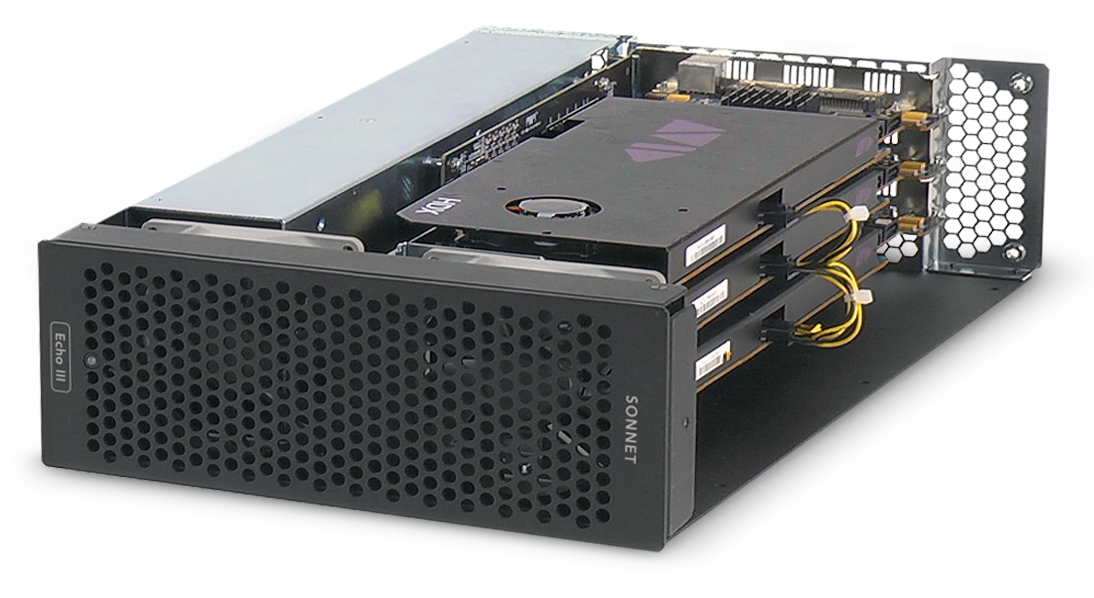
Front view of Echo III Module.
PCIe card icon.PCIe card icon.PCIe card icon.
Three PCIe Card Expansion

Echo III Module

Connect three full-height, full-length high-performance non-GPU PCIe cards via one Thunderbolt cable. Perfect for integrating Avid Pro Tool | HDX cards.
Part No. DM-MOD-E3
Buy Now
Mac mini (2024+) header icon.
Front view of Mac mini (2024+) Module.
Mac mini (2024+) Expansion

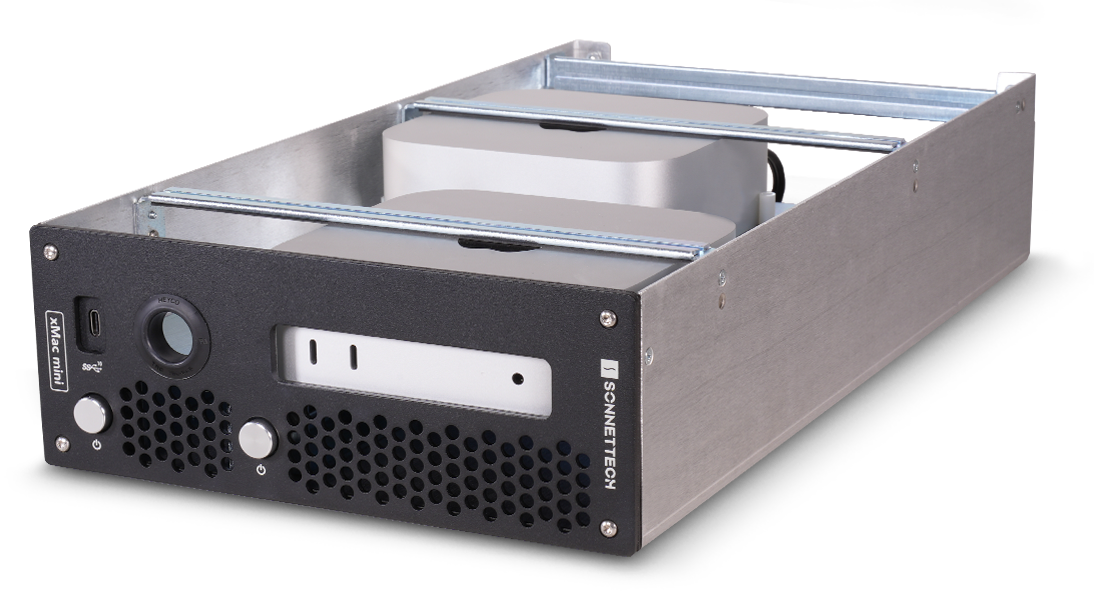
xMac mini (2024+) Module

Want to rack and configure one or two 2024+ Mac minis for your workflow? Go with the xMac mini (2024+) Module for seamless integration.
Part No. XMM-MOD
Buy Now
Mac mini (2018-2023) header icon.
Front view of xMac mini (2018-2023) Module.
Mac mini (2018-2023) Expansion

xMac mini (2018-2023) Module

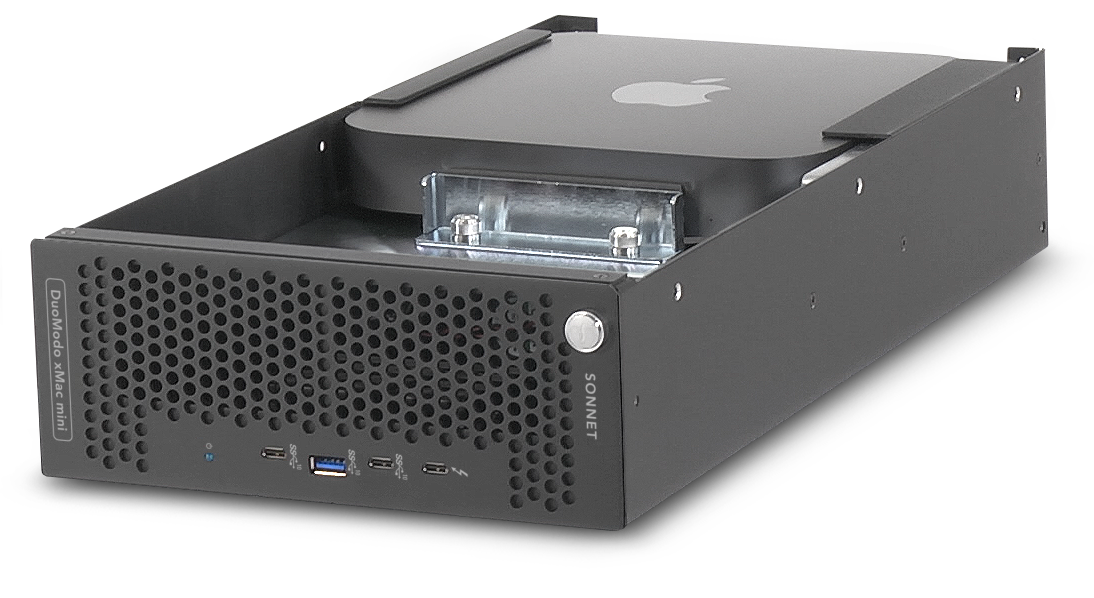
For previous-generation Mac minis (2018–2023), the xMac mini Module lets you securely rackmount your system while integrating a Thunderbolt SSD storage dock with up to 16TB of storage — all within a compact 2U enclosure.
Part No. DM-MOD-ZM
Buy Now
PCIe cards and Mac minis not included with modules
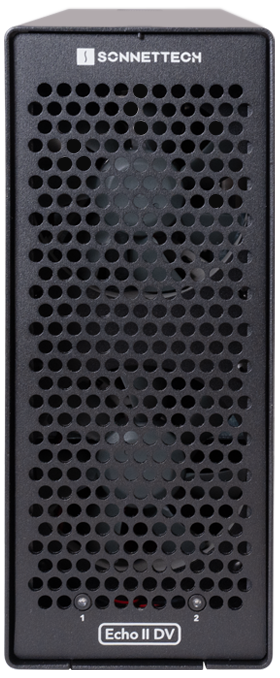
Front view of Echo II DV T5 module.
“The game-changing Echo II DV Module is the ideal companion for Softron broadcasting and video production software solutions, effectively doubling the number of inputs MovieRecorder captures in the same footprint and offering users a much cleaner solution to capture or play out multiple 4K channels on the Mac.”

– Pierre Chevalier, CTO, Softron
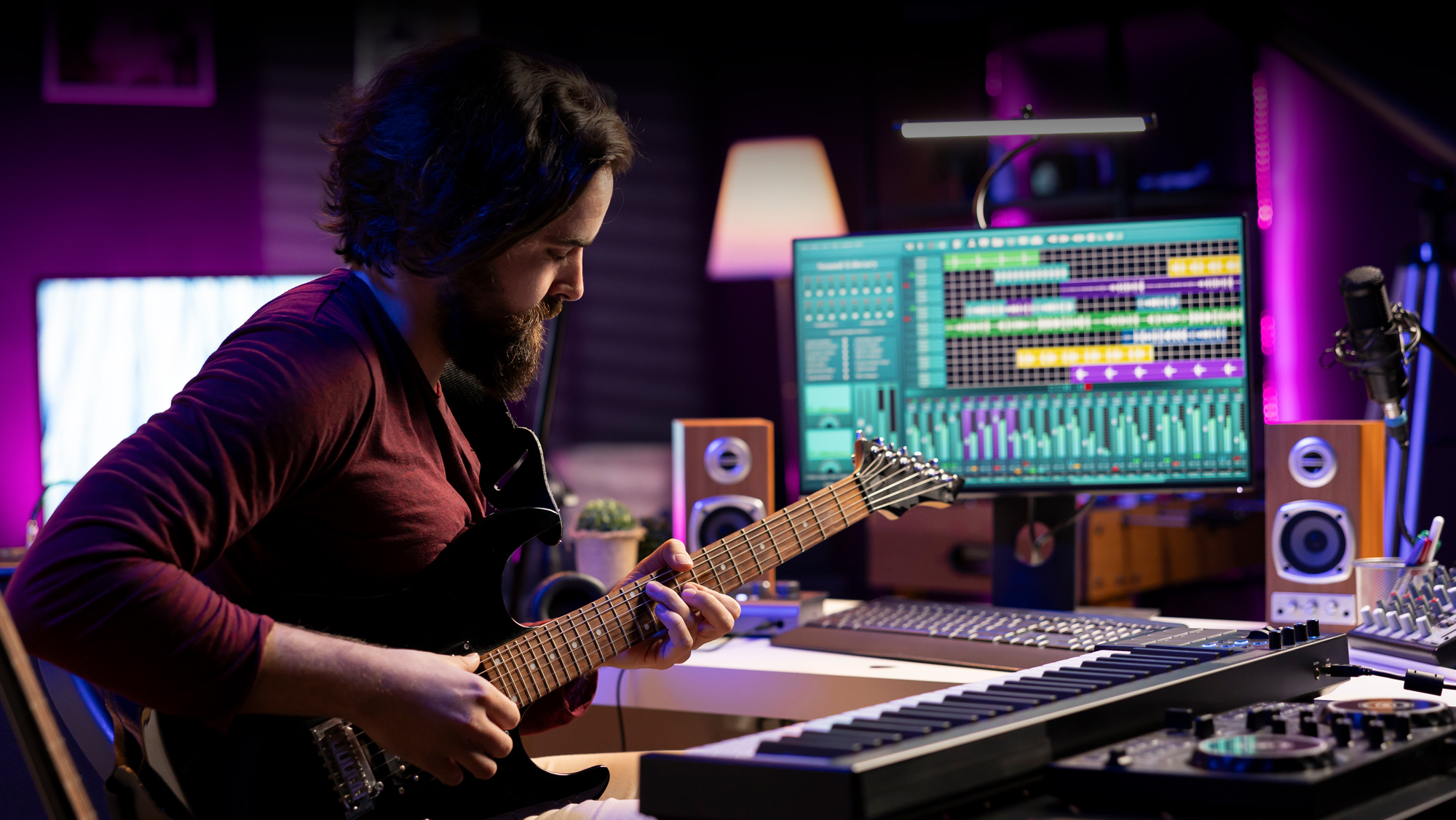
Musician in music studio.

The Coolest Thing In Your Rack

Built for Cool and Quiet Rackable Expansion

Occupying a rack space 2U tall, the 16.5-inch deep Echo II DV T5 Rackmount is ideal for use in a wide range of popular mobile racks, carts, and rack cases, and in server rooms, too. Its heavy-duty steel enclosure provides secure mounting for the Echo II DV T5 Module and protection for the PCIe cards installed inside, and supports maximum airflow for cooling, regardless of where you install it in a rack.
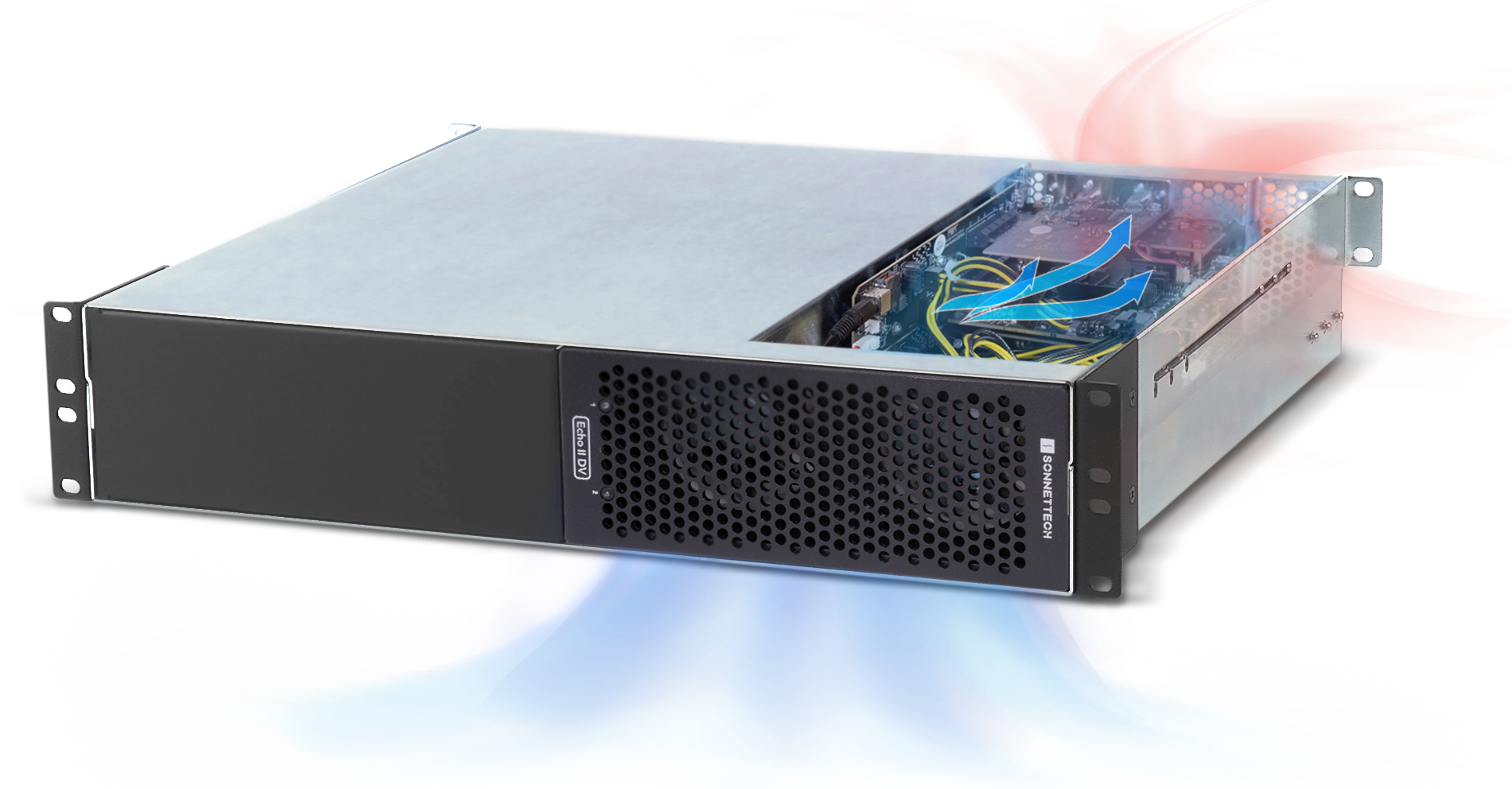
Echo II DV T5 Rackmount cooling illustration.
Noctua fan.
Noctua fan.

Dual Noctua Fans

Ultra-quiet Operation

Rated at 17dBA

Echo II DV T5 Rackmount can be comfortably used in noise-sensitive environments. Delivering ultra-quiet operation, its dual Noctua fans operate at below the recommended 20dBA limit for recording and broadcast studios and spread their noise across a range of frequencies, reducing the impact at any one frequency. To further guarantee trivial noise levels, the fans are temperature-controlled, automatically speeding up and slowing down smoothly as necessary, and the enclosure supports optimized airflow over the installed cards to effectively and efficiently cool the system.
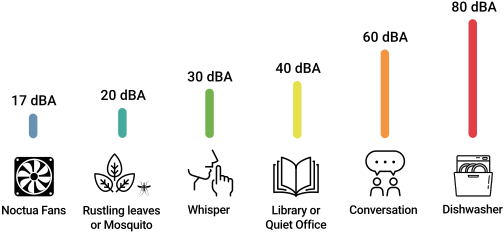
Noise levels comparison chart.
Comparative examples of noise levels source: iacacoustics.com
Echo II DV T5 Rackmount rack rails illustration.

Rack Steady

Echo II DV T5 Rackmount includes adjustable rackmount extension rails to enable the 2U enclosure to be installed securely in a variety of racks 16 to 24 inches deep.

Sonnet Thunderbolt cable and ThunderLok icon.
Secure Connections for High Performance

Thunderbolt 5 Cables and ThunderLoks Included

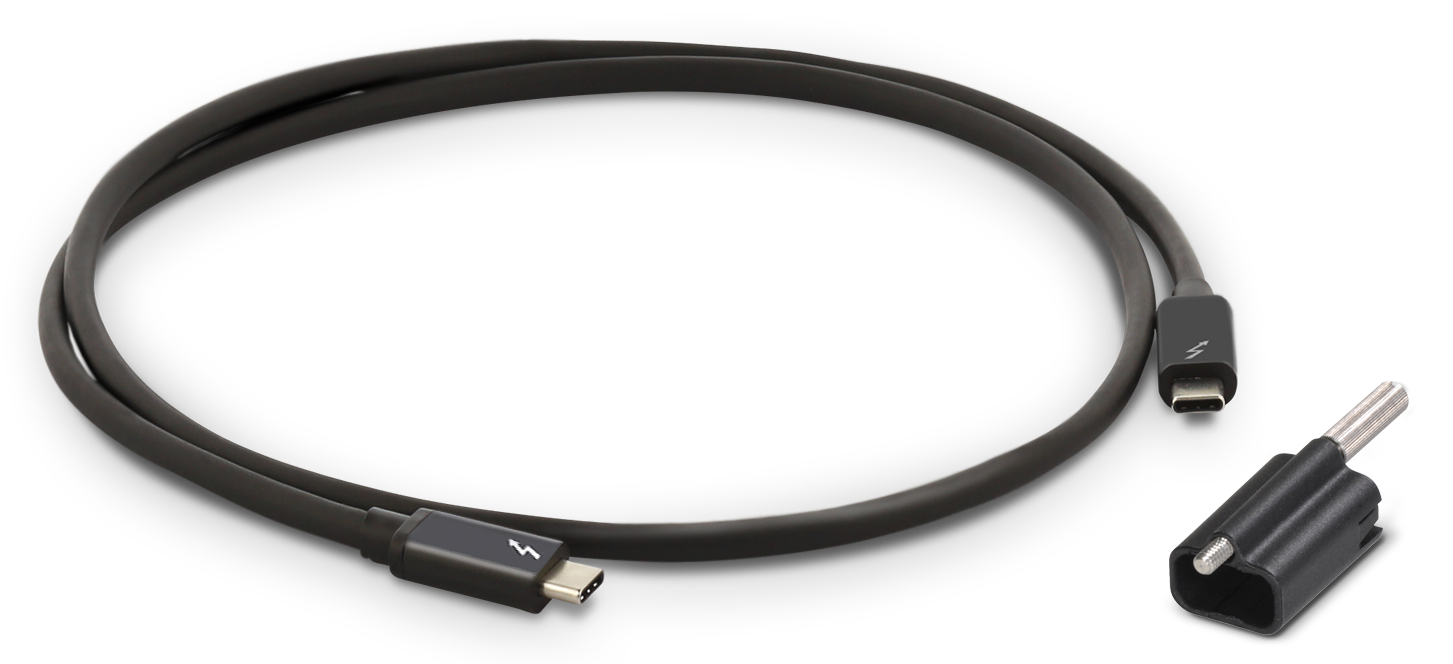
Sonnet includes two Thunderbolt cables engineered to deliver Thunderbolt 5’s full bandwidth and power delivery performance. The cables are fully compatible with Thunderbolt 5, 4, and 3, and USB4 computers. Three Sonnet ThunderLok Thunderbolt connector locks are also included to prevent accidental cable disconnections.
Sonnet Thunderbolt cable with ThunderLok sitting beside it.
Thunderbolt port with threaded hole icon.

ThunderLok Advantage

Many Sonnet Thunderbolt products featuring Thunderbolt ports come equipped with threaded mounting holes to securely attach a Sonnet ThunderLok connector lock, preventing Thunderbolt cables from accidentally disconnecting.

Thunderbolt 5 logo icon.

Thunderbolt 5

Tomorrow’s Performance. Today.

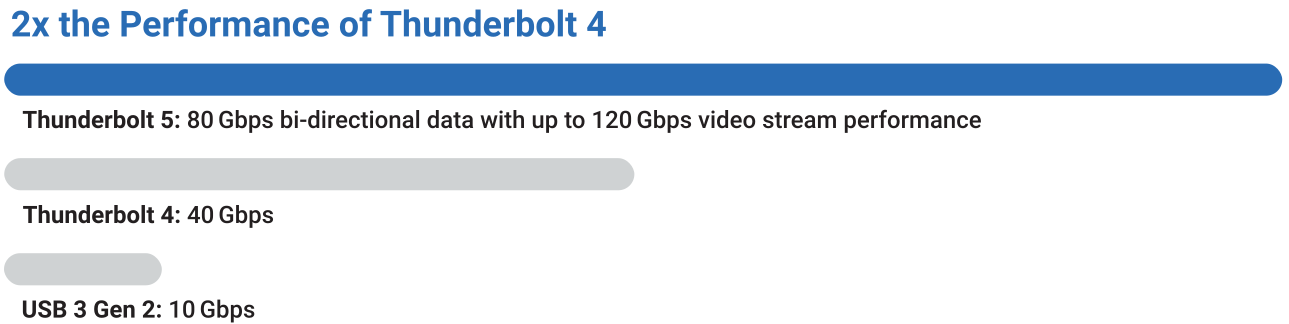
Performance numbers: 80Gb/s bi-directional data and up to 120Gb/s video stream performance.
Echo II DV T5 Rackmount is built with the features and quality you expect from a Sonnet expansion system, plus the Thunderbolt 5 interface you need for maximum performance. With 80 Gbps of bi-directional data speed — twice as fast as Thunderbolt 4 — and up to 120 Gbps for higher display bandwidth, you'll revolutionize your productivity.
Thunderbolt 5 performance chart compared to Thunderbolt 4 and USB 3 Gen 2.
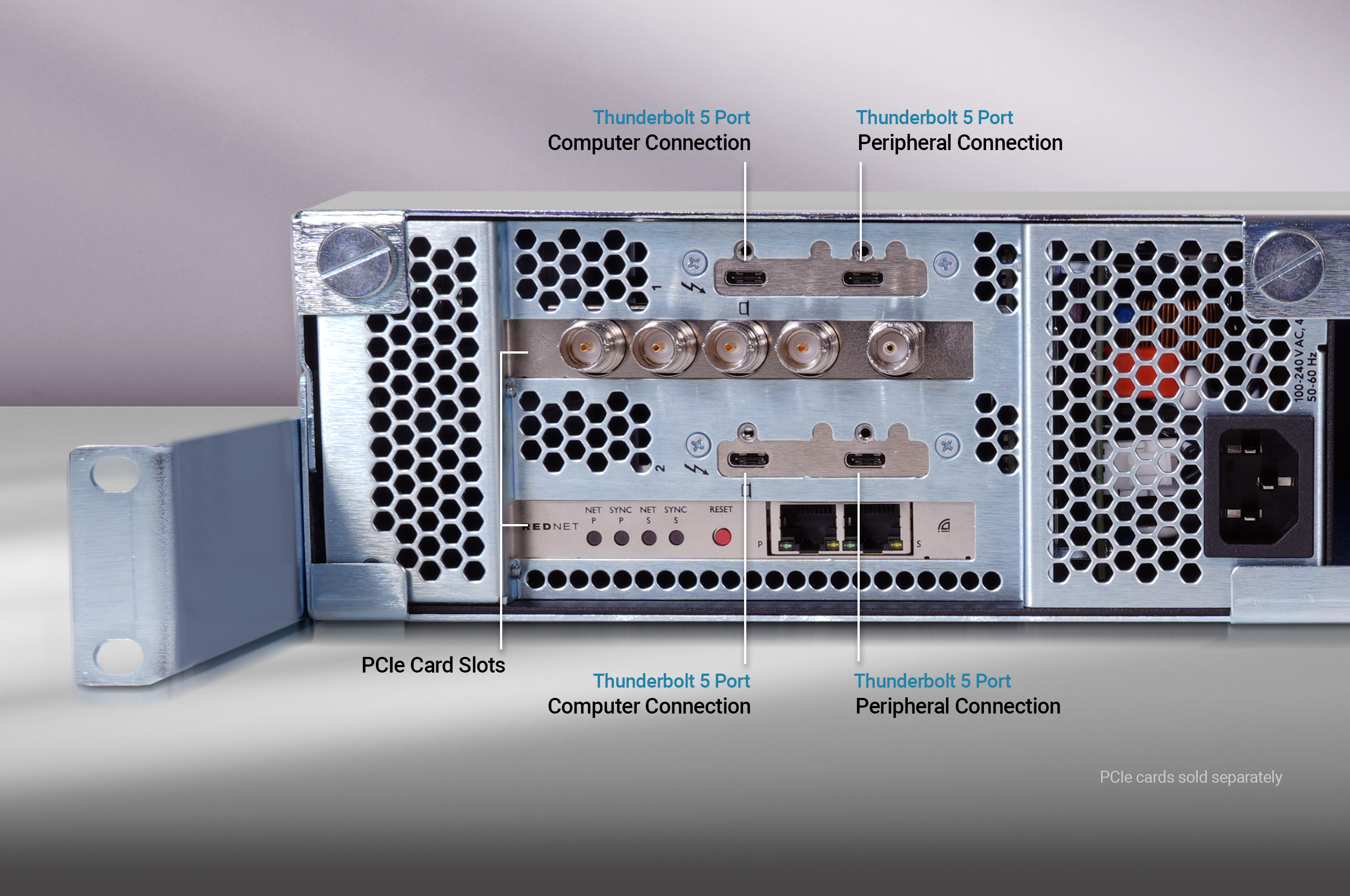
Rear view of Echo II DV T5 Rackmount showing the back panel PCIe card slots and Thunderbolt 5 ports.Thunderbolt 5 ports icon.

More Than Just the Fastest External Interface Available

Echo II DV T5 Rackmount features two dual-port, ultra-high speed Thunderbolt 5 interfaces that deliver the PCIe bandwidth needed to support most cards at maximum performance. While two ports are reserved for connecting your computer, the secondary ports enable connection of additional Thunderbolt or USB peripheral devices:
Thunderbolt peripherals icon.
Connect Up to Four Additional Thunderbolt Devices x2
The secondary ports support Thunderbolt 5, 4, and 3 peripherals; you can even connect additional self-powered Thunderbolt devices in a daisy chain.
USB peripheral icon.
Supports 80 Gbps, 40 Gbps, 20 Gbps, and 10 Gbps USB Peripherals
Connect an ultra-fast USB device to each secondary Thunderbolt port using the proper cable or adapter.
15W icon.
Power Peripherals
15 watts is provided to bus-powered devices requiring extra power through the secondary Thunderbolt ports.
8K display icon.
Supports Connecting One 8K Display
Maximize the utilization of one computer Thunderbolt port, connecting the highest resolution display supported by your computer.

Complementary Products

Echo II DV T5 badge.
Echo II DV T5 Desktop.

Desktop Version Available

Echo II DV T5 Desktop

Decide between Echo II DV T5 Rackmount and Echo II DV T5 Desktop to suit your workflow needs. Echo II DV T5 Desktop consists of Echo II DV T5 Module wrapped in a rugged, yet lightweight aluminum outer shell. The design results in a system light enough to carry without weighing you down, yet sturdy enough to securely protect the installed PCIe cards.
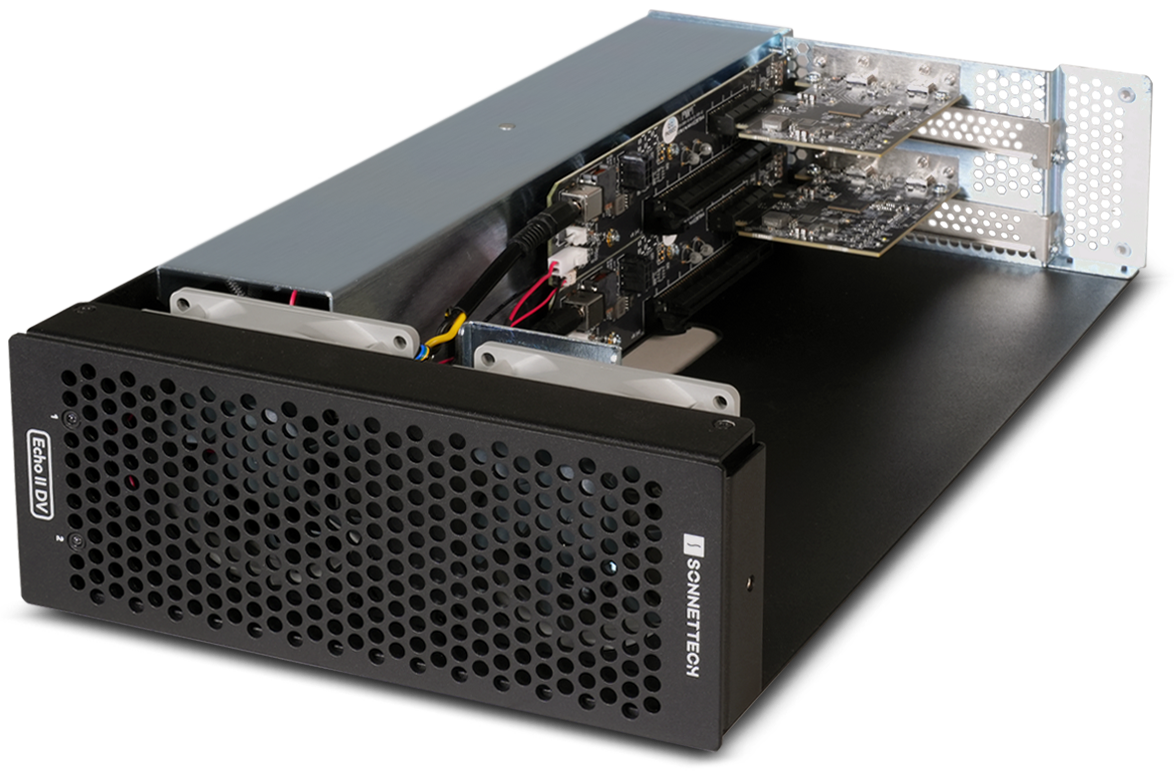
Part No. ECHO-2DDV-T5
Learn More
Echo II DV T5 Module.

Modular Flexibility for Sonnet xMac Systems

Echo II DV T5 Module is the foundation of Sonnet’s powerful, maximum bandwidth Thunderbolt expansion systems. It is available as part of xMac mini (2024+) and xMac Studio rackmount Thunderbolt enclosure systems, enabling flexible, high-performance integration with Mac mini and Mac Studio computers.
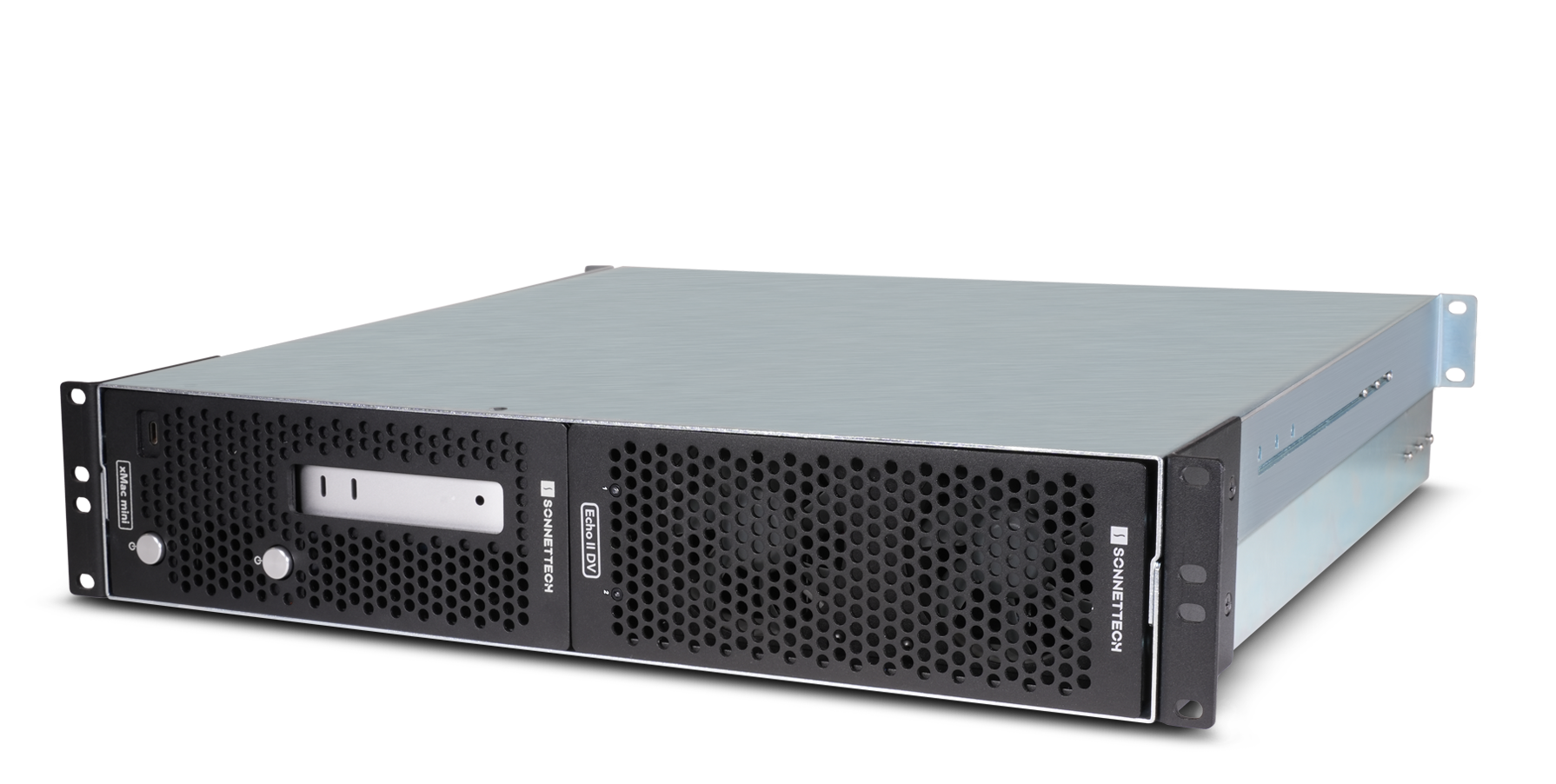
xMac mini (2024+)/Echo II DV T5 system.

xMac mini (2024+)/Echo II DV T5

Choose xMac mini (2024+)/Echo II DV T5 configuration to install and connect one or two M4 Pro Mac minis to an Echo II DV T5 Module.
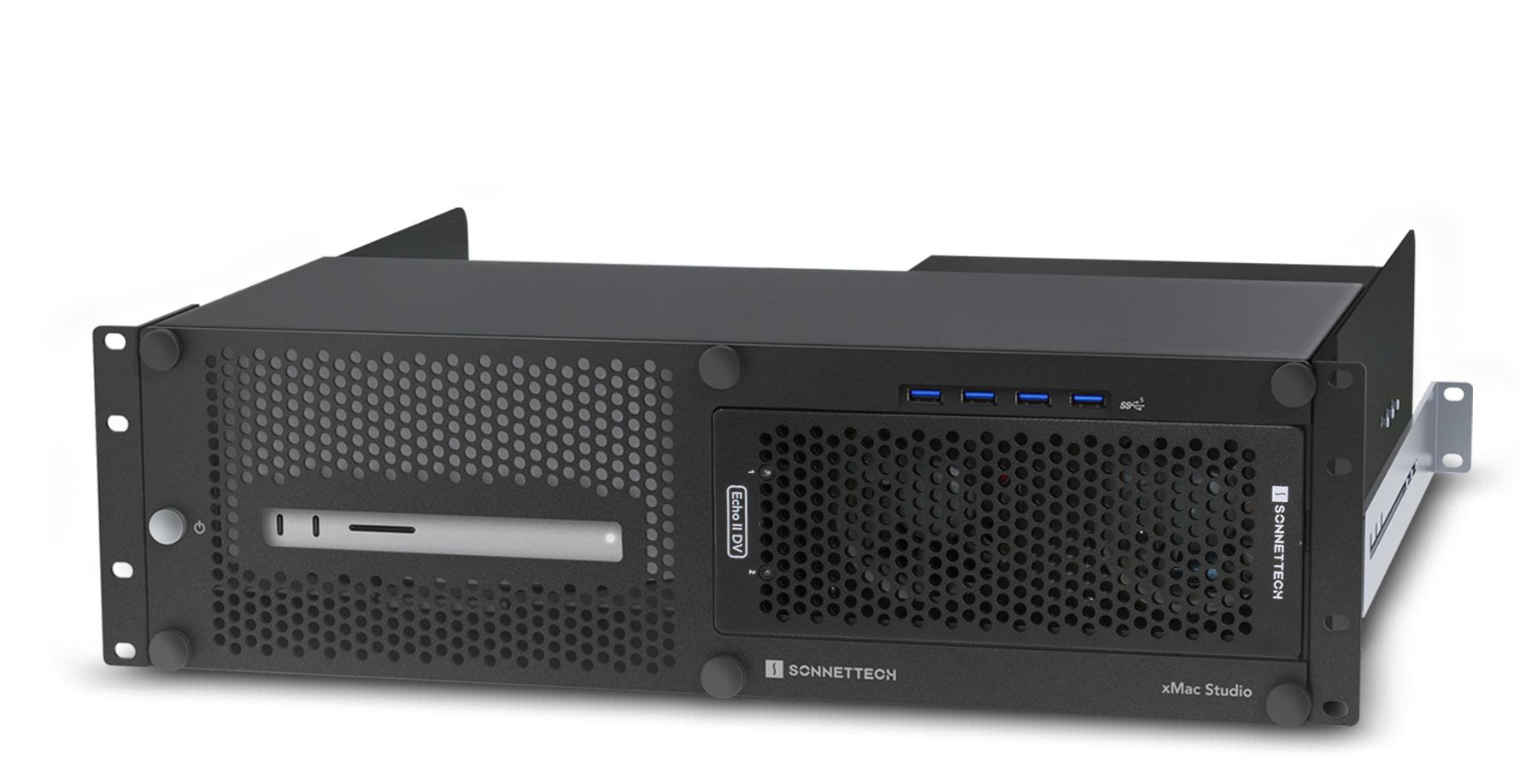
Part No. XMM-SYS-IIDV-T5
Learn More
xMac Studio/Echo II DV T5 system.

xMac Studio/Echo II DV T5

For ultimate expansion, pair an Echo II DV T5 Rackmount with an xMac Studio/Echo II DV T5 to connect up to four bandwidth-hungry PCIe cards to a Mac Studio (M3 Ultra or M4 Max) — each through a dedicated Thunderbolt port for maximum performance.

Part No. XMAC-STD-IIDV-T5
Learn More
See Tech Specs for footnotes.
Product specifications and information subject to change without notice. Computer hardware and accessories featured in photos that are not included with product are shown for illustration purposes; items sold separately.

Echo II DV T5 Rackmount Thunderbolt 5 Expansion System