

Thunderbolt 5
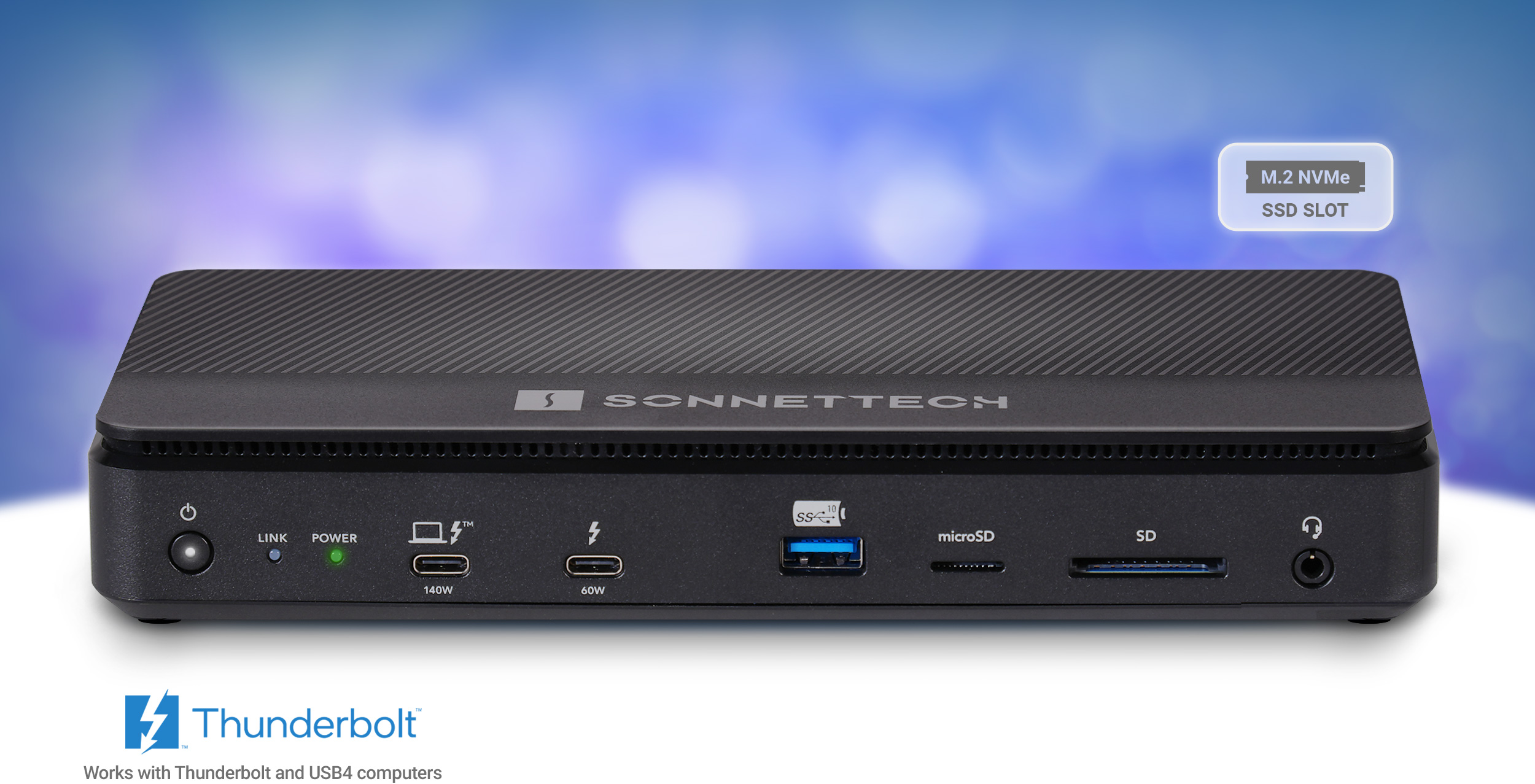
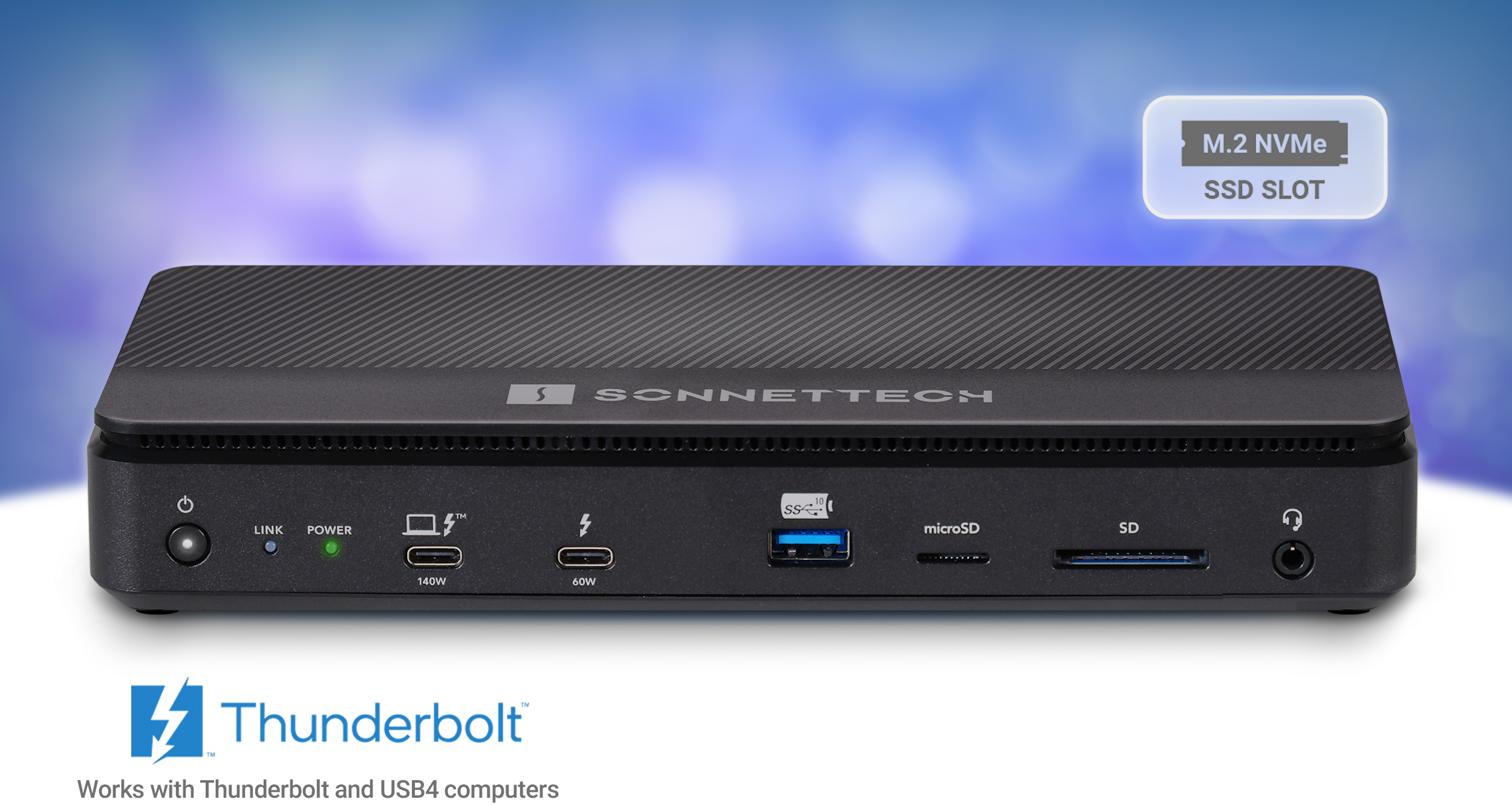
Echo 13 Thunderbolt 5 SSD Dock - Industry’s first to ship Thunderbolt 5 dock with SSD storage.Front view of Echo 13 Thunderbolt 5 SSD Dock.
Built for Blazing-Fast Storage
Thunderbolt 5 Dock with 10GbE
Echo 13 Thunderbolt 5 SSD Dock
Universal Thunderbolt 5 Dock with Built-in or Add Your Own Internal M.2 NVMe SSD Storage
for Mac, Windows, Chromebook, and iPad Pro
(see Tech Specs for details)
Ridiculously Fast SSD Speeds
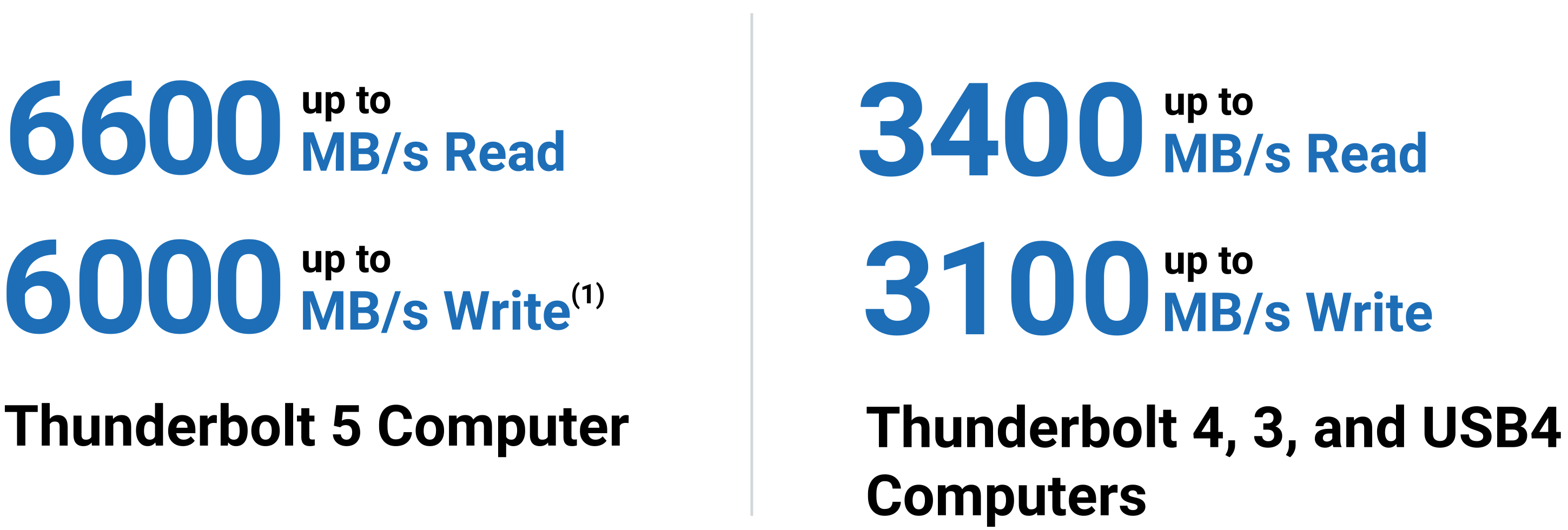
Sonnet Echo™ 13 Thunderbolt 5 SSD Dock supports next level storage performance — up to 6600 MB/s with Thunderbolt™ 5 computers, 3400 MB/s when used with a Thunderbolt 4, 3, or USB4 computer. Connections? Echo 13 has you covered with four Thunderbolt 5 ports, four USB-A ports, one 2.5Gb Ethernet port, one headphone jack, SD and microSD card slots, plus 8K display support.
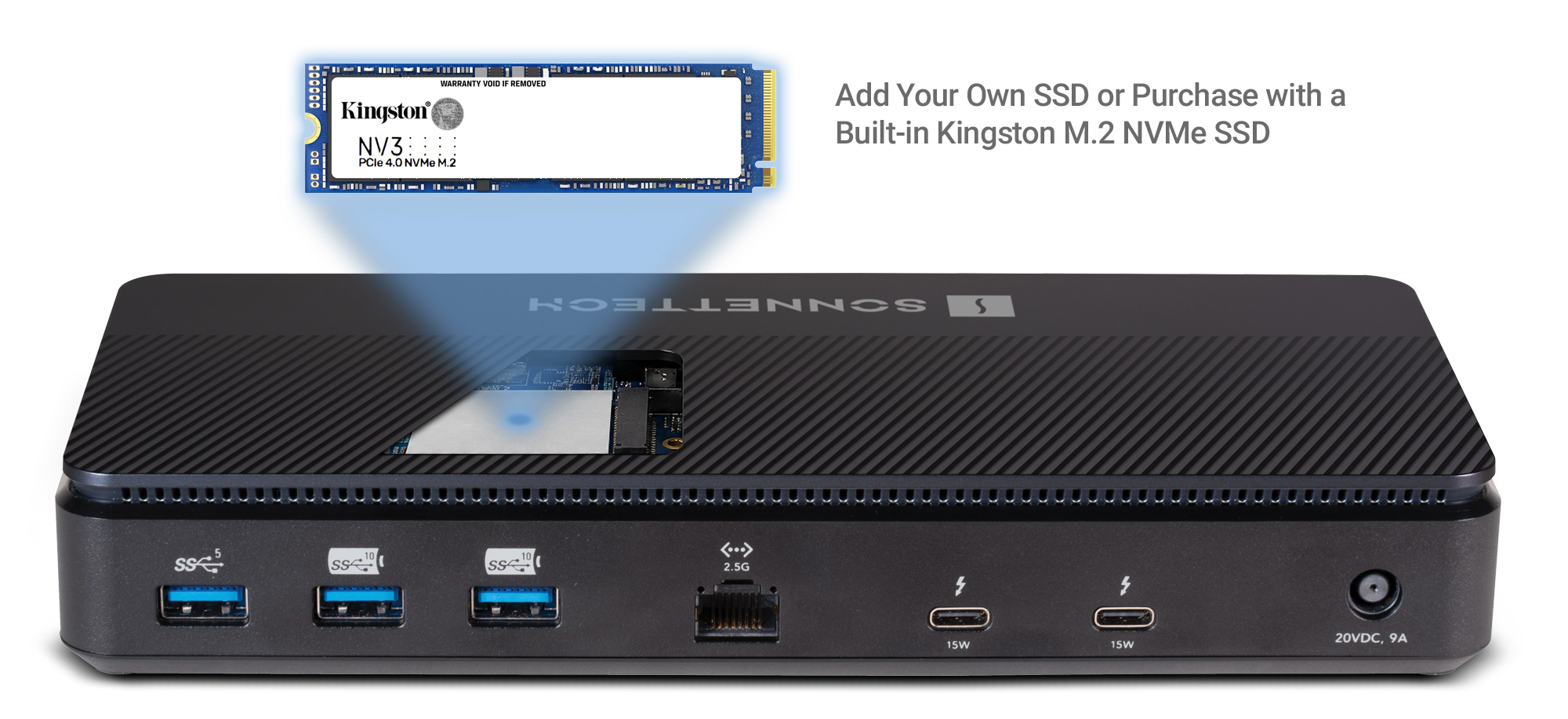
Front view of Echo 13 Thunderbolt 5 SSD Dock with NVMe SSD module shown above it.Performance numbers: up to 6000 MB/s read and 5000 MB/s write for Thunderbolt 5 computer. Up to 3400 MB/s read and 2200 write for Thunderbolt 4 and 3 computers.
Thunderbolt peripherals icon.
Install an M.2 NVMe SSD; add 8TB of storage!
Thunderbolt and USB peripherals icon.
Attach three Thunderbolt peripherals and four USB 3 devices
Laptop icon.
Connect and charge your laptop with 140W Power Delivery
Two 8K displays icon.
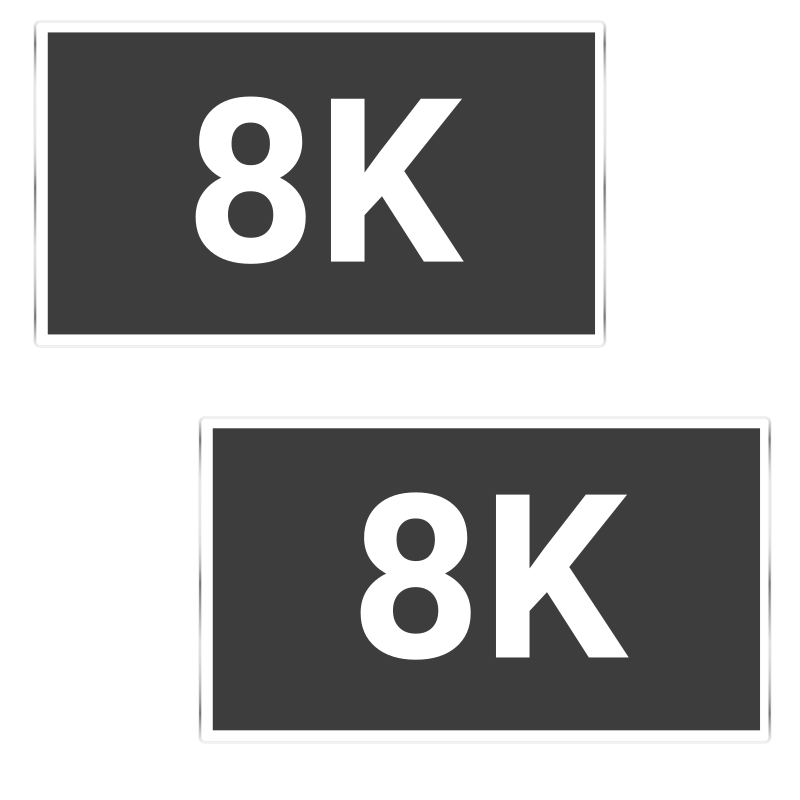
Connect two 8K displays*
2.5Gb Ethernet icon.
Link to an Ethernet network at 2.5 Gigabit speed
iPhone icon.
Charge your phone
SD and microSD cards icon.
Read your SD and microSD cards
Headset icon.
Plug in your headphones or headset
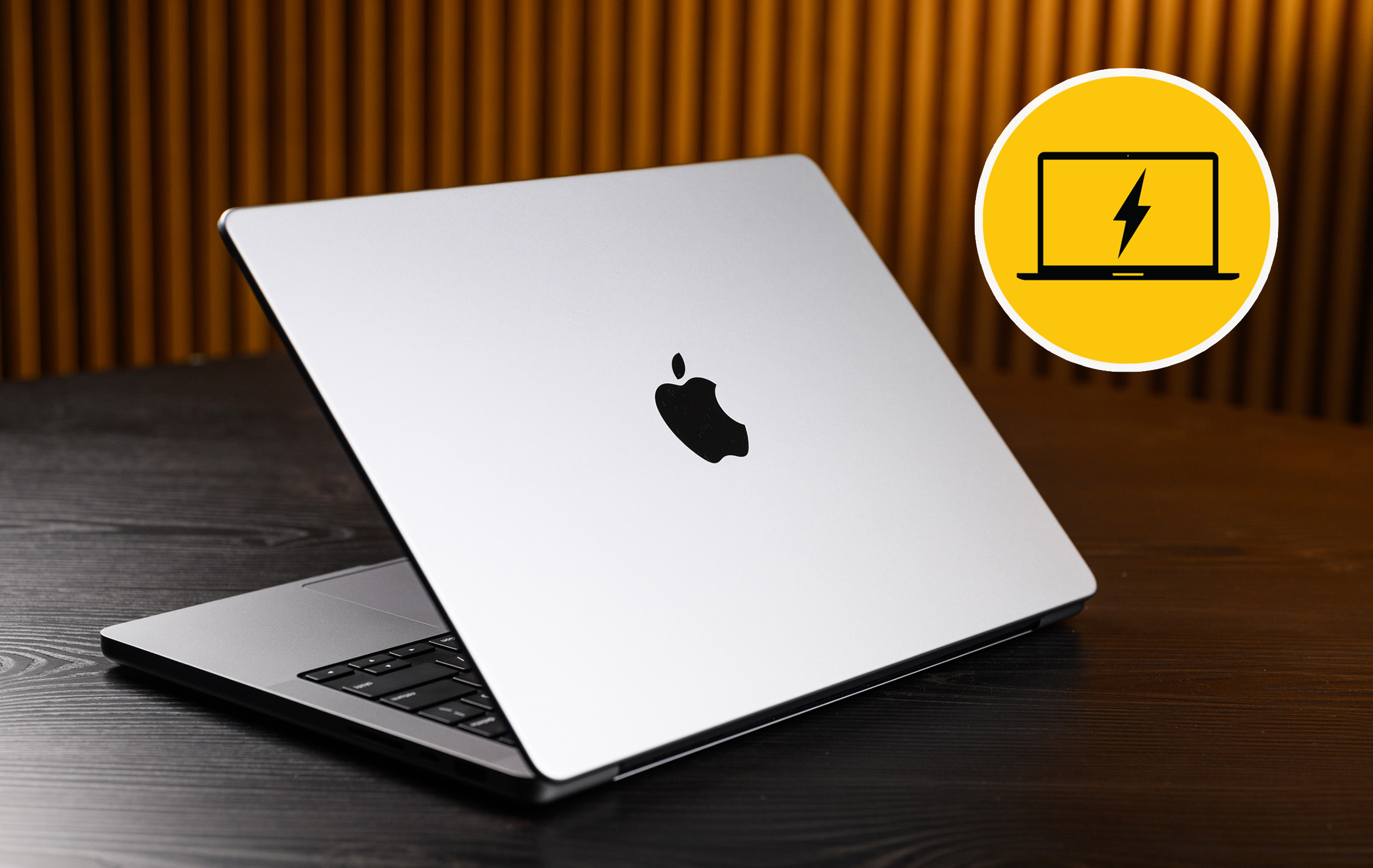
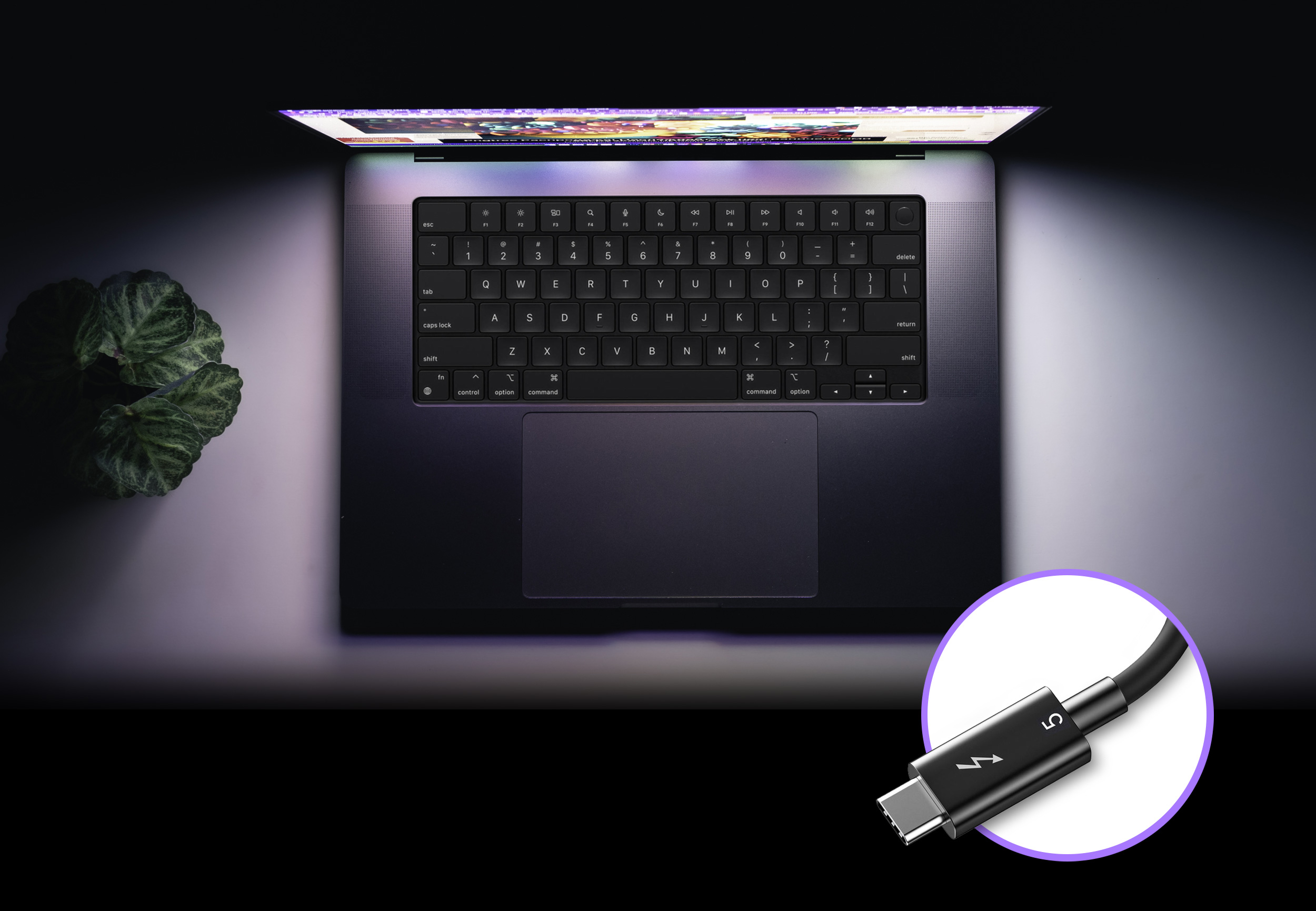
Overview shot of Apple M series MacBook Pro computer with a Thunderbolt 5 cable show next to it.

Plug In

Your Peripherals and Power Your Computer with One Cable

Connect your Thunderbolt devices, monitor(s), USB peripherals, and Ethernet cable to the dock and then link them all to your computer with a single Thunderbolt cable. Got a laptop computer? Echo 13 Thunderbolt 5 SSD Dock will even power it with 140W of charging power. When it is time to leave, just unplug the Thunderbolt cable, grab your computer, and go.
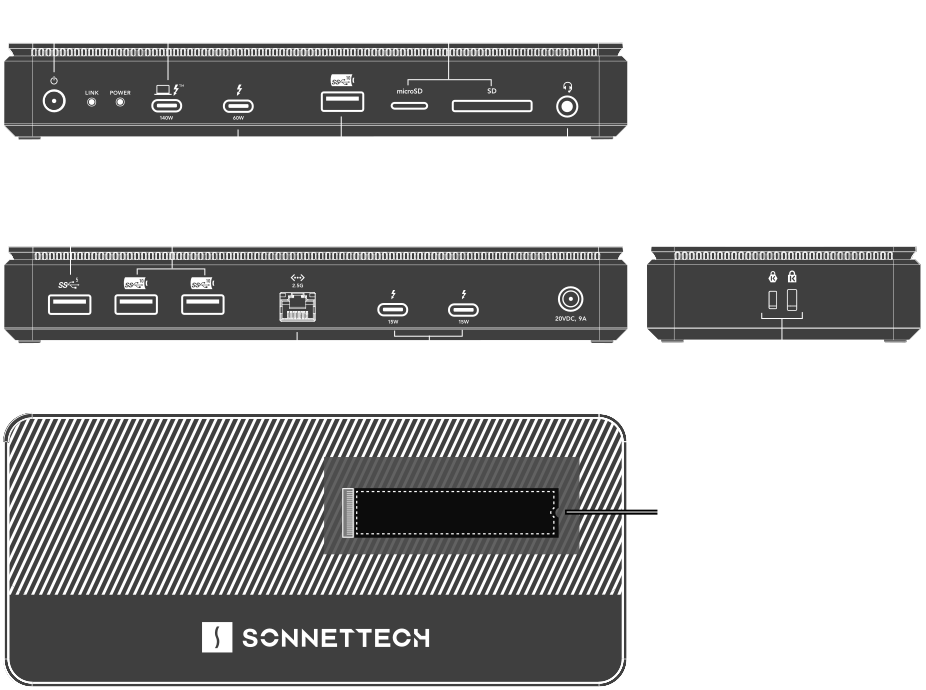
Echo 13 Thunderbolt 5 SSD Dock front panel, back panel, and left side line art illustrations showing port locations.
* See Tech Specs for details
Thunderbolt 5 icon.

Thunderbolt 5

Tomorrow’s Performance. Today.

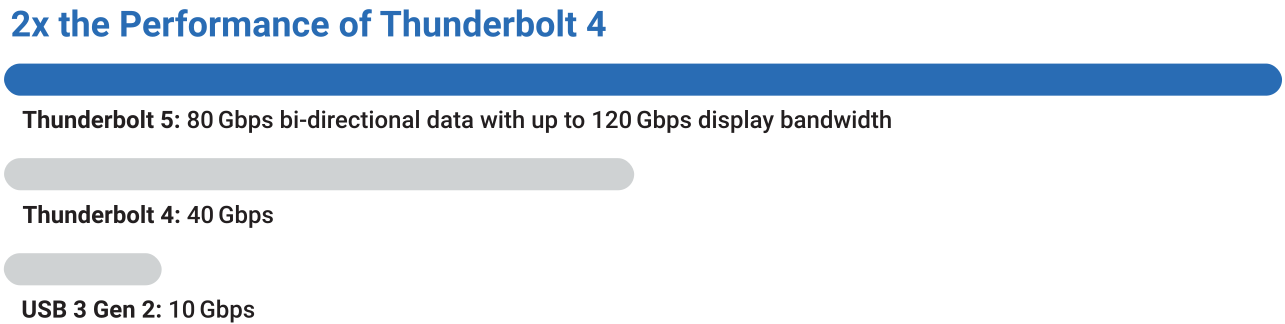
Performance numbers: 80 Gbps bi-directional data and up to 120 Gbps display bandwidth performance.
Echo 13 Thunderbolt 5 SSD Dock features the connections you expect from a Thunderbolt dock plus the ridiculously fast SSD storage capability you need. Transform a single cable connection from your computer into three Thunderbolt 5 peripheral ports, four USB-A ports, one 2.5Gb Ethernet port, and more. With 80 Gbps of bi-directional data speed — twice as fast as Thunderbolt 4 — and 120 Gbps for higher display bandwidth, you'll revolutionize your productivity.
Thunderbolt 5 performance chart compared to Thunderbolt 4 and USB 3 Gen 2.
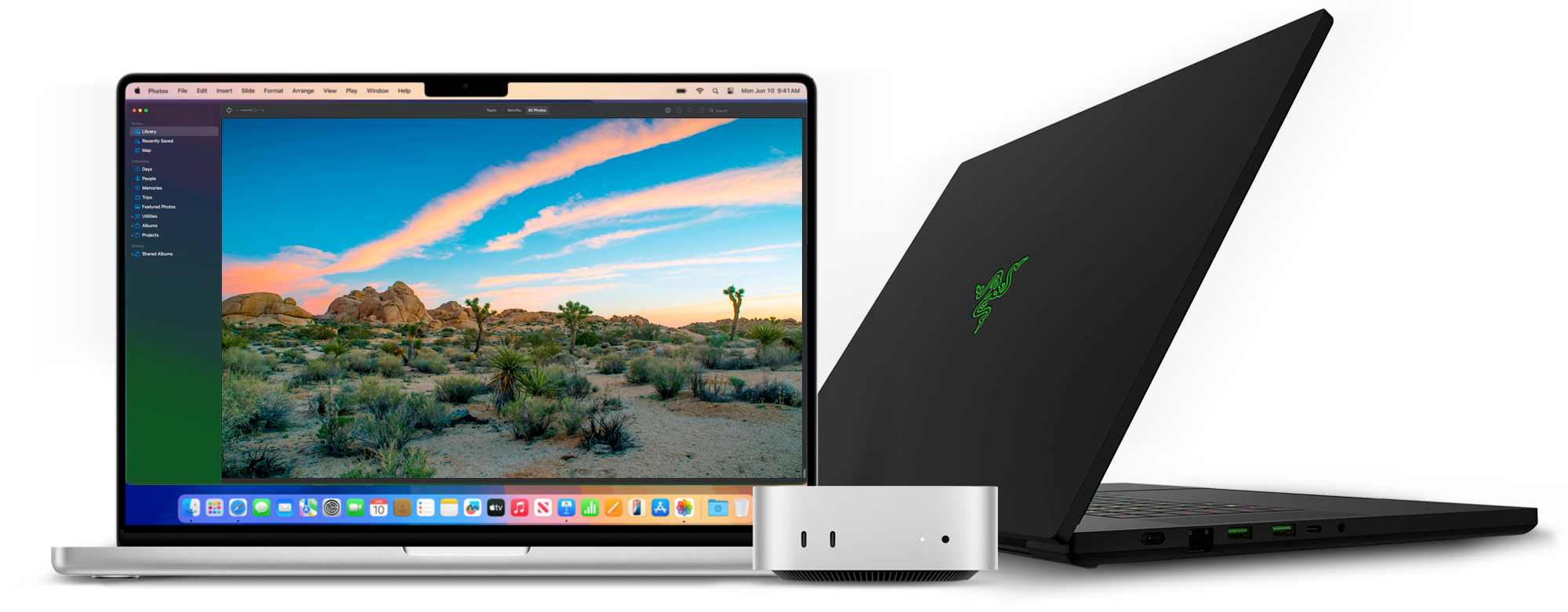
Group photo of Thunderbolt 5 computers. M4 MacBook Pro, M4 Mac mini, and Razer PC notebook.

The Perfect Companion for Thunderbolt 5 Computers

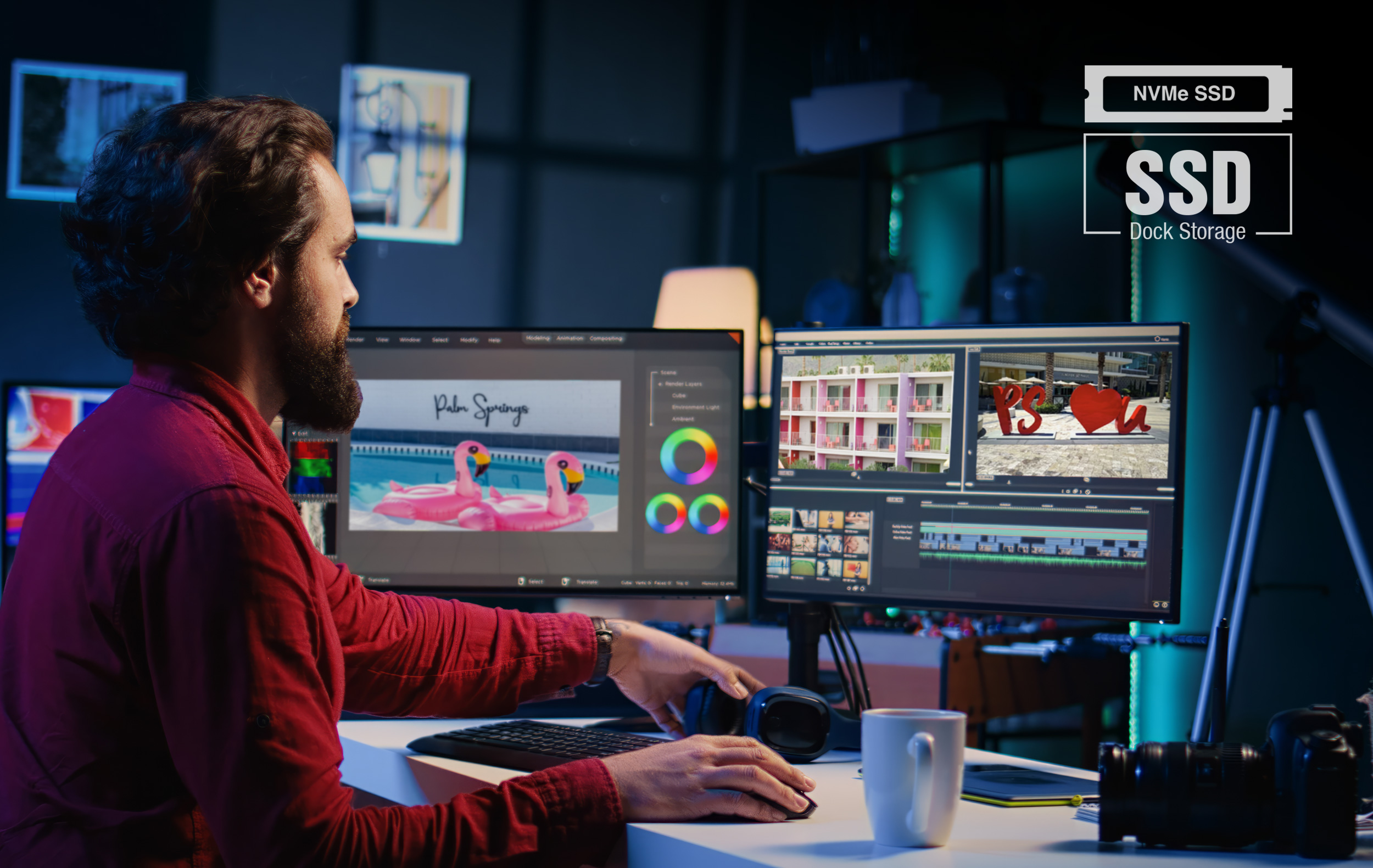
Male video editor working behind two displays in a modern office studio setting. Sonnet NVMe SSD dock storage icon badge shown superimposed in the upper right corner of the photo.

Internal SSD

Expansion Slot

Add Your Own SSD

Echo 13 Thunderbolt 5 SSD Dock features a built-in M.2 NVMe SSD slot that lets you add 8TB of internal high-speed storage (SSD sold separately). Installing an SSD is simple — remove the top cover and included heatsink, insert the SSD, then reinstall the heatsink and cover. Access data at speeds of up to 6600 MB/s — ideal for professional content creation, application storage, large media libraries, and Time Machine backups. The dock’s 80 Gbps Thunderbolt 5 interface — combined with an efficient thermal design and an ultra-quiet fan that prevents thermal throttling — sustains maximum SSD performance during demanding read and write workloads.

Purchase with a Pre-Installed SSD

Choose the storage capacity that best fits your workflow: Available with a Thunderbolt 5 Certified 1TB, 2TB, or 4TB Kingston SSD, these Echo 13 dock models deliver up to 6000 MB/s peak data transfer speeds when connected to a Thunderbolt 5 computer, providing great performance for content creation, application storage, and large media libraries.

Add Your Own SSD
or
1TB
2TB
4TB
SSD MODELS AVAILABLE
SSD compatibility icon.

Works Practically with Any M.2 NVMe SSD

With few exceptions, the currently-shipping Echo 13 Thunderbolt 5 SSD Dock (with a serial number starting with “B”) is compatible with all standard M.2 NVMe SSDs — including both single- and double-sided designs — without heatsinks. If you purchased an Echo 13 dock equipped with a Kingston SSD and with a serial number starting with “A”, see Tech Specs for additional SSD compatibility information.

View SSD Installation Video

Chart Matrix Icon
Monitors connection info icon.
Want to know what monitors you can connect to your computer? See our comprehensive displays compatibility document.
Displays Compatibility PDF
Office setting showing computers abstractly connected to an Ethernet network represented by arcing lines and glowing circles over each computer on the office desks. Sonnet 2.5GbE dock connection icon badge shown superimposed in the upper right corner of the photo.

Faster

Ethernet Transfers Across Existing Cabling

Featuring 2.5 Gigabit Ethernet, Echo 13 Thunderbolt 5 SSD Dock supports a 2.5 Gbps link speed over common Cat 5e (or better) cabling when used with a compatible Ethernet switch or NAS with 2.5Gb Ethernet support, saving you the cost of another adapter. You can get great performance gains — 250 percent the speed of Gigabit Ethernet — without rewiring! In case you’re connecting to a switch or NAS without 2.5Gb Ethernet support, the Sonnet dock also supports a 1 Gbps link speed.

250% Faster Over Gigabit Ethernet Speed Icon
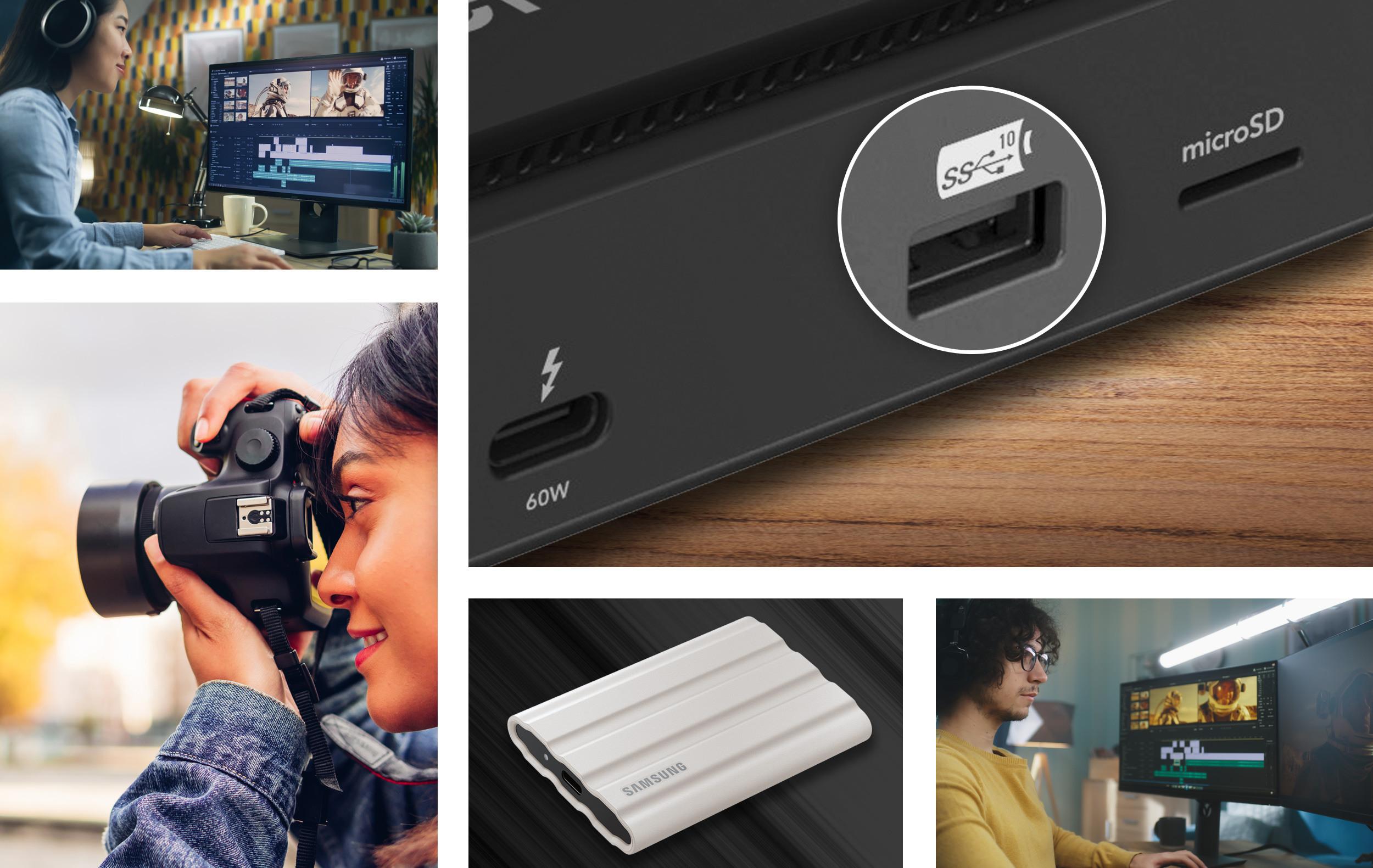
Photo collage showing an external USB NVMe SSD drive; the Echo 13 dock’s front panel bus-powered 10Gbps USB port; and creative professionals consisting of a female audio editor, a female photographer, and a male video editor.

Speedy

10 Gbps USB Ports for Bus-powered Devices

Echo 13 Thunderbolt 5 SSD Dock features three 10 Gbps USB-A ports — one on the front, two on the back — to support super-fast 10 Gbps USB NVMe SSDs at full speed. And unlike some other docks, the Echo 13 doesn’t skimp on power either — each port provides 7.5W, ensuring bus-powered devices will operate without fail.
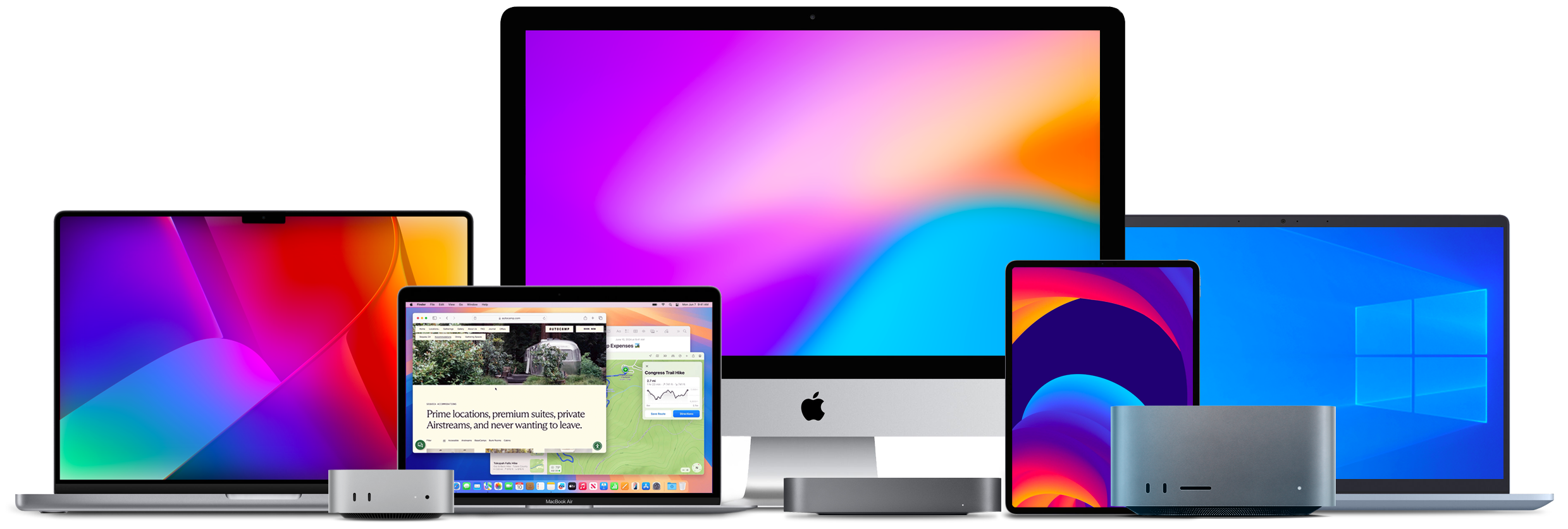
Group photo of Thunderbolt computers and iPad Pro

Thunderbolt Certified for Mac, Windows, Chromebook, and iPad Pro

Echo 13 Thunderbolt 5 SSD Dock is certified for use with Apple M series Macs; Thunderbolt 3 Intel Macs; Thunderbolt 5 and most Thunderbolt 4 Windows computers; Thunderbolt 5 and 4 Chromebook computers; and M series iPad Pro. See Tech Specs for current computer and OS compatibility information.

Apple logo.Intel logo.Chromebook logo.

Key Features

Thunderbolt cable icon.

One Cable Peripheral Connection

Instant access – plug peripherals into the Echo dock and connect your computer to the dock with the included Thunderbolt 5 cable.

Dock interfaces icon.

Twelve External Interfaces

Includes four Thunderbolt 5 ports, three 10 Gbps USB-A charging ports, one 5 Gbps USB-A port, one RJ45 2.5 Gigabit Ethernet port, one 3.5 mm combo audio jack, one SD card slot, and one microSD card slot.
10Gbps USB 3.2 Gen 2 Port Icon

M.2 NVMe SSD Slot

Add 8TB of internal storage (SSD sold separately) with up to 6600 MB/s performance – perfect for content creation, media storage, and backups.
Two Thunderbolt ports icon.

Three Thunderbolt 5 Ports for Peripherals

Connect three Thunderbolt 5, 4, or 3 peripherals. Also supports USB4, and USB 3 devices.

10Gbps USB port icon.

Powerful 10 Gbps USB-A Ports

Three 10 Gbps USB 3 ports provide 7.5W of power each, supporting super-fast 10 Gbps USB NVMe SSDs at up to full speed.
HDMI port icon.

Connect as Many as Four Displays via Thunderbolt

Depending on your computer, connect as many as three Thunderbolt displays directly, and daisy chain a fourth (see Tech Specs for details). Supports HDMI and DP displays with Thunderbolt-compatible adapters (sold separately).
4K-8K displays icon.

Support for 1080p, 1440p, 4K, 5K, 6K, and 8K Displays @ up to 500Hz

Depending on your computer, supports up to two 8K displays, or three or four 4K, 5K, or 6K displays (see Tech Specs for details).

Laptop charging icon.

Charge Your Laptop

Provides 140W through the included Thunderbolt 5 cable to power and charge your laptop.

SD and microSD cards icon.

Read SD and microSD Cards

Compatible with all SD and microSD card types; supports 320 MB/s read speeds with UHS-II SDXC cards.

Kensington lock icon.

Kensington Lock Ready

Safely secure your Echo 13 dock and its valuable data with a Kensington Security Lock (sold separately). Equipped with both Kensington Standard and Nano Security Slots.

Apple logo.

Mac Compatible

Supports all M series Macs, and Intel Macs with Thunderbolt 3 ports.

Windows logo.

Windows Compatible

Supports Windows computers with Thunderbolt 5 or 4, or USB4 ports.

Chromebook icon.

Chromebook Compatible

Supports Chromebook computers with Thunderbolt 5 or 4, or USB4 ports.

Apple M series iPad Pro icon.

Apple M Series iPad Pro Compatible

Supports all M series iPad Pro tablets.

Free lifetime tech support icon.

Sonnet Support

Founded in 1986 in Orange County, Southern California — long recognized as a vibrant hub of technology and engineering — Sonnet has been at the forefront of innovation for nearly four decades. We’ve introduced award-winning products that expand performance and connectivity for Mac, Windows, and other industry-standard computers. Many of our team members have been with us for more than 20 years, bringing unmatched expertise across both current and legacy products. Should you ever need technical support, you can count on our knowledgeable staff to provide the help you need.
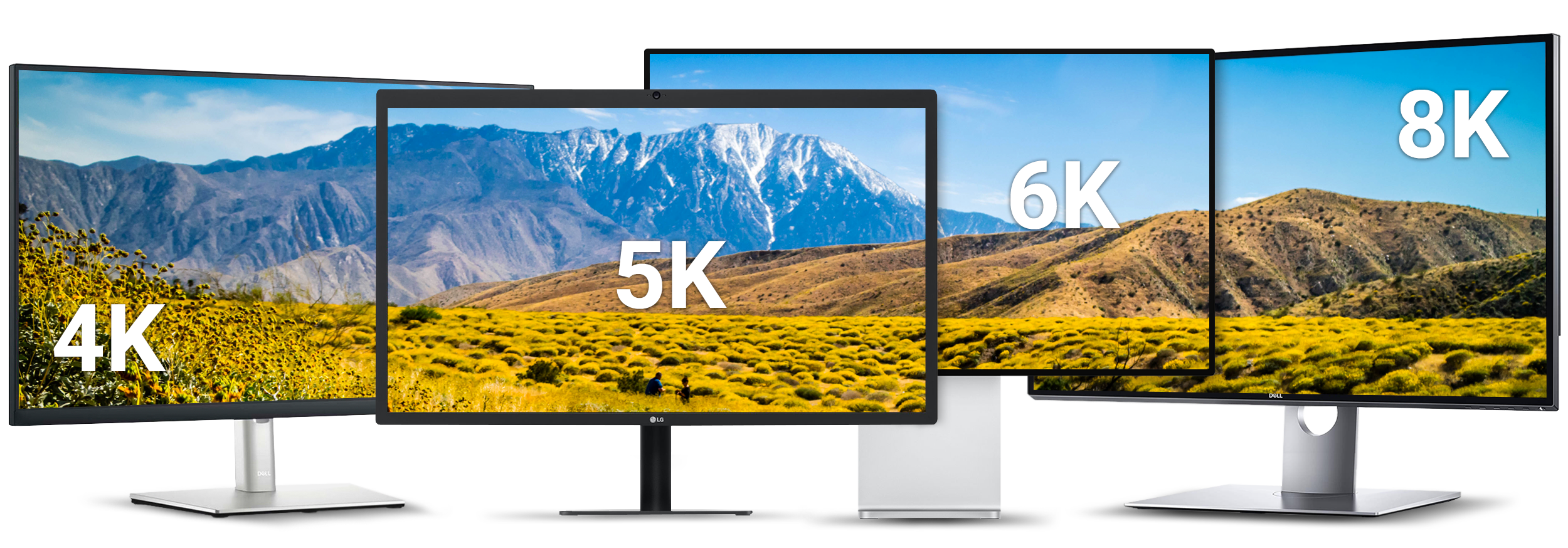
4K, 5K, 6K & 8K displays.

Display Options

Connect 4K, 5K, 6K, and up to 8K Displays via Thunderbolt

Depending on your computer’s graphics capability, the Echo 13 dock’s Thunderbolt portscan support as many as four displays — at 4K, 5K, or 6K resolution, and up to 8K*.

Connect Thunderbolt 5, 4, 3, or USB-C monitors directly, or use Thunderbolt-compatible adapters (sold separately) to connect HDMI, DisplayPort, and other display types.

Displays Compatibility PDF

View how many displays you can use with your computer

Learn More About Display Connectivity

Chart Matrix Icon
Thunderbolt Port Display Connectivity
Thunderbolt 5, 4, or 3
Thunderbolt 5, 4, or 3 cable
USB-C
USB-C to USB-C Monitor display cable
DisplayPort
USB-C to DisplayPort cable or adapter
HDMI
USB-C to HDMI cable or adapter
Monitors connection info icon.
Want to know what monitors you can connect to your computer? See our comprehensive displays compatibility document.
Displays Compatibility PDF

*See Tech Specs for details

Angle shot of MacBook Pro on table. Sonnet notebook charging icon badge shown superimposed in the upper right corner of the photo.

Charge

Your Laptop Without Its Power Adapter

Connected to your portable computer with the included Thunderbolt 5 cable, Echo 13 Thunderbolt 5 SSD Dock provides 140W of power (Power Delivery), meaning it can power and charge your computer while connected, even when not in use.

140W charging power  icon.
Close up of Apple iPhone, iPad, and AirPods laying on desk. Sonnet USB 10Gbps port charging icon badge shown superimposed in the upper left corner of the photo.

Peripheral Power

Handy Charging Ports

Echo 13 Thunderbolt 5 Dock front panel Thunderbolt 5 peripheral port provides 60W of power to quick charge your iPhone, iPad, or other device that charges via USB, even when your computer is off or sleeping. The two rear panel Thunderbolt 5 peripheral ports provide 15W and all three 10bps USB-A ports provide 7.5 watts of power for charging those devices, too.
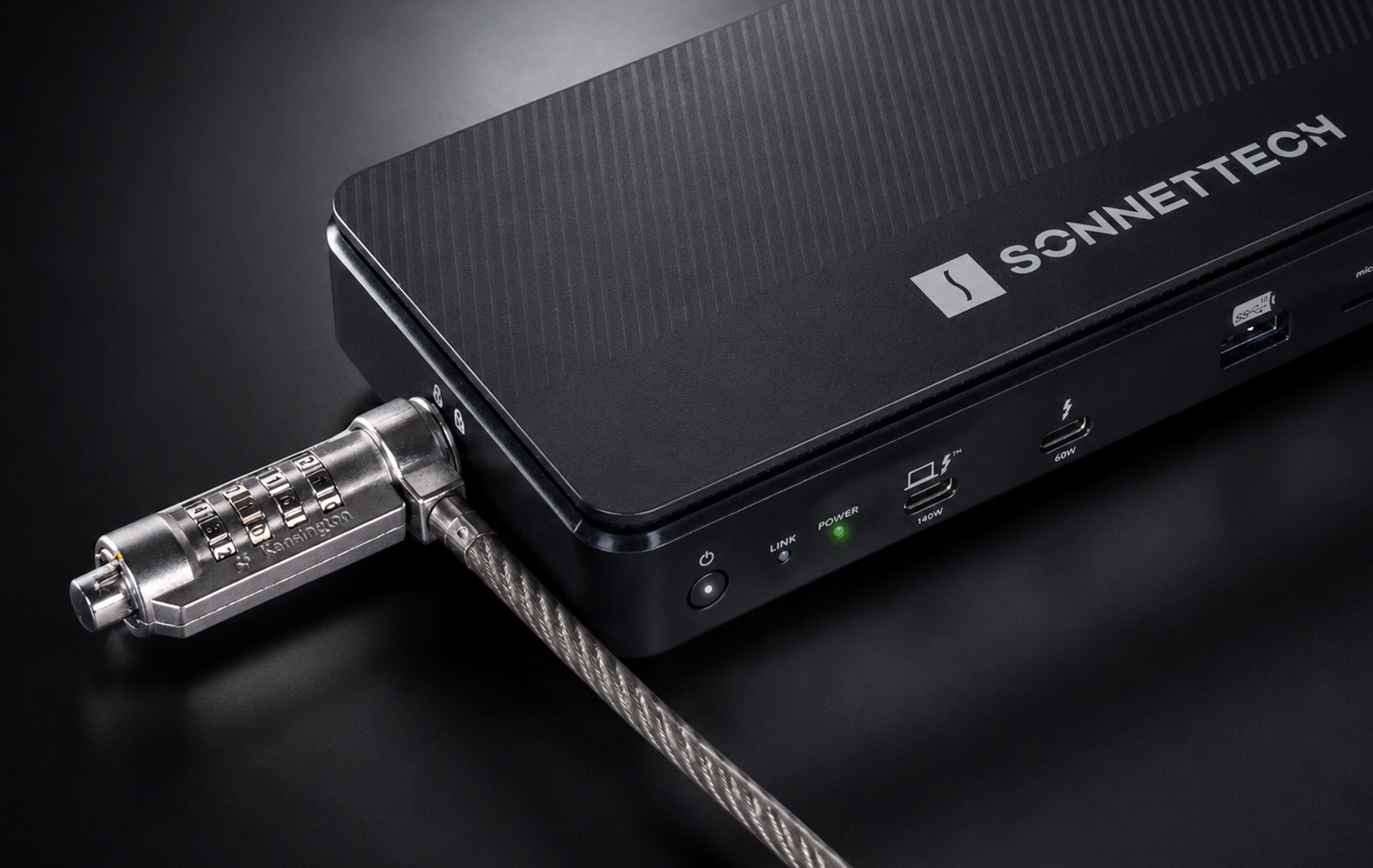
Connect. Secure.

Kensington lock connected to dock.
Thunderbolt 5 cable icon.

Connect

Thunderbolt 5 Cable Included

Sonnet includes a Thunderbolt cable with Echo 13 Thunderbolt 5 SSD Dock that supports Thunderbolt 5’s maximum bandwidth and power charging capability. This cable is compatible with all Thunderbolt 5, 4, 3, and USB4 computers.

Kensington Security Lock icon.

Lock Your Dock

Kensington Security Lock Ready

With terabytes of valuable data inside, you may want to secure the Echo dock with a Kensington Security Lock (sold separately).

See Tech Specs for footnotes.
Product specifications and information subject to change without notice. Computers and accessories that may be featured in photos are not included with the product.

Echo 13 Thunderbolt 5 SSD Dock