






Thunderbolt 5
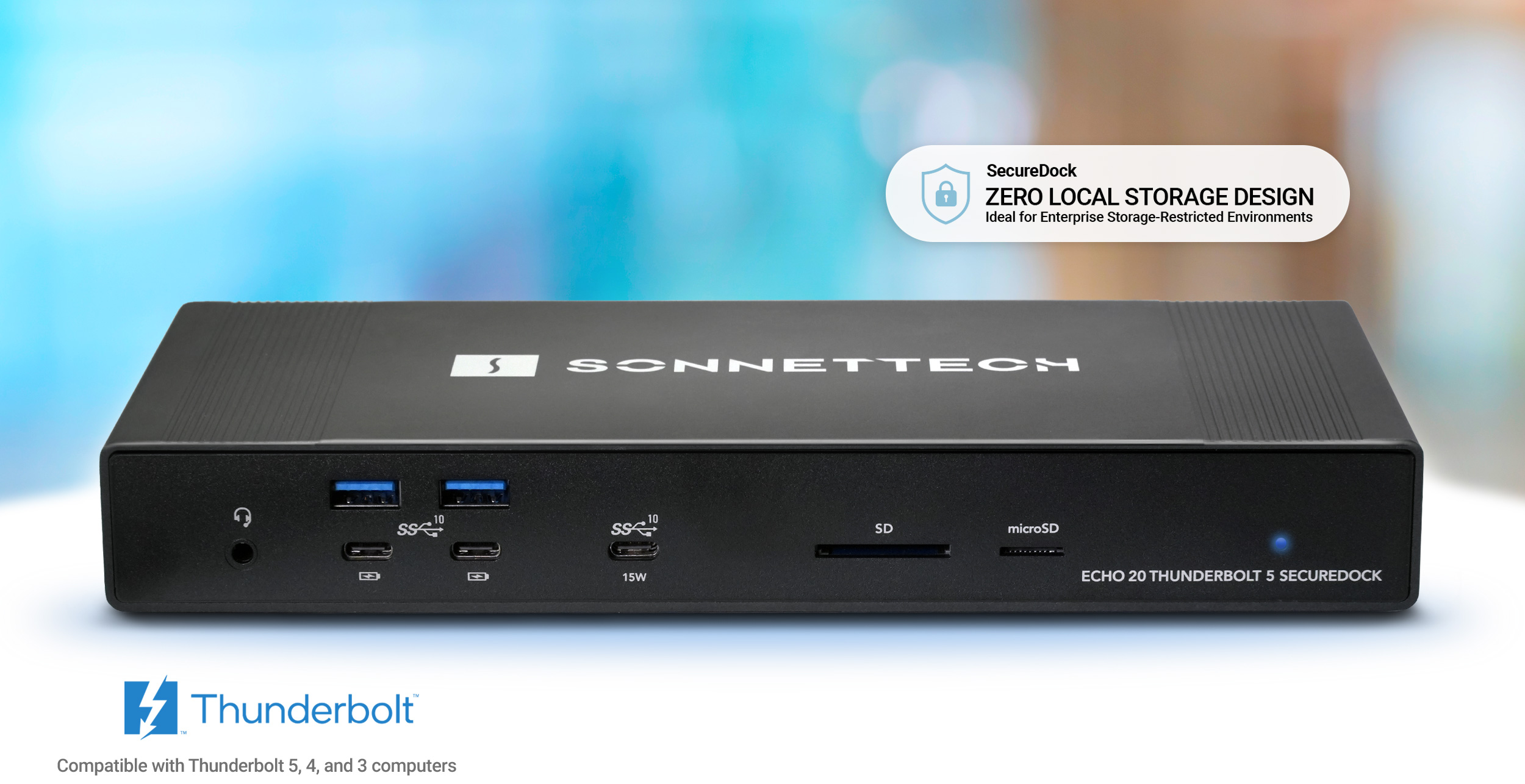
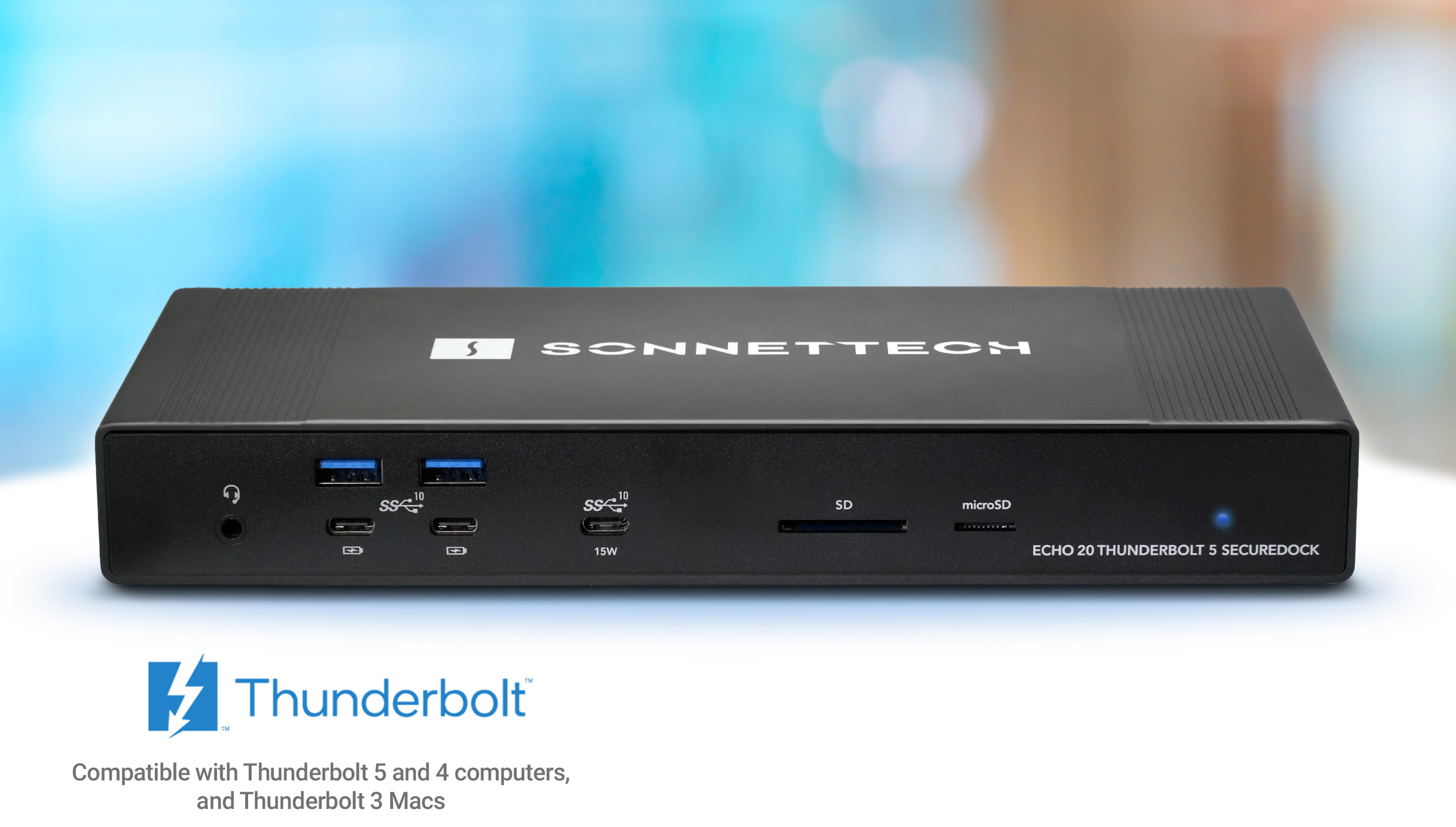
Front view of Echo 20 Thunderbolt 5 SecureDock.Front view of Echo 20 Thunderbolt 5 SecureDock.
Thunderbolt 5 Dock
Thunderbolt 5 Dock with 10GbE
with 10GbE
Echo 20 Thunderbolt 5 SecureDock
Universal Thunderbolt 5 Dock with Three Thunderbolt 5 Ports, Two Display Connection Ports, One 10Gb Ethernet Port, Nine 10 Gbps USB 3 Ports, and More
for Mac, Windows, Chromebook, and iPad Pro
(see Tech Specs for full compatibility info)
Thunderbolt 5 icon.

Thunderbolt 5

Tomorrow’s Performance. Today.

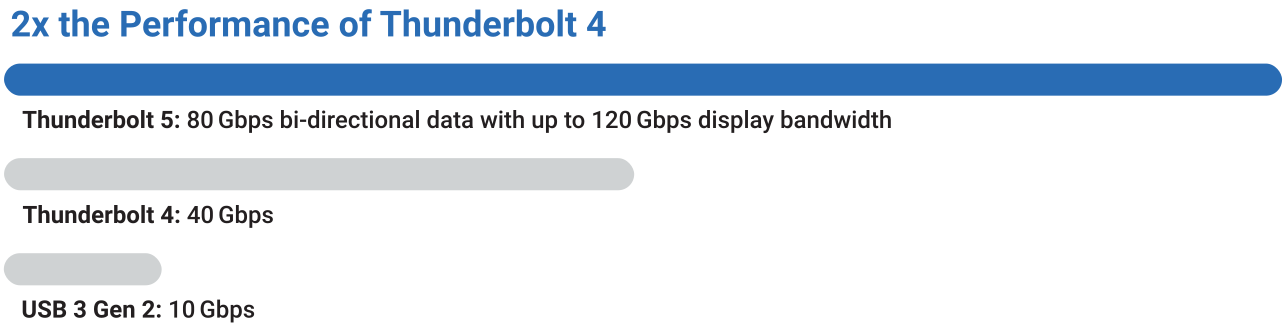
Performance numbers: 80 Gbps bi-directional data and up to 120 Gbps video stream performance.
How do you improve the performance of Sonnet Thunderbolt 4 docks? You double the bandwidth. You increase the power. You add the most-requested features.
Introducing Echo 20 Thunderbolt 5 SecureDock — a powerful enterprise dock with built-in 10GbE networking designed for secure environments that prohibit onboard storage. Transform a single cable connection from your computer into two Thunderbolt 5 peripheral ports, two video output ports, one 10Gb Ethernet port, nine 10 Gbps USB 3 ports, and more! With 80 Gbps of bi-directional data speed — twice as fast as Thunderbolt 4 — and 120 Gbps for higher display bandwidth, SecureDock delivers the performance and connectivity modern enterprise workflows demand.
Thunderbolt 5 performance chart compared to Thunderbolt 4 and USB 3 Gen 2.
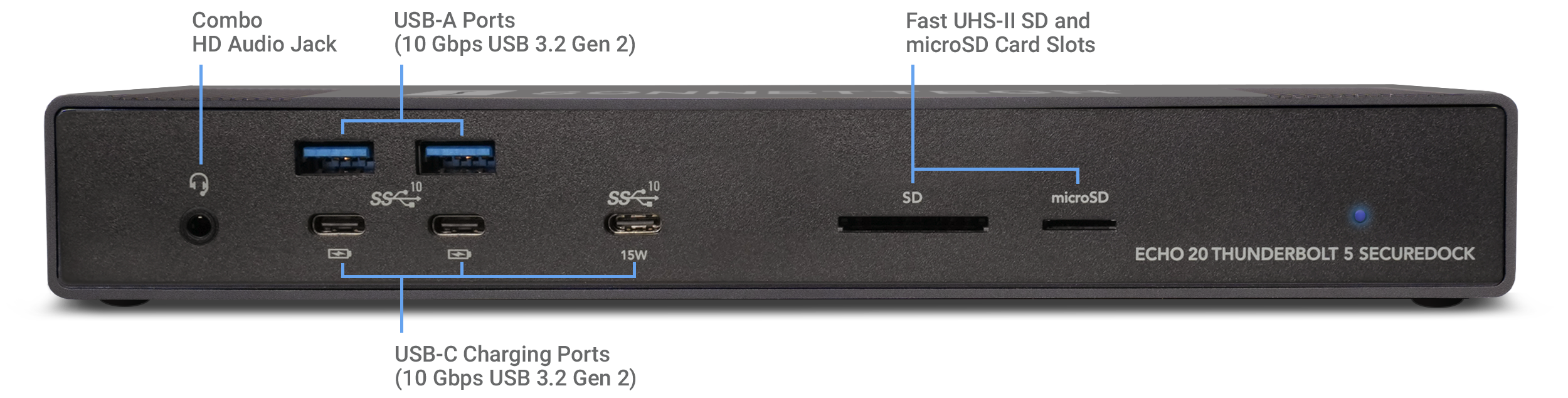
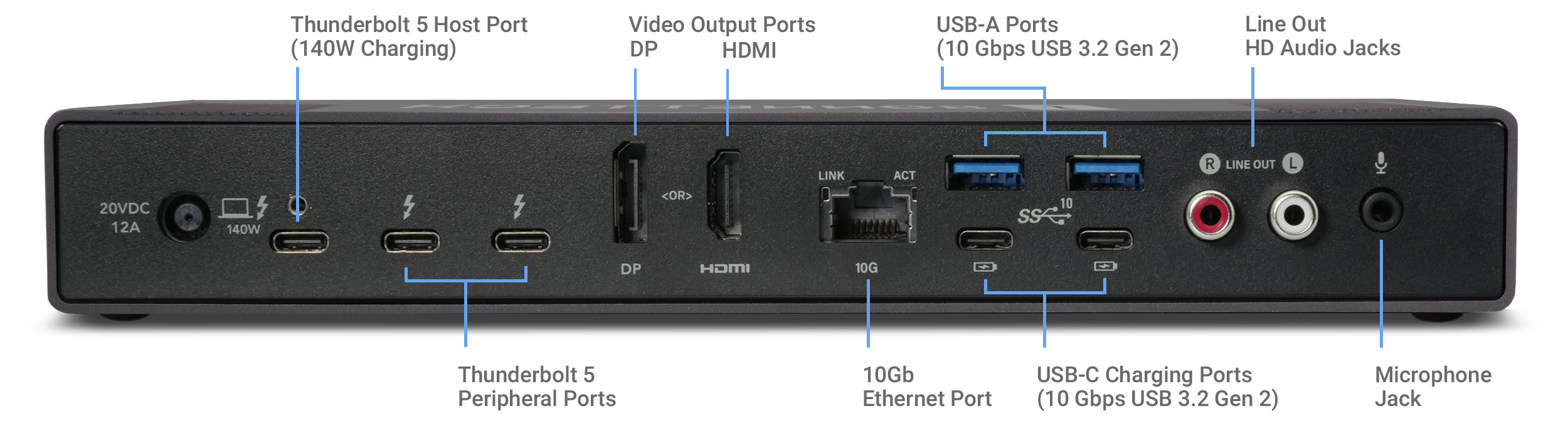
Echo 20 Thunderbolt 5 SecureDock front view and port locations.Echo 20 Thunderbolt 5 back view with port locations.
10GbE port icon.
Features Blazing-fast 10GbE Network Access for High-speed Connectivity
Thunderbolt 5 icon.
Thunderbolt 5 Interface
80 Gbps bi-directional data speed; 120 Gbps display bandwidth
Thunderbolt devices icon.
Connect Thunderbolt Devices
Attach two Thunderbolt 5, 4, or 3 peripherals
10GbE Icon.
10Gb Ethernet
Link to an Ethernet network or NAS at 10 Gigabit speed!
140W computer icon.
140W Power Delivery
Connect and charge your laptop with up to 140W Power Delivery
HDMI and DP displays icon.
Direct HDMI & DP Display Support
Connect an HDMI display or DP display directly to the dock; no adapters required
4K, 5K, 6K, 8K displays icon.
4K, 5K, 6K, 8K Support
Depending on your computer, supports up to four 4K, 5K, or 6K or two 8K* displays
USB 3 devices icon.
USB 3
Plug in as many as 11 USB 3 devices via USB and Thunderbolt ports
iPhone charging icon.
Device Charging
Charge your phone
Headset icon.
Headset
Plug in your headset and enjoy high-quality lossless audio
Microphone icon.
Microphone
Plug in a microphone for high-quality audio capture
Powered speakers icon.
Powered Speakers
Connect powered speakers for rich, high-quality lossless audio
SD and microSD cards icon.
SD Cards
Read your SD and microSD cards
10GbE port icon.
Features Blazing-fast 10GbE Network Access for High-speed Connectivity

*See Tech Specs for details
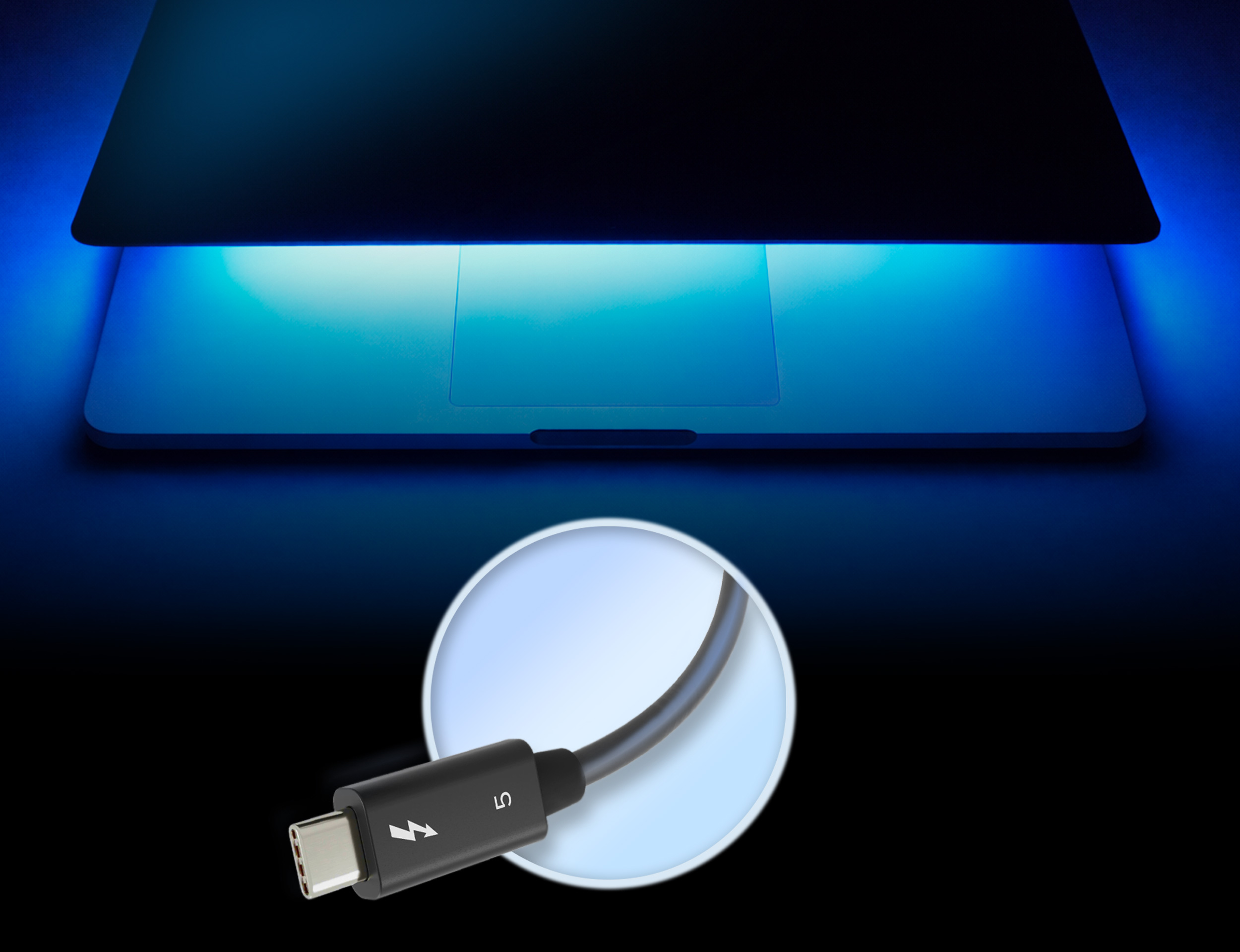
MacBook Pro with Thunderbolt 5 cable.MacBook Pro with Thunderbolt 5 cable.

Connect

Your Peripherals and Power Your Laptop with One Thunderbolt 5 Cable

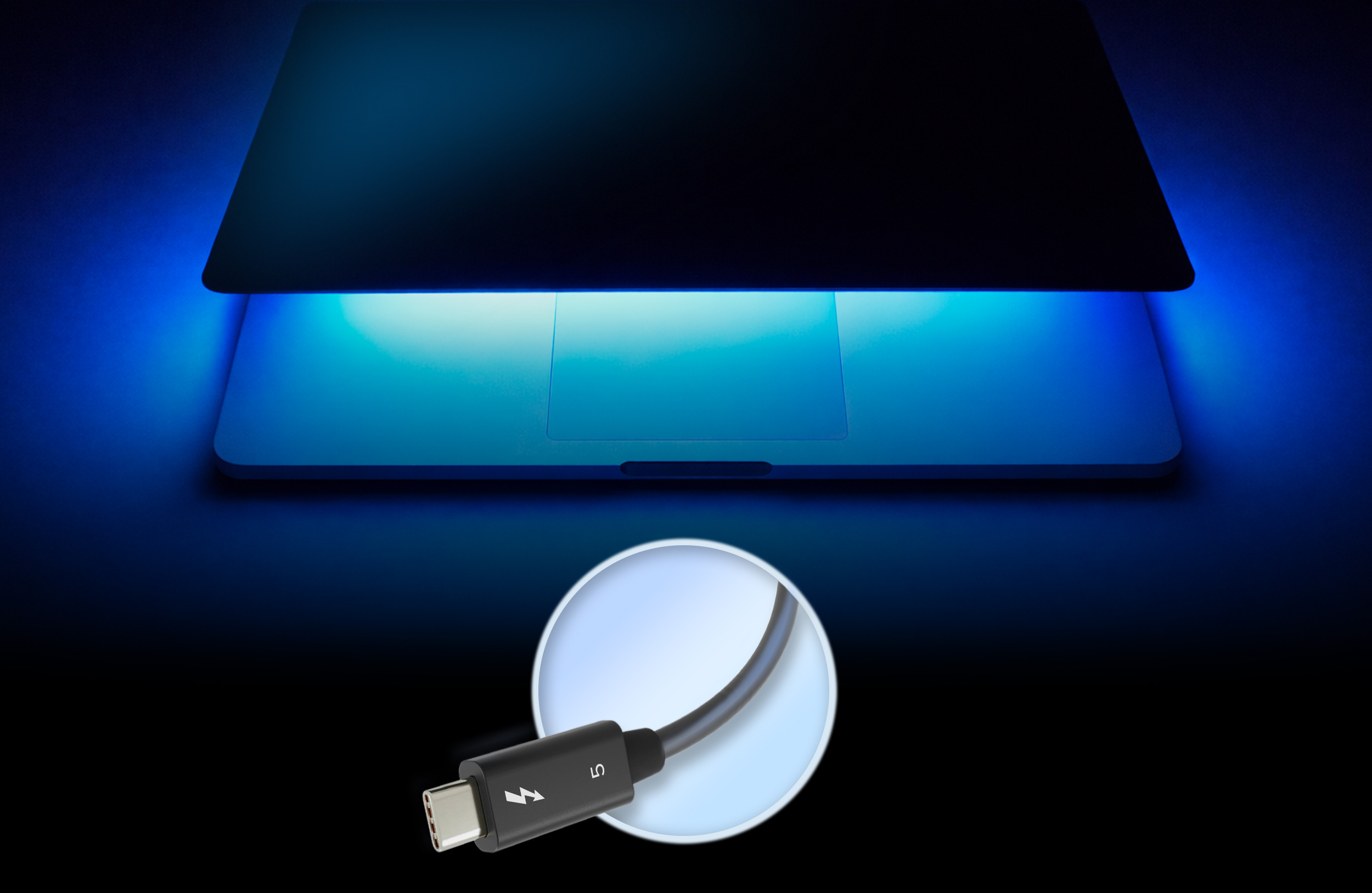
Echo 20 Thunderbolt 5 SecureDock links plugged-in Thunderbolt devices, monitor(s), USB peripherals, powered speakers, and Ethernet cable to your computer with a single Thunderbolt 5 cable. Got a laptop? Keep its power adapter in your bag — the SecureDock will power it with 140W of charging power. When it’s time to leave, just disconnect the Thunderbolt cable, grab your computer, and go.

Up to 140W of Charging Power

Echo 20 Thunderbolt 5 SecureDock connected to computer and display.

Integrated

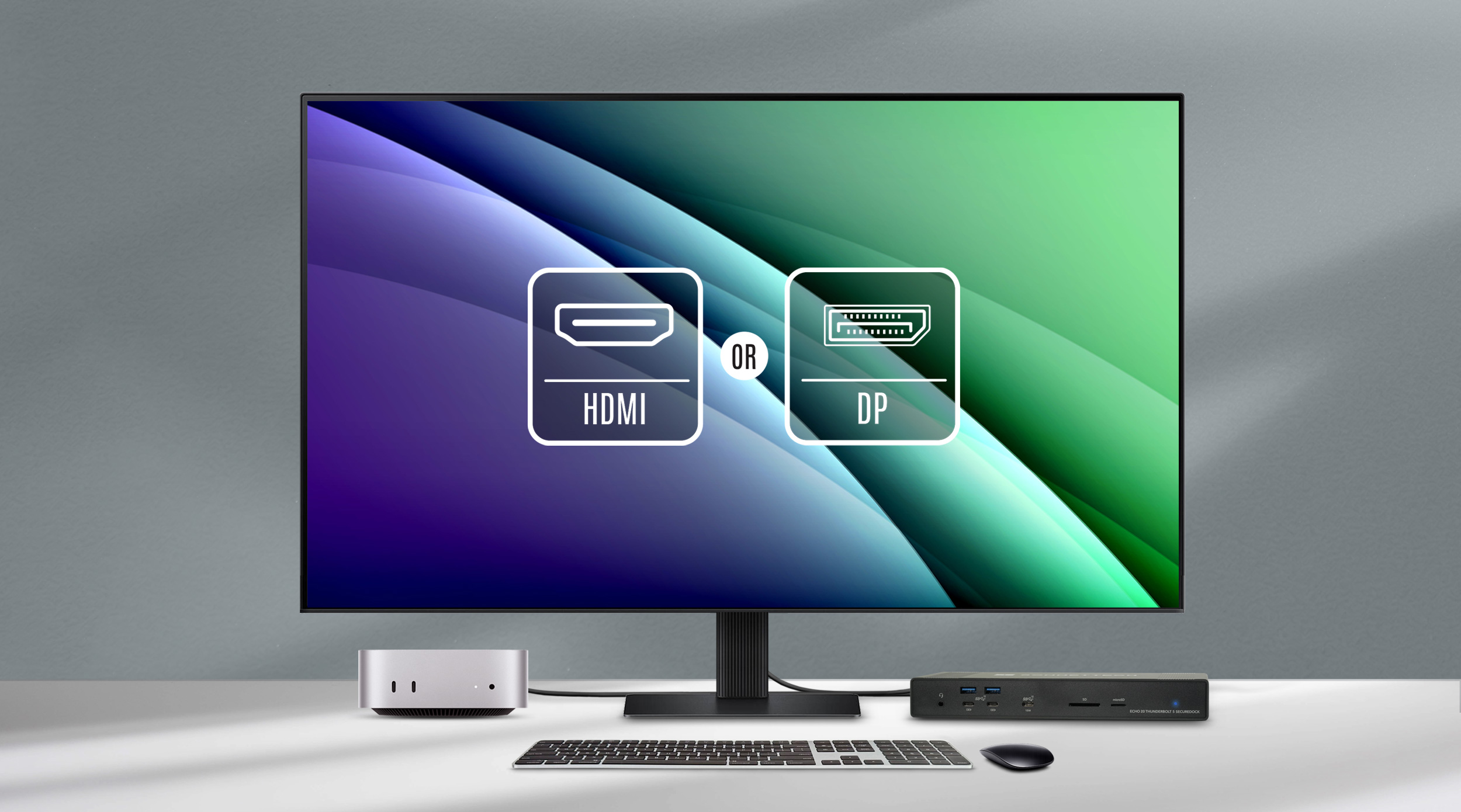
HDMI and DP Display Support

Echo 20 Thunderbolt 5 SecureDock features video output ports for HDMI and DisplayPort displays, enabling you to connect either an up to 8K* @60Hz HDMI monitor or a 4K @144Hz DisplayPort monitor.

No Adapter Required

M5 Max connects to 4 displays icon.

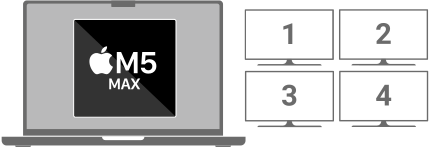
Connect Four Displays on M5 Max

*See Tech Specs for details
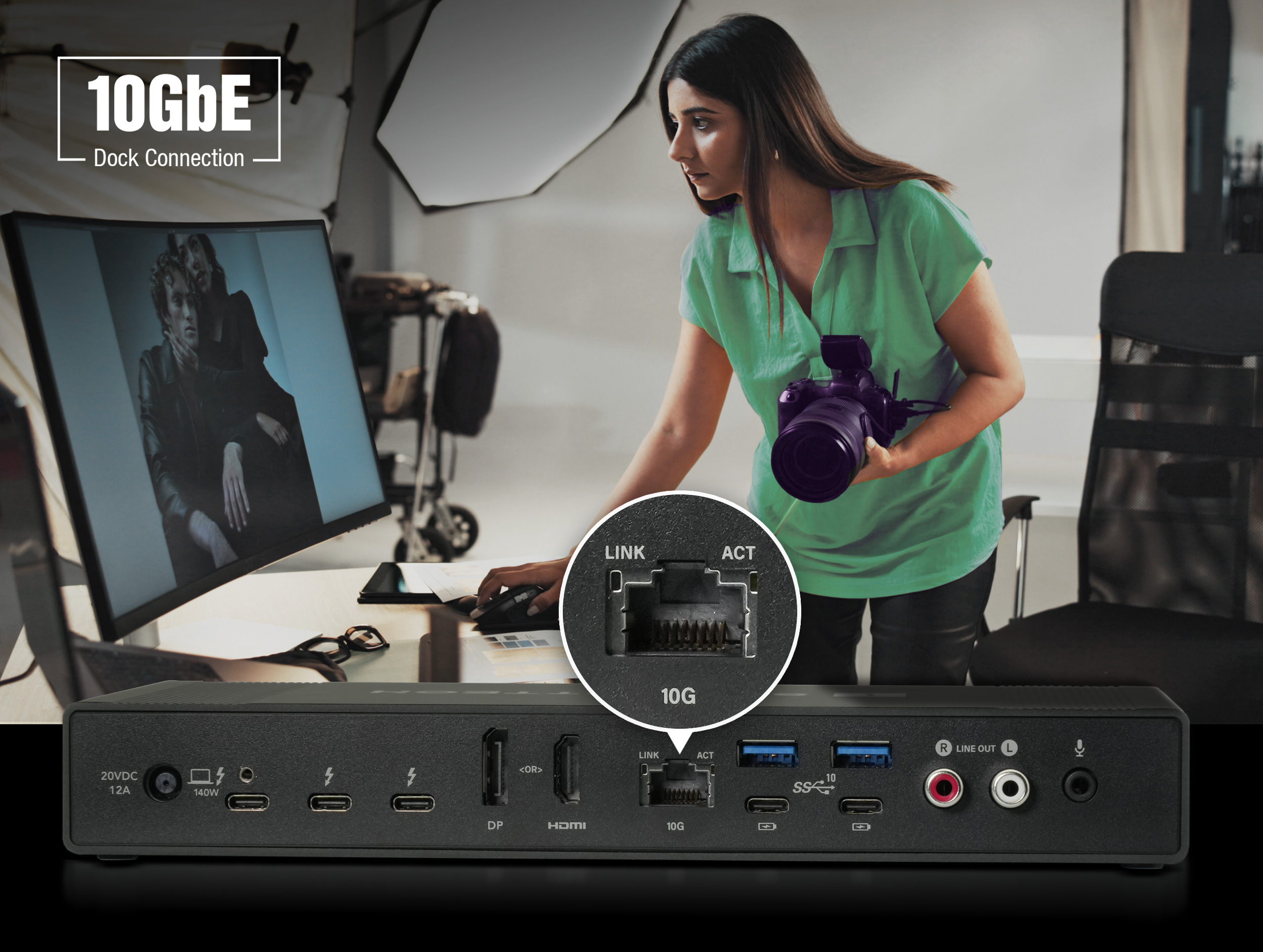
Photographer in studio setting downloading large files over a network. Echo 20 SecureDock shown large in foreground with emphasis on 10GbE port.

Blazing-fast

10GBASE-T Access

Echo 20 Thunderbolt 5 SecureDock supports demanding workflows with built-in 10 Gigabit Ethernet, enabling connection to 10GbE infrastructure using cost-effective Cat 6 or Cat 6A copper cabling (up to 55 or 100 meters, respectively) — eliminating the need for a separate adapter.

Delivering up to 10x the performance of Gigabit Ethernet, the dock also supports 5 Gbps, 2.5 Gbps, 1 Gbps, and 100 Mbps link speeds when connected to switches or NAS devices without 10GbE support, using standard Cat 5e (or better) cabling.

1000% the speed of Gigabit Ethernet icon.

AVB Support: Audio Video Bridging (IEEE 802.1Qav, AVB) support for macOS makes this dock ideal for use in pro audio and video applications where synchronization of data streams is critical.

Woman with headphones listening to Lossless audio.

High Resolution

Audio Support

Echo 20 Thunderbolt 5 SecureDock features a hi-res Audio Codec (coder-decoder) that supports the dock’s audio I/O jacks with high quality, lossless audio. And, with the SecureDock’s fanless, silent design, you’ll hear every detail.

Headset icon.
Headset Microphone
24-bit/48 kHz and 24-bit/96 kHz sample rates
Ideal for meetings, calls, and chat headsets, and supports professional microphones.
Headset Earphones
24-bit/44.1 kHz
Ideal for CDs and music libraries, avoiding resampling of 44.1 kHz audio content.
24-bit/48 kHz
Great choice for streaming video and meetings. Supports Apple Lossless Audio Codec (ALAC) playback.
24-bit/96 kHz
Fantastic choice for audiophiles; supports Hi-Res Apple Lossless playback.
24-bit/192 kHz
Ideal when maximum detail is required; supports high-resolution Apple Lossless playback, preserving the full fidelity and dynamic range of studio-quality audio recordings.
Microphone icon.
Dedicated Mic Jack
24-bit/96 kHz sample rate
Connect a dedicated microphone for clear voice input during meetings, calls, streaming, and voice recording.
Stereo RCA jacks icon.
Stereo RCA Jacks
24-bit/96 kHz sample rate
Provide consistent line-level audio output, ideal for connecting powered speakers or directly to a receiver, power amplifier, or mixer. Also excellent for self-powered studio monitors and other professional audio equipment. Supports Hi-Res Apple Lossless playback.
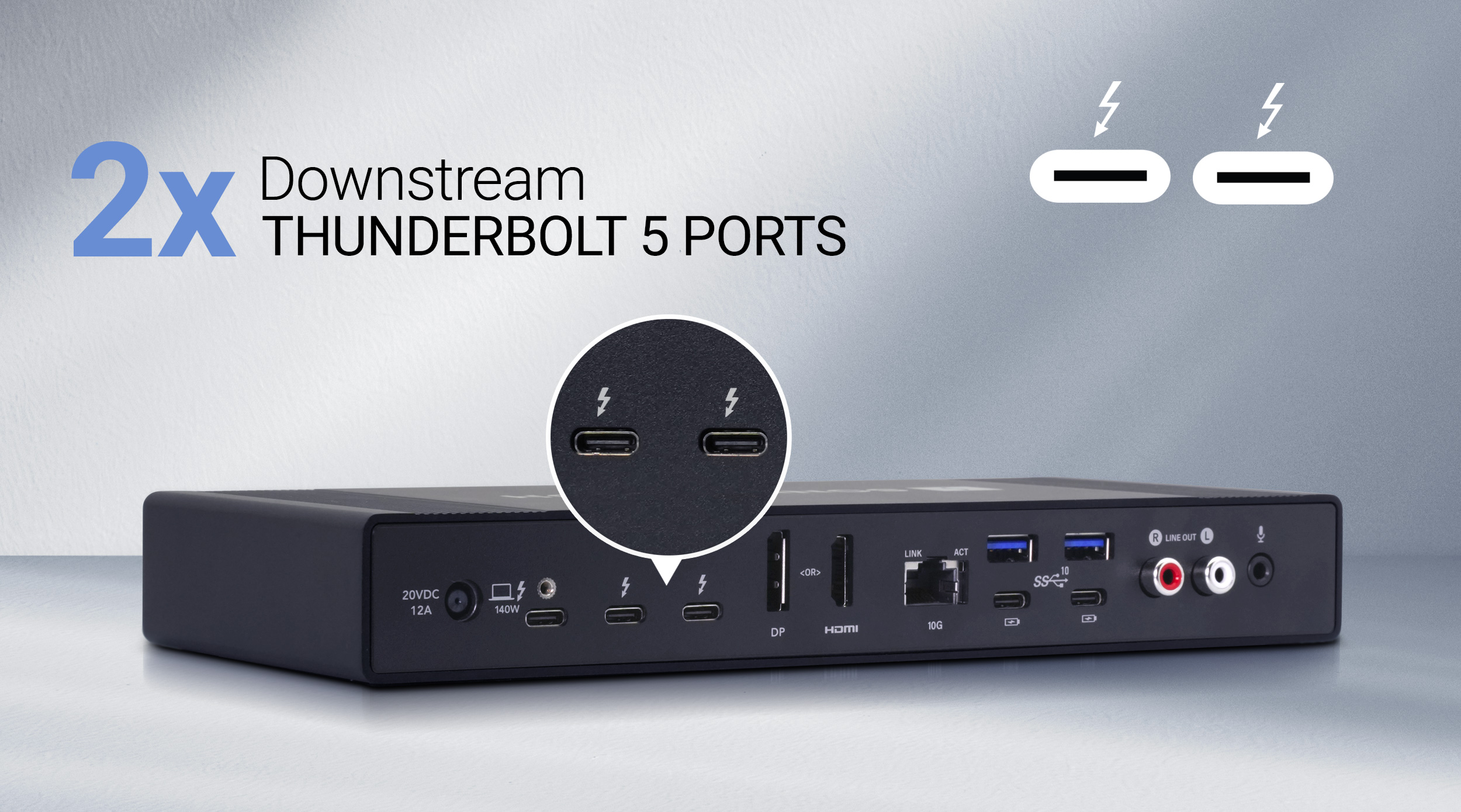
Rear view of Echo 20 SecureDock with emphasis on Thunderbolt 5 ports.

Dual

Downstream Thunderbolt 5 Ports for Simple, Powerful Connectivity

Echo 20 Thunderbolt 5 SecureDock incorporates three Thunderbolt 5 ports. One connects to and powers your computer — ideal for laptops with only one or two Thunderbolt ports, since it handles charging and data through a single connection. The other two support Thunderbolt 5, 4, and 3 devices — as well as USB4 and USB 3 peripherals — and each provides 15W for demanding bus-powered devices. If supported by your computer, you can also connect one, two, or even three additional displays.
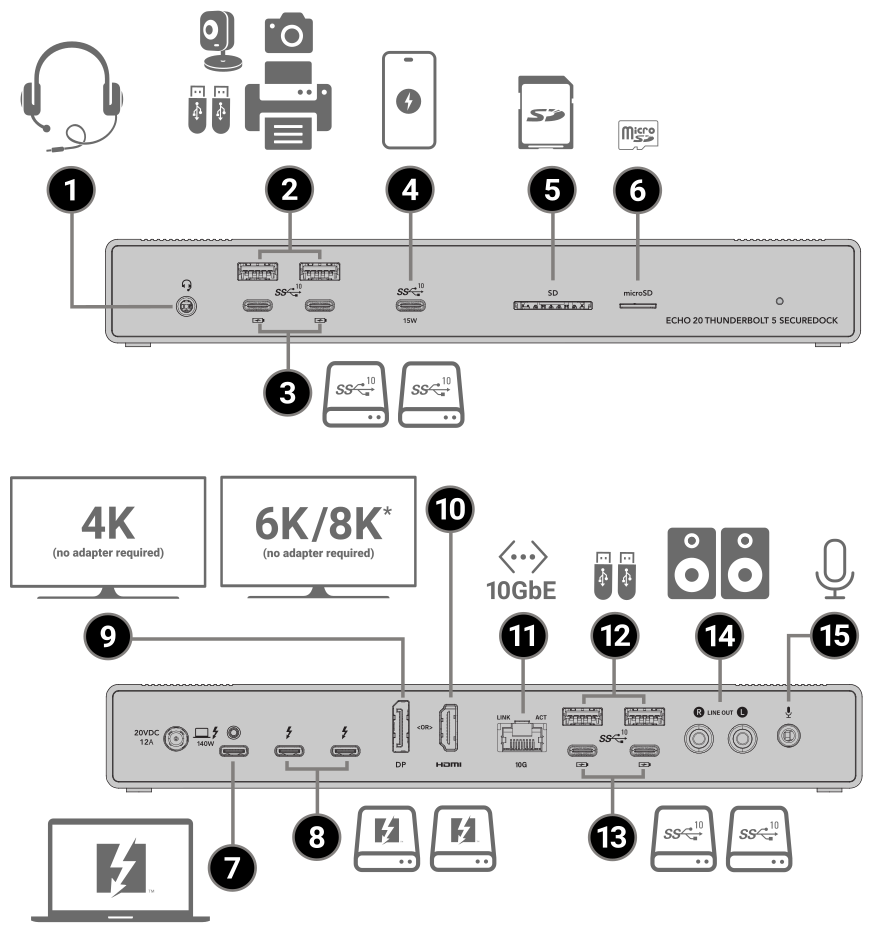
All the Ports

Plus Fanless, Silent Design

Thunderbolt 5, Display, 10GbE Networking, Audio, and USB Connectivity In One Powerful Dock

Illustration of Echo 20 SecureDock front and back views identifying port locations.
1
Combo Audio Jack – Plug in your headset or headphones and experience high-resolution lossless audio.
2
Two 10 Gbps USB-A Ports (7.5W) – Connect fast thumb drives, audio interfaces, printers, web cameras.
3
Two 10 Gbps USB-C Ports (with 7.5W Charging) – Connect fast USB-C SSDs; connect and charge your phone.
4
One 10 Gbps USB-C Port (with 15W Charging) – Connect a fast USB-C SSD; connect and charge your phone even faster.
5
UHS-II SD Card Slot – Ingest media from SD cards.
6
UHS-II microSD Card Slot – Ingest media from microSD cards.
7
Host Thunderbolt Port – Connect your computer; charges a laptop with 140W of power.
8
Thunderbolt 5 Peripheral Ports – Connect lightning fast Thunderbolt peripherals, or displays.
9
Video Output (DP) Port – Connect a 4K 144Hz display without adapter.
10
Video Output (HDMI) Port – Connect an 8K* 60Hz display without adapter.
11
10 Gigabit Ethernet Port – Connect to a high-speed network.
12
Two 10 Gbps USB-A Ports (7.5W) – Connect fast thumb drives, audio interfaces, printers, web cameras.
13
Two 10 Gbps USB-C Ports (with 7.5W Charging) – Connect fast USB-C SSDs; connect and charge your phone.
14
Audio Line Out Jacks – Connect to powered speakers, an amplifier, or an audio interface to provide high-resolution lossless audio.
15
Microphone Jack – Connect a microphone and capture high-resolution lossless audio voice recording.
Fanless, silent design icon.

*See Tech Specs for details

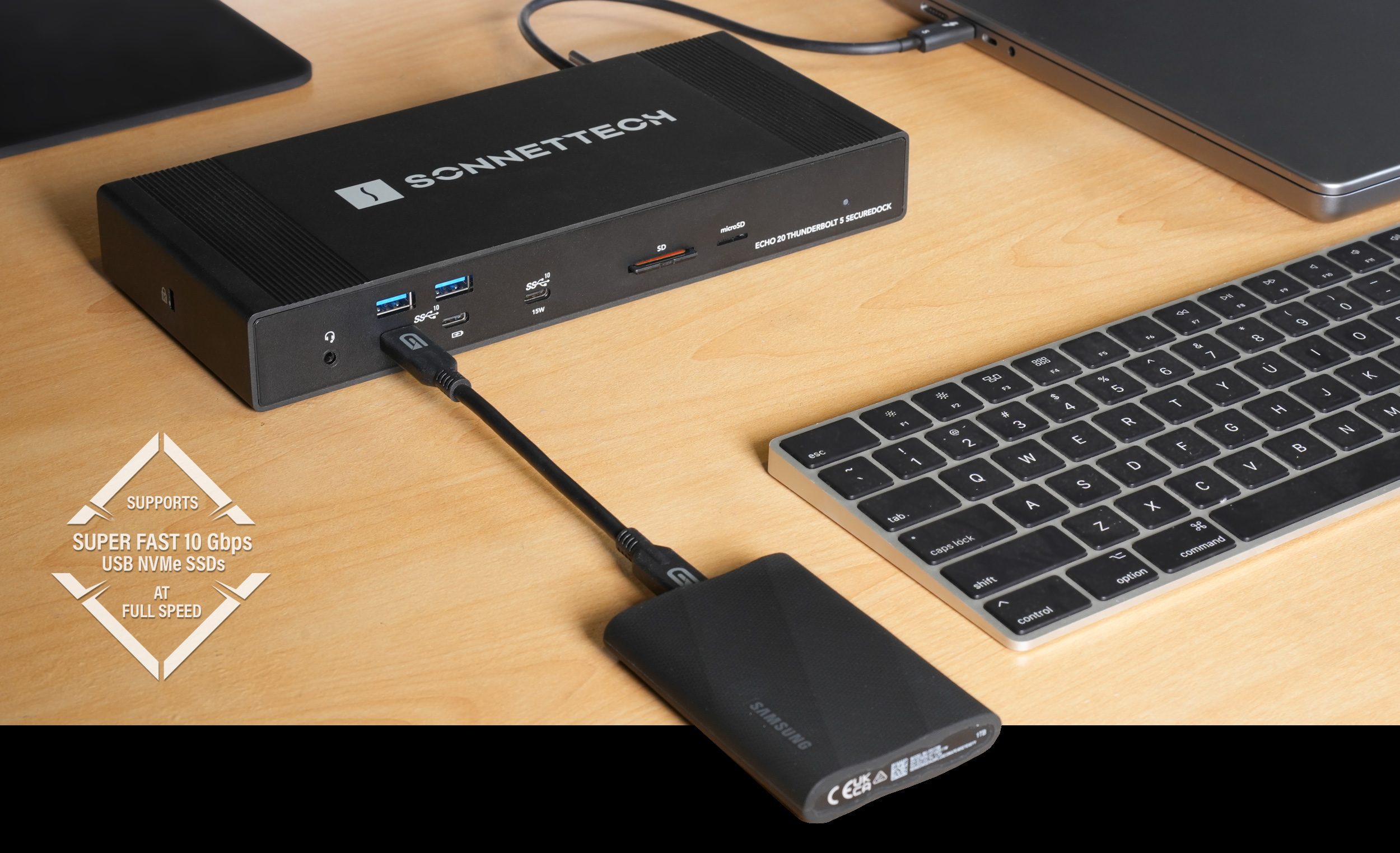
Portable SSD connected to front USB-C port on Echo 20 SecureDock.

Powerful

10 Gbps USB-A and USB-C Ports

Echo 20 Thunderbolt 5 SecureDock delivers powerful USB 3 connectivity with four 10 Gbps USB-A ports, and five 10 Gbps USB-C charging ports — including two on the front, two on the back, and a front 15W USB-C charging port. All ports support super-fast 10 Gbps USB NVMe SSDs at full speed.

Echo 20 doesn’t skimp on power either — each port provides 7.5W (or 15W) to ensure that drives with higher peak power requirements mount and operate reliably. An added benefit of the USB-C ports is they support device charging even when the computer is off, asleep, or disconnected.

USB Power Delivery

15W charging USB-C port icon.
7.5W charging USB-C ports icon.
7.5W USB-A ports icon.

15W and 7.5W charging powered ports deliver high-speed data and power, letting connected devices operate or charge without needing a separate power adapter
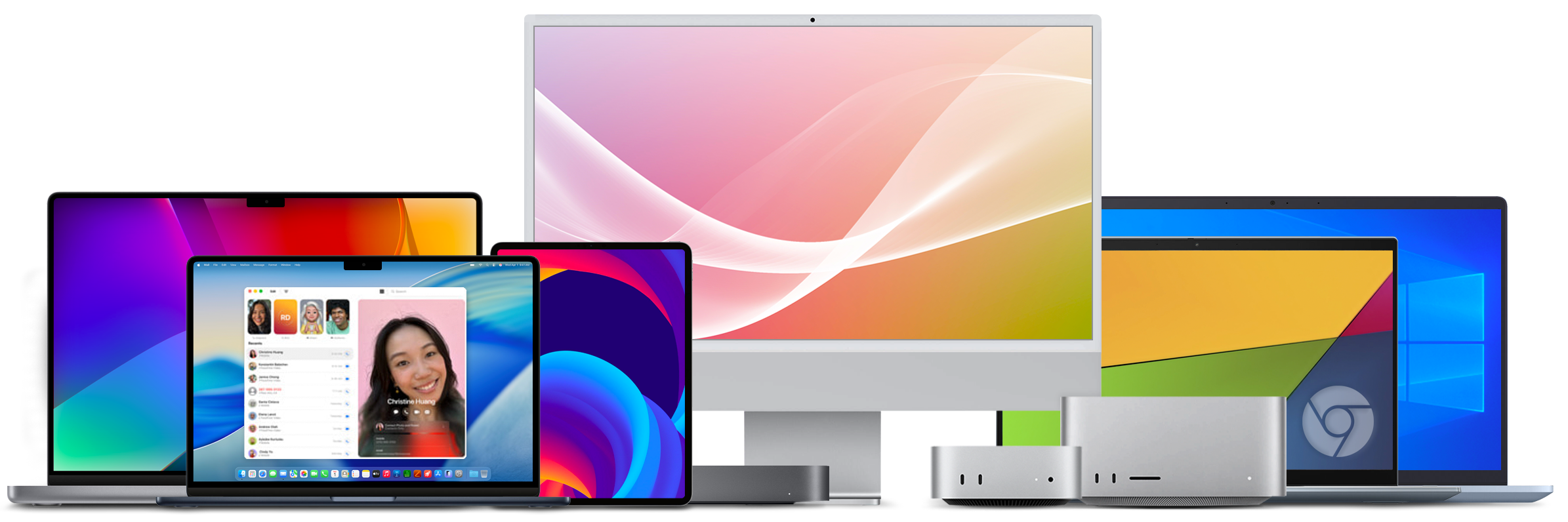
Group of Thunderbolt computers.

Thunderbolt Certified for Mac, Windows, Chromebook, and iPad Pro

Echo 20 Thunderbolt 5 SecureDock is certified for use with Apple M series Macs; Thunderbolt 3 Intel Macs; Thunderbolt 5 and most Thunderbolt 4 Windows computers; Thunderbolt 5 and 4 Chromebook computers; and M series iPad Pro. See Tech Specs for current computer and OS compatibility information.

Thunderbolt certified badge.Apple logo icon.Intel logo icon.Chromebook logo icon.

Key Features

Thunderbolt cable icon.

One Cable Peripheral Connection

Instant access – plug all your peripherals into the Echo dock and connect your computer to the dock with the included Thunderbolt 5 cable.

Twenty interfaces connection icon.

Twenty Interfaces

SecureDock includes three Thunderbolt 5; four 10 Gbps USB Type A, and five 10 Gbps USB Type-C charging ports; video output ports for HDMI and DP displays; RJ45 10 Gigabit Ethernet; 3.5mm combo audio; 3.5mm microphone; line-level R+L RCA audio out; and fast UHS-II SD and microSD card slots.

Two Thunderbolt ports icon.

Two Thunderbolt 5 Ports for Peripherals

Connect two Thunderbolt peripherals (with support for daisy chaining additional peripherals). Also support USB4 and USB 3 devices, plus displays.

15W charging 10 Gbps USB-C port icon.

10 Gbps USB-C Port (with 15W Charging)

USB-C port provides 15W of power for operation or charging. Port supports super-fast 10 Gbps USB NVMe SSDs at full speed.
Four 7.5W charging 10 Gbps USB-C ports icon.

10 Gbps USB-C Ports (with 7.5W Charging)

Four USB-C ports provide 7.5W of power each for operation or charging. Ports support 10 Gbps USB NVMe SSDs at full speed.

Four 10 Gbps USB-A ports icon.

10 Gbps USB-A Ports
(7.5W)

Four USB-A ports provide 7.5W of power each and support 10 Gbps USB NVMe SSDs at full speed.

HDMI port icon.

Video Output (HDMI) Port

Connect a 1080p, 1440p, 4K, 5K, 6K, or 8K HDMI display directly, no adapter required.
DP port icon.

Video Output (DisplayPort) Port

Connect a 1080p, 1440p, or 4K display directly, no adapter required.

Two displays icon.

Connect One, Two, or Three Displays via Thunderbolt

Depending on your computer, connect one or two Thunderbolt or USB-C displays directly, and daisy chain a third (see Tech Specs for details). Supports HDMI and DP displays with Thunderbolt-compatible adapters (sold separately).

4K-8K displays icon.

Support for 1080p, 1440p, 4K, 5K, 6K, and 8K Displays, @ up to 240Hz

Depending on your computer, supports up to two 8K displays, or three or four 4K, 5K, or 6K displays (see Tech Specs for details).

Charging laptop icon.

Charge Your Laptop

Provides 140W through the included Thunderbolt 5 cable to power and charge your laptop.

Musical notes icon.

Hi-res Audio I/O Support

3.5mm stereo headset jack on the front panel. Separate left/right channel RCA line out jacks that deliver a clean signal to powered speakers or an amplifier, plus a 3.5mm microphone jack populate the back panel.

SD cards icon.

Fast UHS-II SD and microSD Card Slots

Compatible with SD, SDHC, SDXC; and microSD, microSDHC, and microSDXC memory cards; supports 320 MB/s read speeds with UHS-II cards.

Apple logo icon.

Mac Compatible

Supports all M series Macs, and Intel Macs with Thunderbolt 3 ports.

Windows logo icon.

Windows Compatible

Supports Windows computers with Thunderbolt 5 or 4, or USB4 ports.

Chromebook logo icon.

Chromebook Compatible

Supports Chrombeook computers with Thunderbolt 5 or 4, or USB4 ports.

Apple M Series iPad Pro icon.

Apple M Series iPad Pro Compatible

Supports M series iPad Pro tablets.

Free lifetime tech support icon.

Sonnet Support

Founded in 1986 in Orange County, Southern California — long recognized as a vibrant hub of technology and engineering — Sonnet has been at the forefront of innovation for nearly four decades. We’ve introduced award-winning products that expand performance and connectivity for Mac, Windows, and other industry-standard computers. Many of our team members have been with us for more than 20 years, bringing unmatched expertise across both current and legacy products. Should you ever need technical support, you can count on our knowledgeable staff to provide the help you need.
Echo 20 Thunderbolt 4 SuperDock connected to MacBook Pro and external USB NVMe SSD drive.

More Pixels

Drive 4K, 5K, 6K, and up to 8K Displays via Thunderbolt

Depending on your computer’s graphics capability and whether a DisplayPort or HDMI monitor is connected to one of the dock’s built-in display outputs, the Echo dock’s Thunderbolt ports can support as many as three displays — at 4K, 5K, or 6K resolution, and up to 8K*.

Connect Thunderbolt 5, 4, 3, or USB-C monitors directly, or use a Thunderbolt-compatible adapter (sold separately) to connect HDMI, DisplayPort, and other display types.

Displays Compatibility PDF

View how many displays you can use with your computer

Learn More About Display Connectivity

Chart Matrix Icon
Thunderbolt Port Display Connectivity
Thunderbolt 5, 4, or 3
Thunderbolt 5, 4, or 3 cable
USB-C
USB-C to USB-C Monitor Display cable
DisplayPort
USB-C to DisplayPort cable or adapter
HDMI
USB-C to HDMI cable or adapter

*See Tech Specs for details

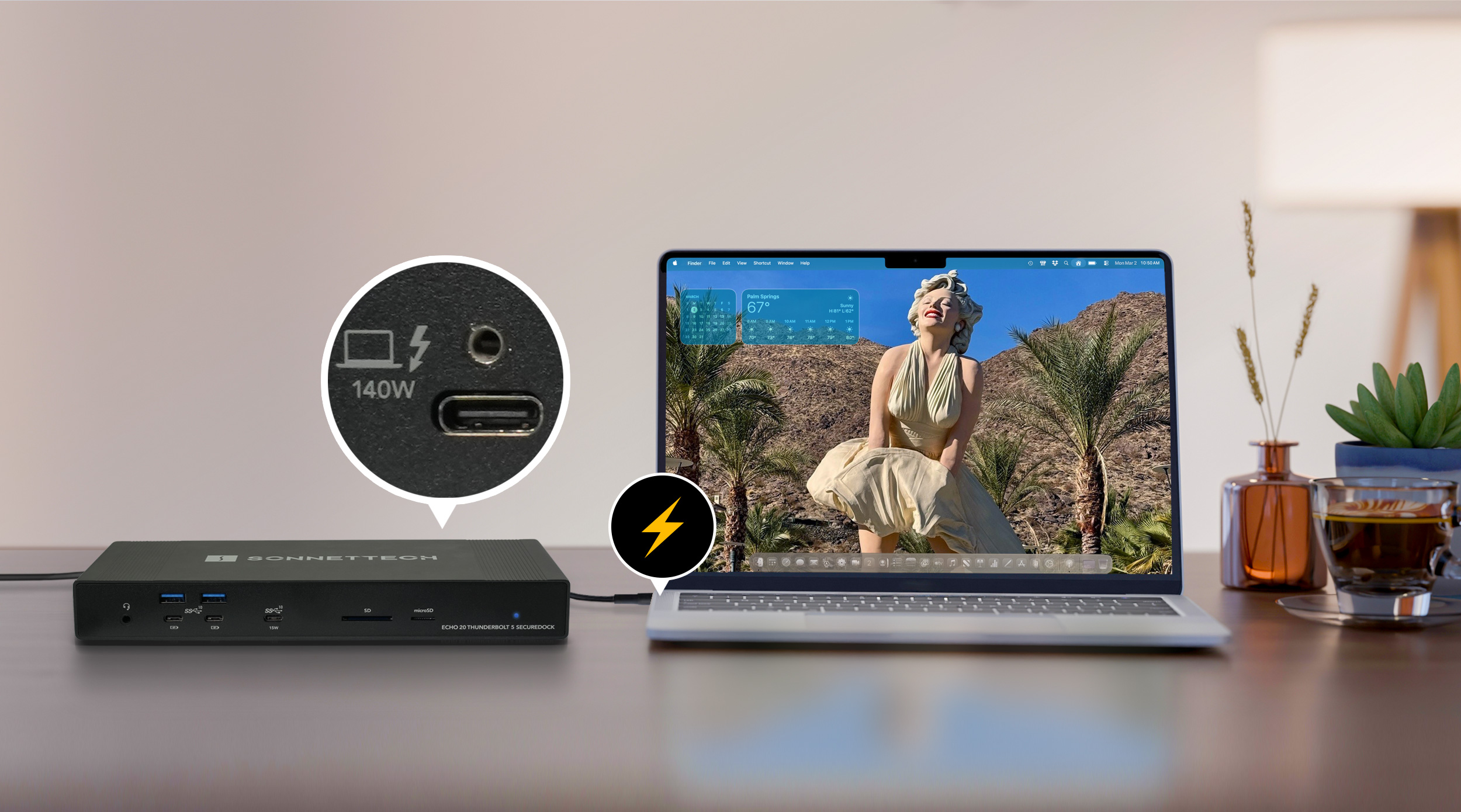
Echo 20 SecureDock connected to computer with emphasis on 140W Thunderbolt charging port.

Charge It Up

Leave the Power Adapter In Your Backpack

Connected to your laptop computer with the included Thunderbolt 5 cable, Echo 20 Thunderbolt 5 SecureDock provides up to 140W of power (Power Delivery), enabling it to power and charge your computer while connected, even when not in use, allowing you to leave your computer’s charger packed away.

UP to 140W charging power delivery icon.
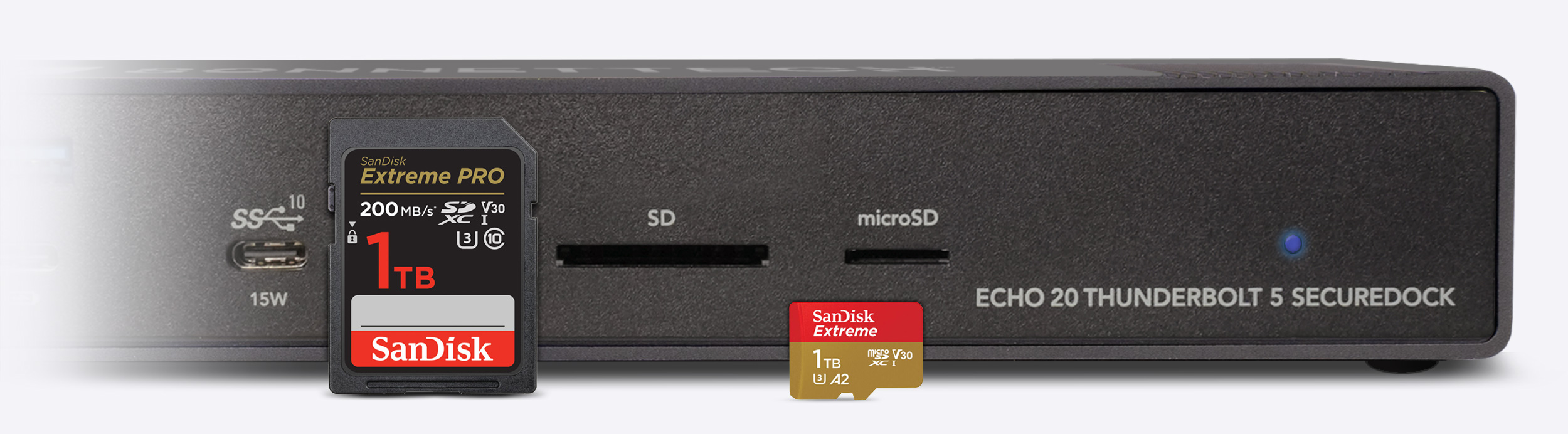
Front of Echo 20 SecureDock with emphais on SD and microSD card slots.

Media Readers

Fast UHS-II SD and microSD 4.0 Card Readers

The included SD and microSD card slots are compatible with SD, SDHC, and SDXC; and microSD, microSDHC, and microSDXC memory cards, respectively, and support 320 MB/s read speeds with UHS-II SDXC and microSDXC cards to quickly offload images and video files.
Security

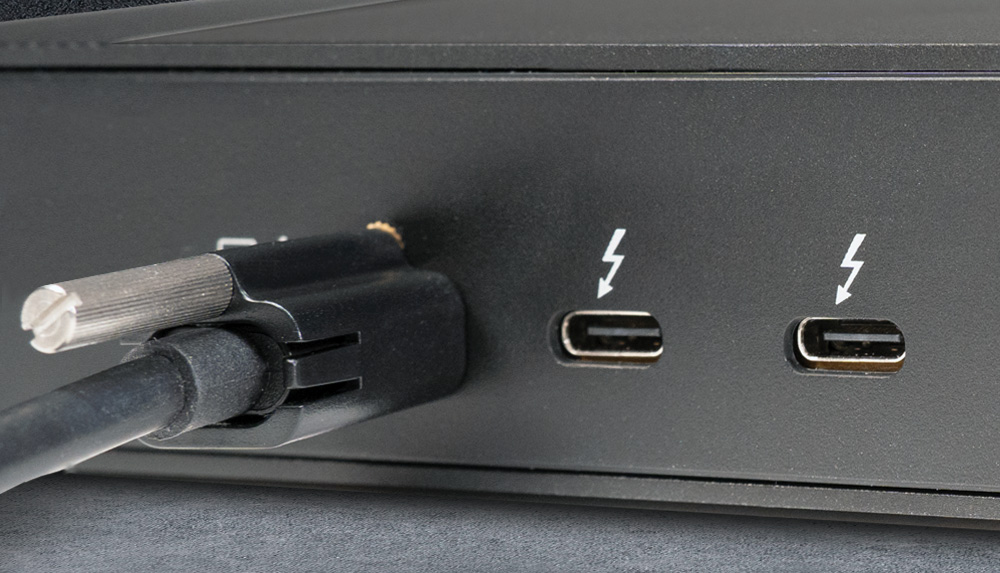
Thunderbolt 5 cable secured to Thunderbolt host port with ThunderLok.
Thunderbolt cable and ThunderLok icon.

Connect It Securely

Thunderbolt 5 Cable and  ThunderLok Included

The included Thunderbolt cable delivers Thunderbolt 5’s full bandwidth and power delivery performance, and is compatible with Thunderbolt 5, 4, and 3, and USB4 computers. A provided ThunderLok connector lock helps prevent accidental disconnections from the SecureDock.
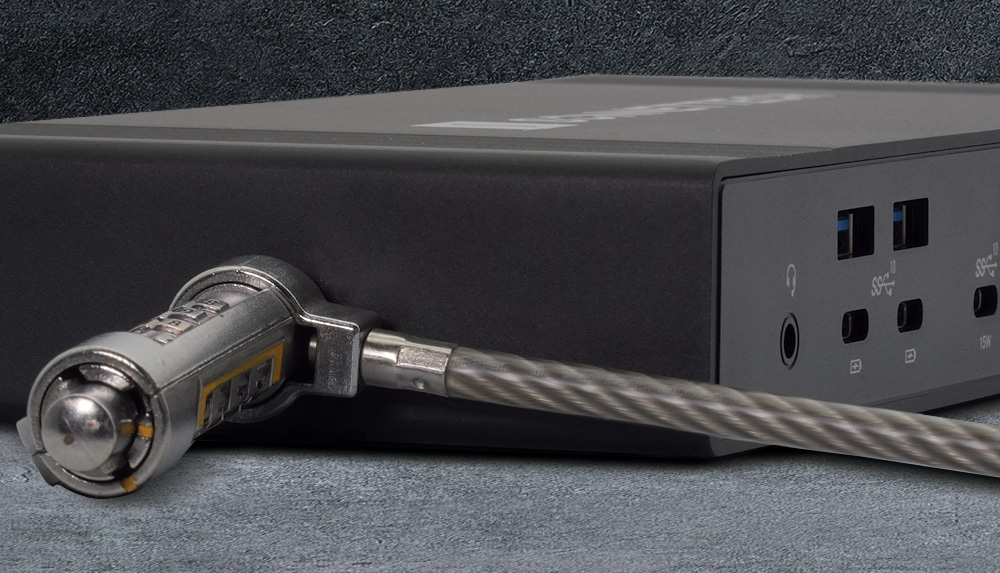
Kensington lock secured to side of Echo 20 SecureDock.
Thunderbolt cable and ThunderLok icon.

Physical Security

Kensington Lock Ready

Secure the Echo dock with a Kensington lock (sold separately). The dock is compatible with Standard, MicroSaver, and MicroSaver 2 locks.

Echo 20 Thunderbolt 5 SecureDock